Absence Types
The Absence Types functionality allows you to create a standardized set of categories for employee absences. This standardization is key to obtaining a clear view and consistent reports on why a team member is unavailable.
By defining a list of types, such as Vacation, Sick Leave, or Conference, you ensure that all absences recorded in the system follow the same nomenclature.
You can manage these types from Administration > Manage apps > Capacity Planner > Absence Types.
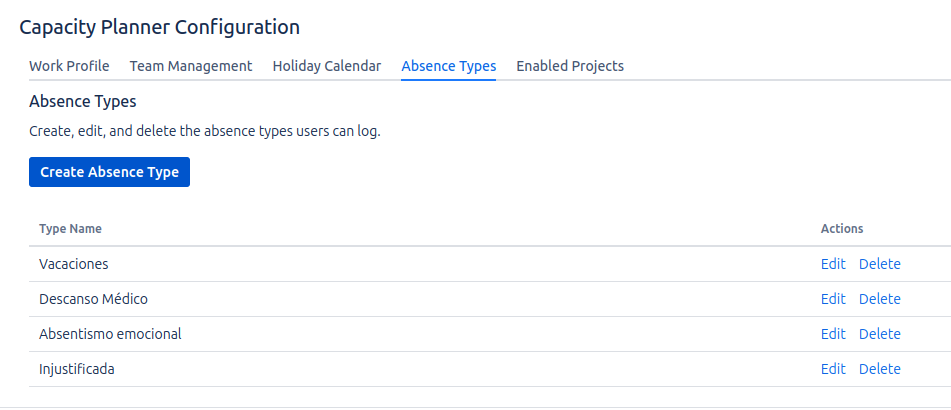
Purpose and Benefits
- Data Consistency: Ensures that all administrators and team leaders use the same terms to record absences.
- Visual Clarity: Allows the capacity planner to show not only that a user is absent, but also the reason why.
How to Manage Absence Types?
The management interface is simple and intuitive:
- Create an Absence Type: Enter the name of the new type in the "Type name" text field and click Save. The type will immediately appear in the list.
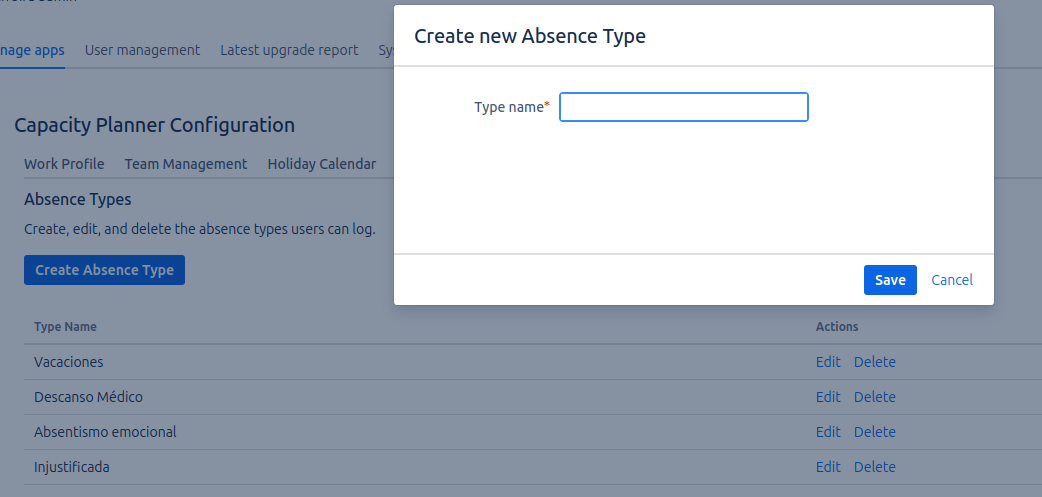
- Edit an Absence Type: Click the Edit button next to an existing type. A modal will appear with the current name, allowing you to modify it. Click the Save button to persist the new name.
- Delete an Absence Type: Click the Delete button to remove a type from the list.
This section only defines the categories of absences. Registering an absence for a specific user (e.g., assigning 'Vacation' to John Doe from August 1 to 15) is done in a different section of the plugin, which is accessible to users and team leaders.
The types defined here will be available in a dropdown menu when registering an absence for a user, ensuring that only predefined categories can be used.