Introduction
Welcome to the official documentation for the Jira PDF Merger DC plugin! 🎉
This plugin provides a simple and effective solution for merging multiple .pdf attachments into a single document directly from the Jira issue view. It is designed to streamline document management in workflows that involve consolidating reports, invoices, receipts, or any other type of documentation attached to an issue.
Key Features
-
Intuitive Merging from the Issue: Access the merge functionality through a clearly identified button in the "More" menu of the issue view, with no complex setup required.

-
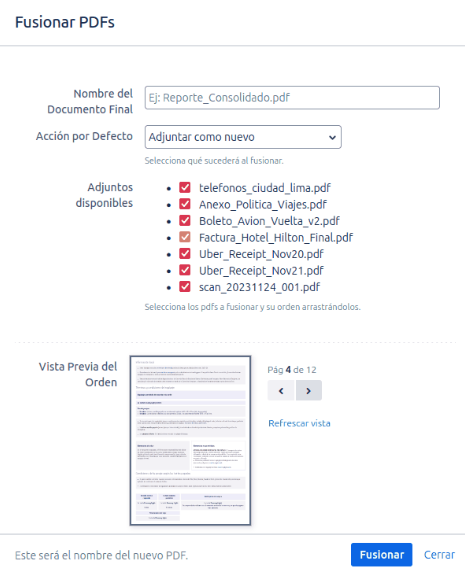
Full Control Over the Merge: In the merge modal, you can:
- Assign a custom name to the resulting PDF file.
- Select which
.pdffiles you want to include in the merge. - Reorder the files by dragging and dropping them to define the exact content order in the final document.
- Preview the merged document to verify the final result before generating it
- Select the final merge result.
-
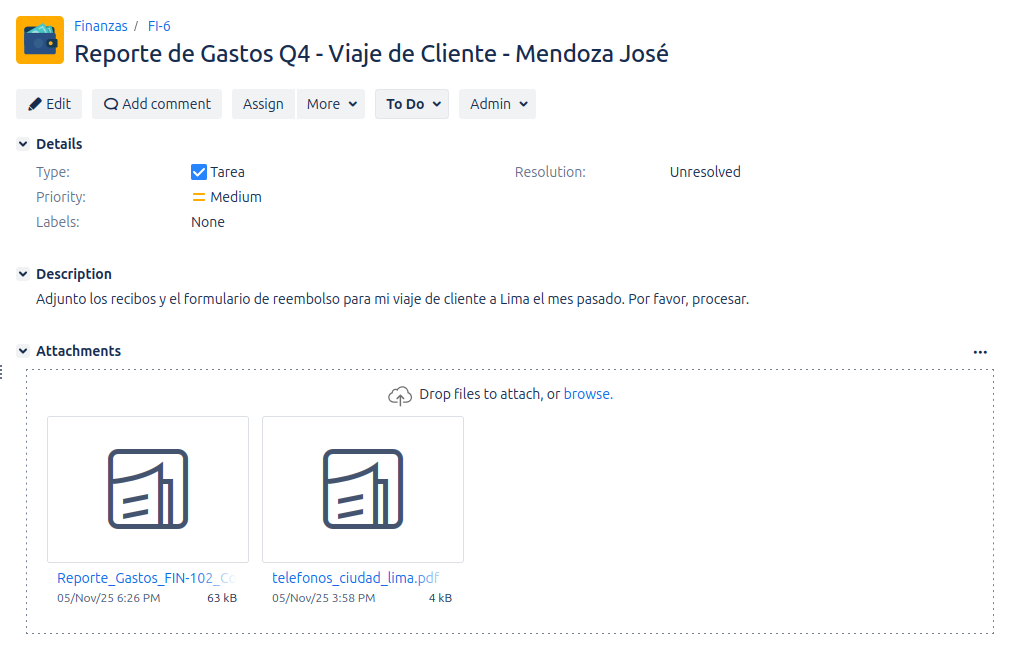
Automatic Attachment Management: Once the merge is complete, the plugin performs two key actions to keep your issue organized:
- Attaches the new merged PDF file to the issue.
- Deletes the original
.pdffiles that were used in the merge, preventing duplicates and keeping the attachments section clean.
-
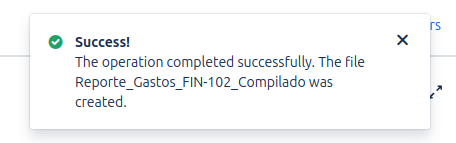
Clear Notifications: Receive an instant success notification upon merge completion, confirming that the new document is ready and attached to the issue.
Who is this for?
- Finance and Administration Teams: Consolidate invoices, receipts, and purchase orders into a single document for easier review and approval.
- Legal Teams: Unify contracts, addendums, and other legal documents related to a case or client.
- Any team that needs to organize and simplify their documentation in Jira, reducing clutter and improving information accessibility.