Site-wide global settings
From version 2.1.0, site administrators can define site-level default values that spaces inherit or override. This avoids repeating the same configuration in every space. In this release, the LogSense global configuration screen has been redesigned to improve visual hierarchy, labels, and the configuration flow, without changing the underlying functional scope.
Access
- Sign in with Jira Administrator or Site Administrator permissions.
- Open Jira Administration (⚙️).
- Go to Apps → LogSense — Global Settings.
You can also reach it from Settings → Work items → Time tracking when LogSense is the active provider, via the LogSense configuration link. On some sites, Atlassian also exposes this access through Connected apps / Configure.
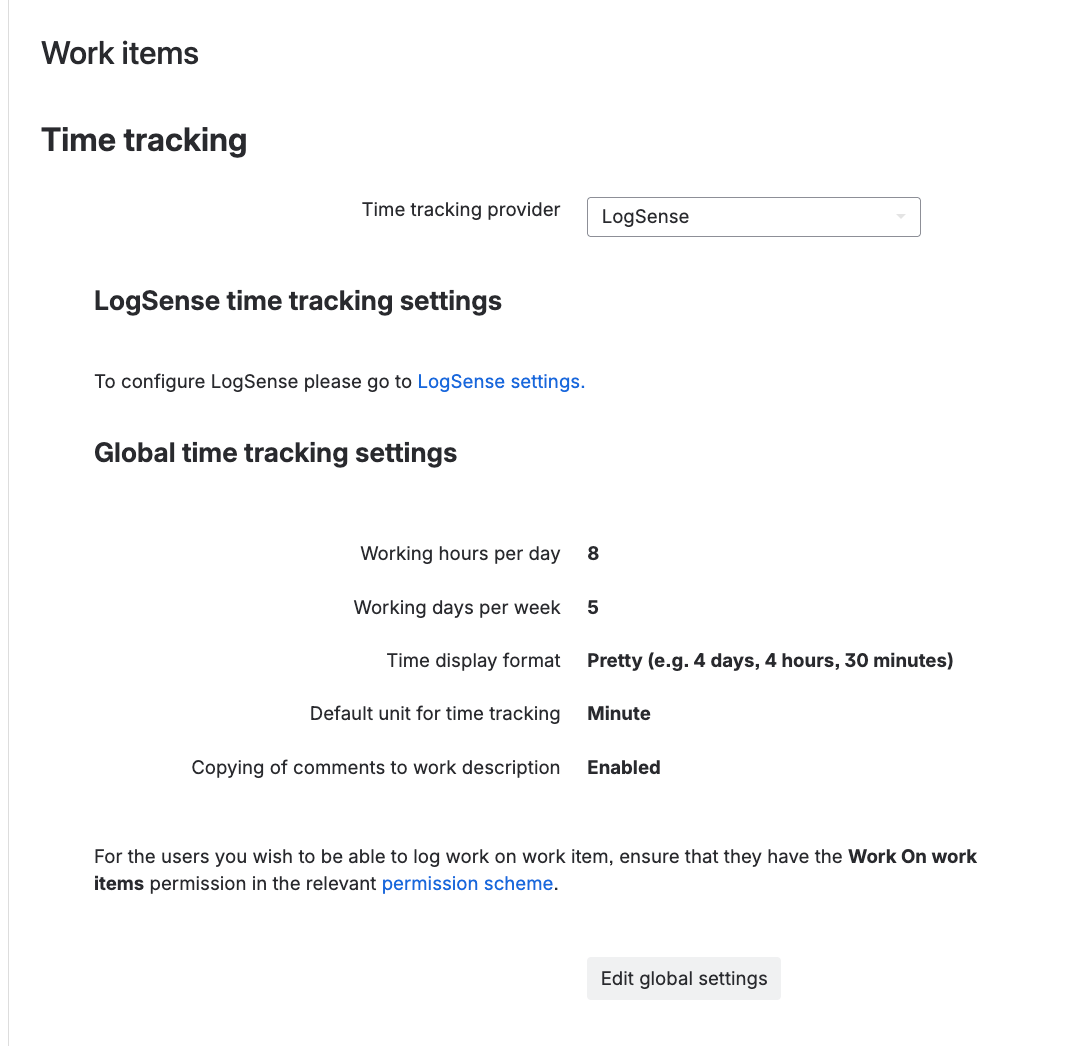
Available tabs
The LogSense global configuration screen mirrors LogSense Settings per space, with six tabs:
| Tab | Content |
|---|---|
| General | Site-level daily limit, default billable, estimates, holiday blocking, Require notes, Active Status, and Active Work Item Types. |
| Work Types | Global work type catalog (default and custom) inheritable by spaces. |
| Billing Periods | Site-level periodicity and current billing period, inheritable by spaces. |
| Holidays | Global holiday calendar inheritable by spaces. |
| Approval | Enable approval workflow and approver list at site level. |
| eazyBI | Instructions and snippets for external reporting. See eazyBI integration. |
General tab
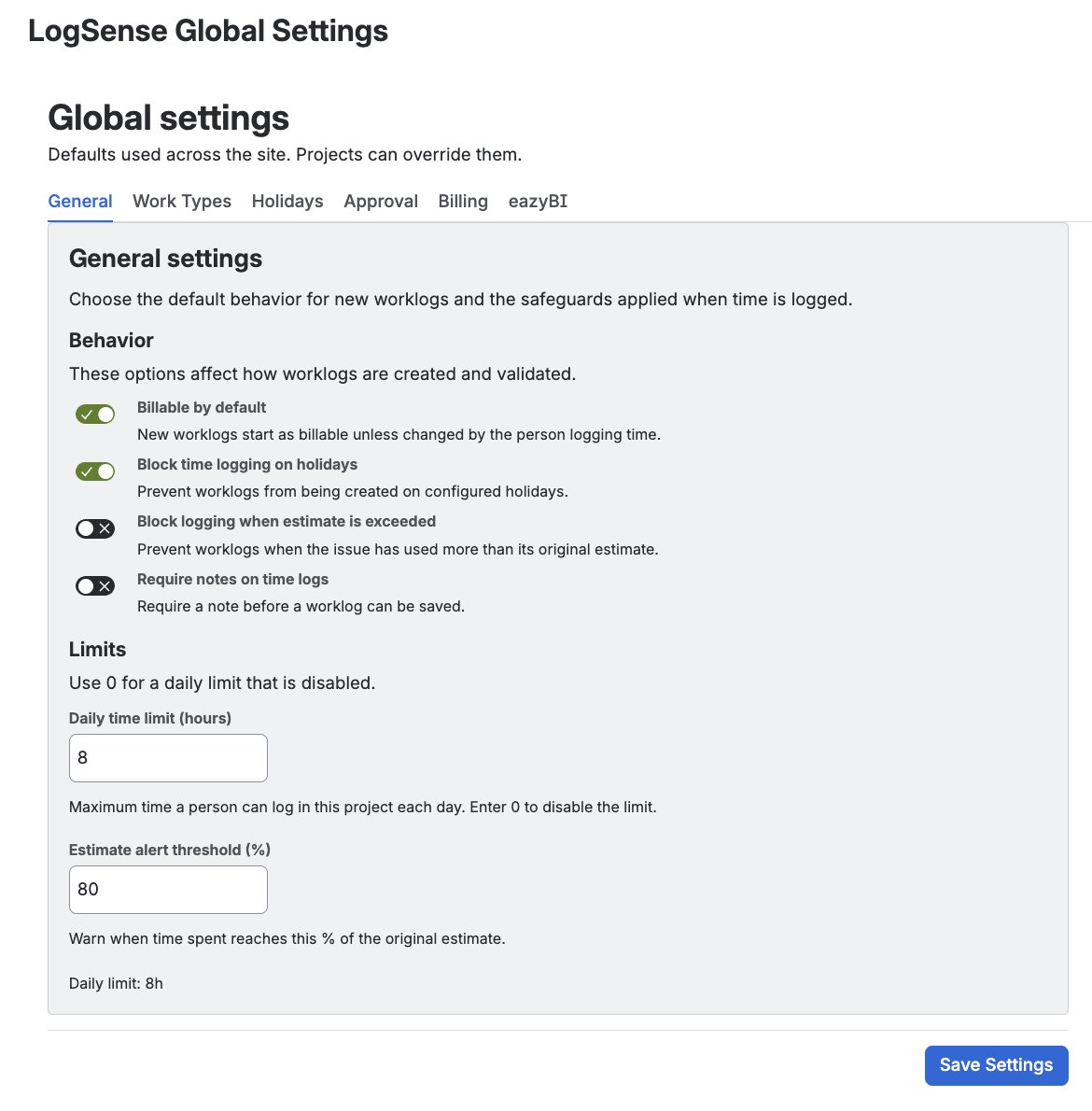
The options match LogSense Settings — General, but apply as site defaults:
- Daily hour limit
- Default billable
- Estimates
- Holiday blocking
- Require notes — forces users to fill the Notes field when creating or editing worklogs. Spaces inherit this value if they have no local override.
- Active Status — selection of states where time logging is allowed. Spaces inherit this value if they have no local override.
- Active Work Item Types — selection of work item types that allow time logging. Spaces inherit this value if they have no local override.
Work Types tab
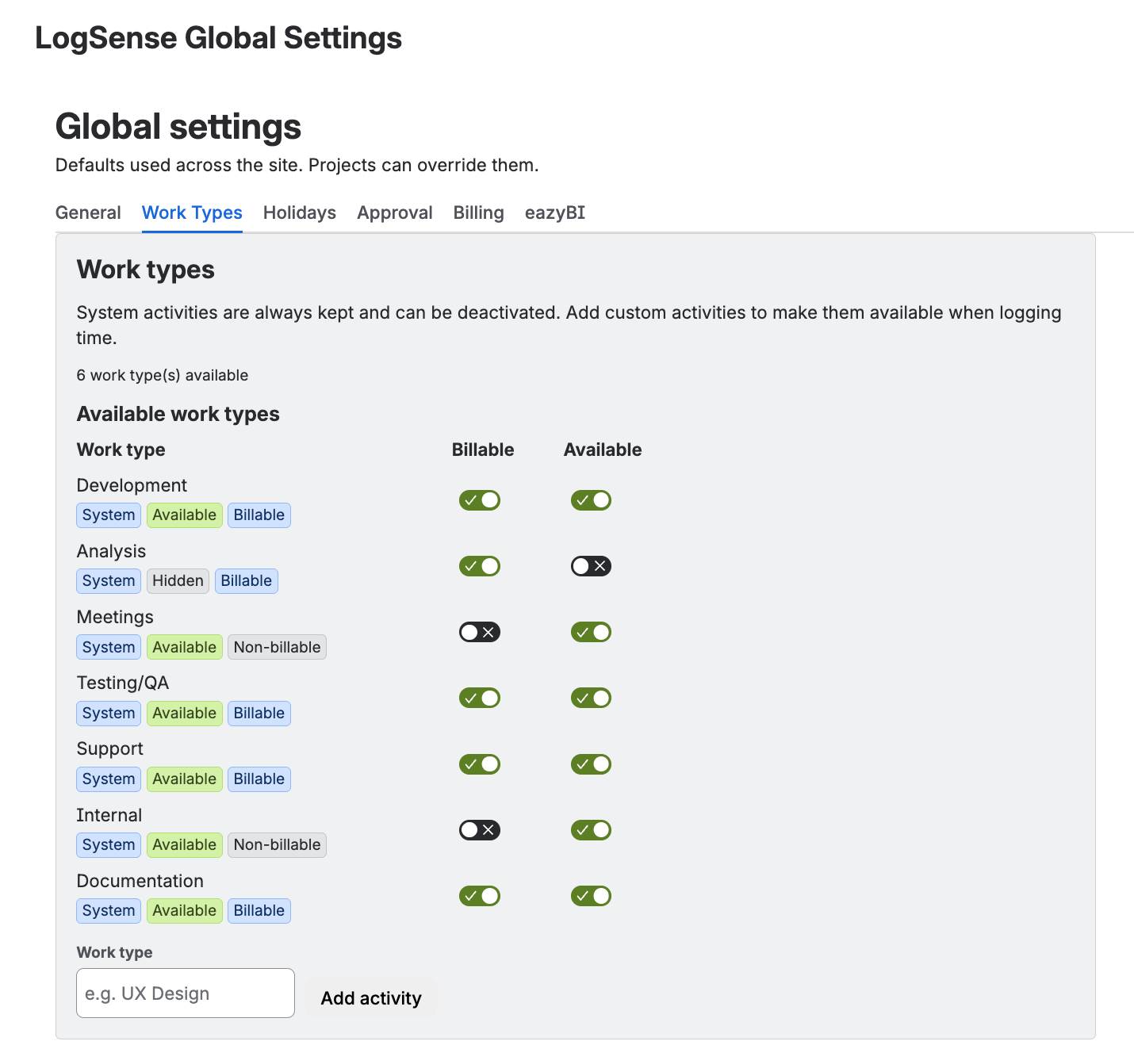
Define the work type catalog that spaces without their own override use when logging time. The catalog combines default types (included by LogSense, not deletable but deactivatable) and custom types created by the site administrator.
Billing Periods tab
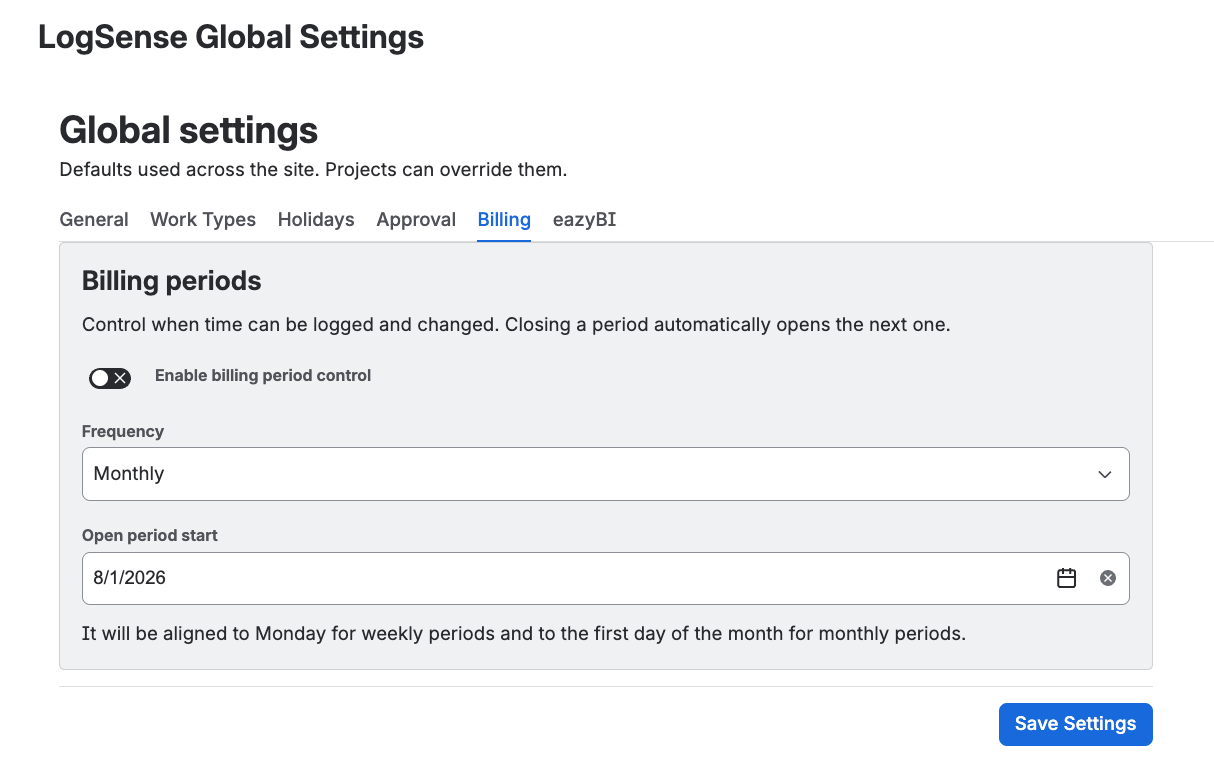
Define the periodicity (weekly or monthly) and the current period that spaces without their own override inherit. Spaces that save their own configuration in LogSense Settings — Billing Periods keep their override.
Holidays tab
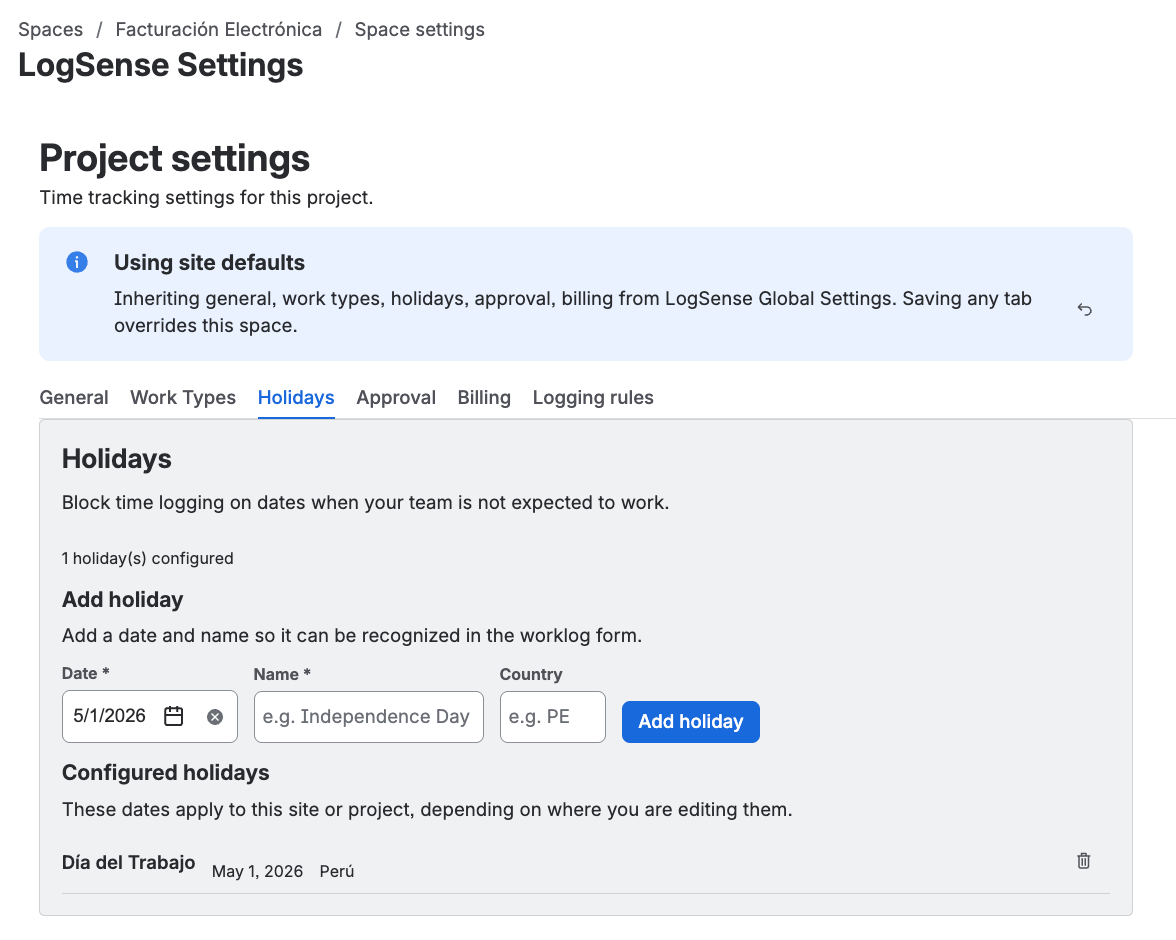
Configure corporate or national holidays that spaces can inherit when they have no local calendar.
These holidays are also highlighted in the Timesheet view of the Hours report for spaces without their own calendar, and they are the only ones used when the filter is All spaces. The timesheet does not modify them or change blocking when logging time.
Approval tab
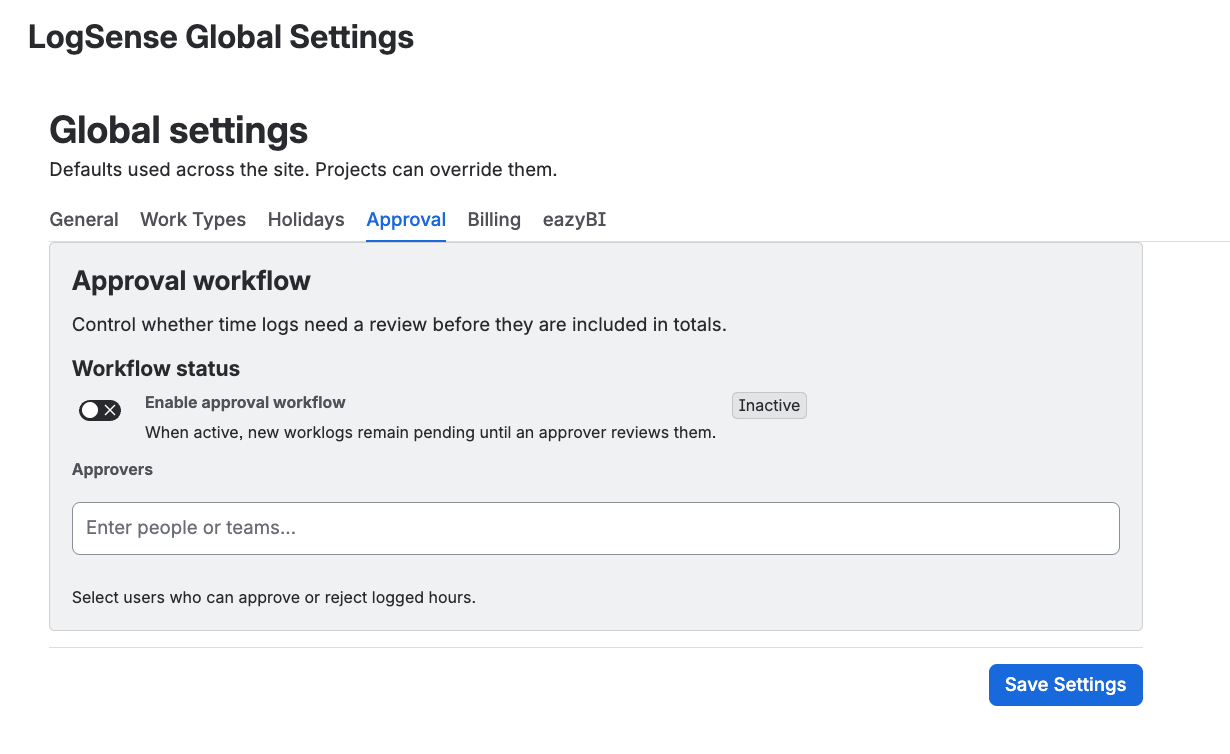
Enable the approval workflow at site level and define the global approver list that spaces inherit when they have no local configuration. The options match LogSense Settings — Approval, but apply as site defaults.
Global → space inheritance model
LogSense resolves effective configuration per space with this priority:
- Space configuration — if the space has saved its own values, they take precedence.
- Site global configuration — if the space has no override, it uses global defaults.
- App internal defaults — only when neither global nor space configuration exists.
| Scenario | Behavior |
|---|---|
| New space without LogSense Settings | Inherits daily limit, work types, holidays, default billable, Require notes, Active Status, Active Work Item Types, and approval configuration from the site. |
| Space with its own configuration | Keeps its override; global settings do not overwrite it automatically. |
| Reset to Site Defaults in the space | Removes the space override and restores site values (not hardcoded app defaults). |
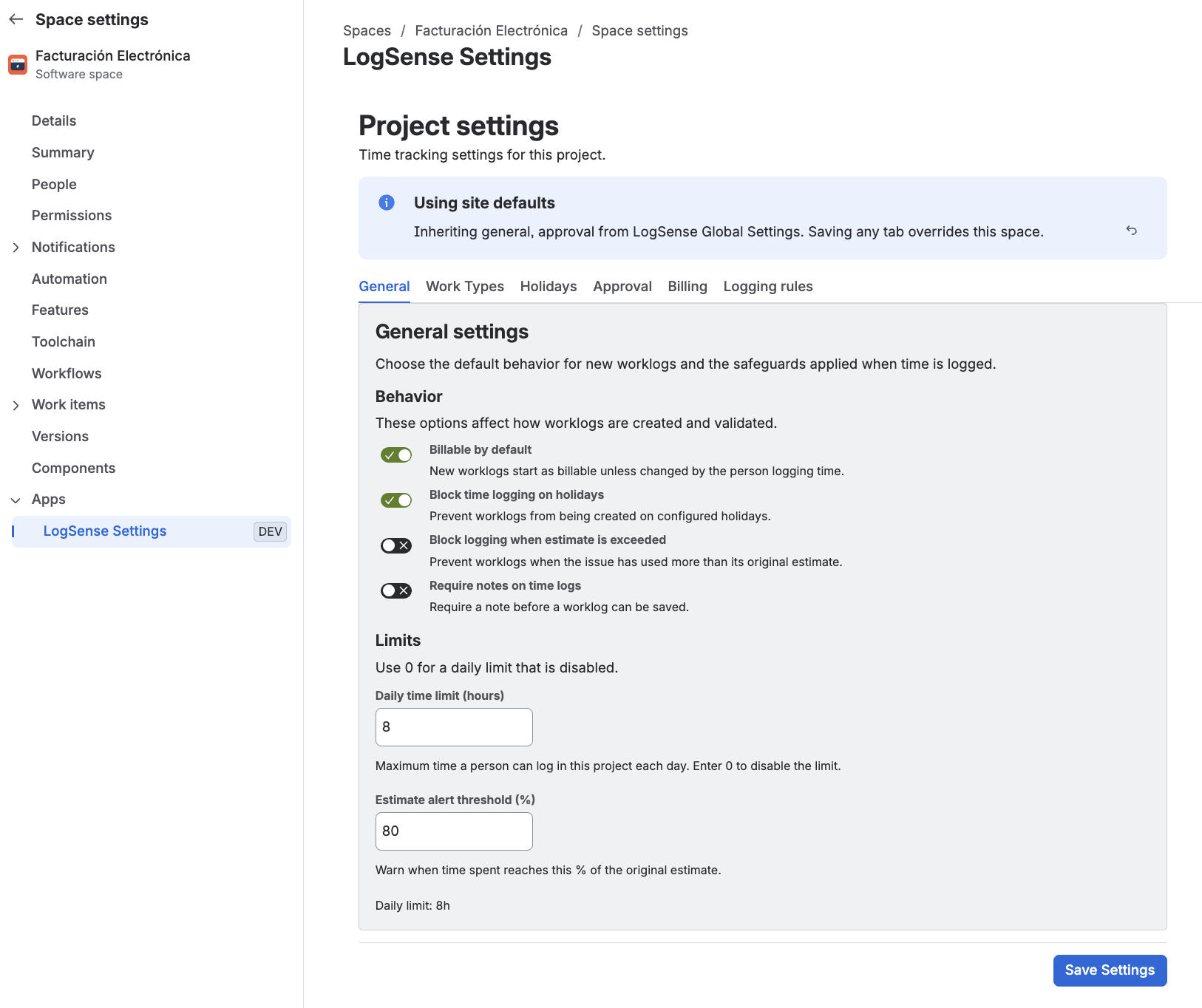
In version 2.2.0, per-space LogSense Settings live in Space settings (jira:projectSettingsPage). Only users with space administration permissions should be able to modify this configuration.
Best practices
- Define corporate holidays and standard work types globally.
- Reserve per-space overrides for exceptions (e.g. a client space with a different daily limit).
- After changing global settings, review critical spaces that rely on inheritance before month-end close.
- Enable Require notes globally if all spaces must enforce notes; you can disable it in specific spaces that need exceptions.
- Set the default Active Status and Active Work Item Types globally only when they apply to most spaces; use per-space overrides for teams with different workflows.
Next steps
- LogSense Settings — General — per-space override
- LogSense Settings — Approval — approver configuration
- eazyBI integration — reporting with worklog metadata