LogSense Settings — Holidays
The Holidays tab defines the space's holiday calendar. When holiday blocking is active on the General tab, users cannot log time on those dates.
Access
- Space → Space settings → LogSense Settings → Holidays tab.
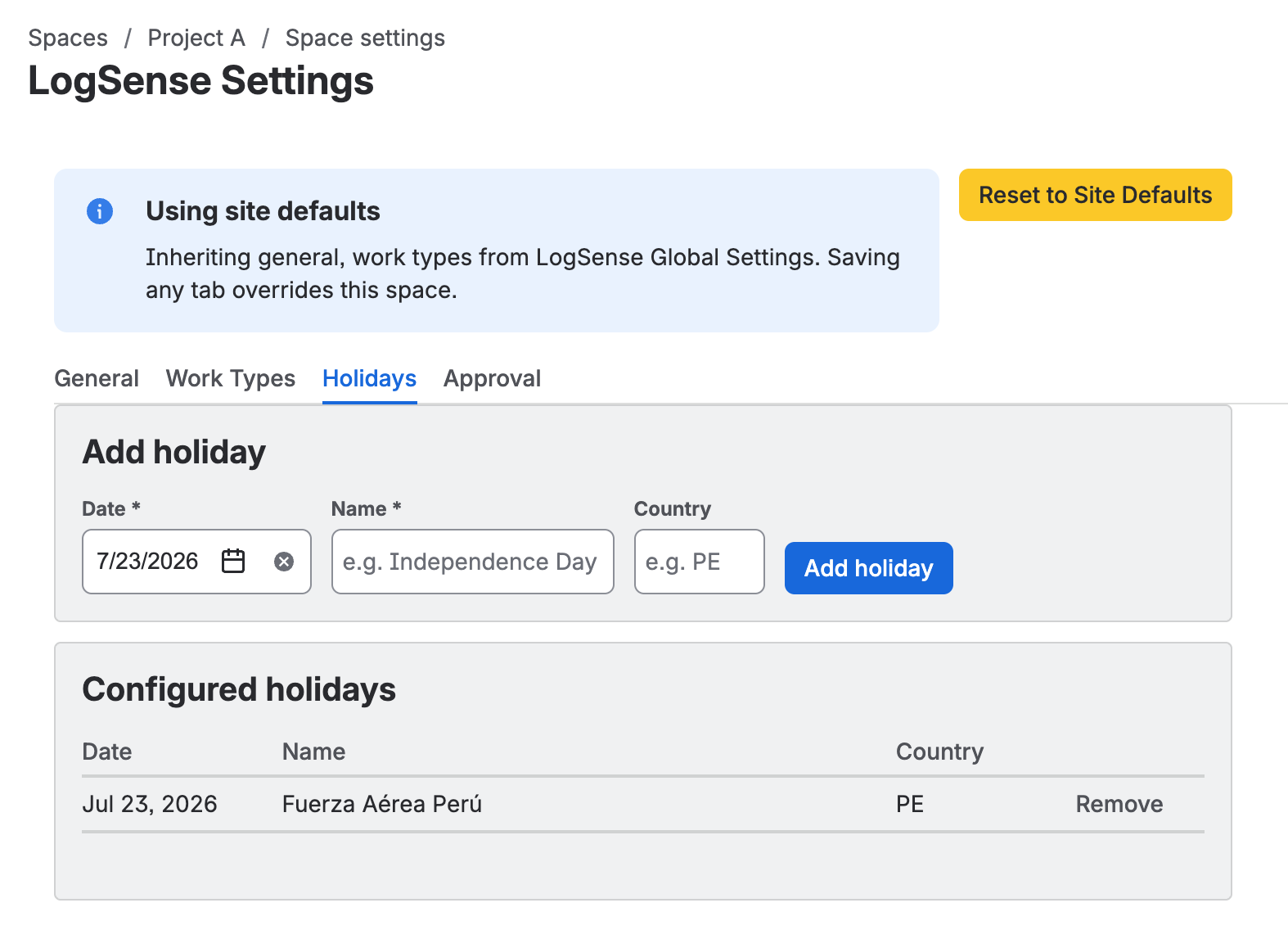
Adding holidays
- In Holidays, use the option to add a holiday date.
- Enter the date (and optional description if the UI allows).
- Save changes.
Space holidays take precedence over the global calendar. If the space defines no holidays, it inherits from Site-wide global settings.
Behavior when logging time
| Condition | Result |
|---|---|
| Entry date is not a holiday | Logging allowed (subject to other validations). |
| Entry date is a holiday and blocking is active | Form rejects the entry. |
| Holiday blocking disabled | Holidays are stored but do not block entries. |
Use cases
- National holidays of the delivery team's country.
- Year-end closures or organization non-working days.
- Planned space freezes (e.g. change freeze periods).
Multi-country teams can define different holidays in separate spaces and use global configuration for shared corporate holidays.
Holidays in the timesheet
Holidays in this tab are also shown in the Timesheet view of the Hours report: they are highlighted in the grid and listed in Holidays this month. If the space has no holidays of its own, the timesheet uses the site's.
The timesheet only reads the calendar: it does not change how holidays are added or holiday blocking when logging time.
Relationship with the General tab
The Holiday blocking toggle in General must be enabled for dates in this tab to prevent new entries.