Time tracking provider activation
LogSense for Jira can operate as Jira Cloud's time tracking provider (Forge module jira:timeTrackingProvider, key logsense-time-provider). This is the recommended way to use the app in version 2.0.0.
When to activate the provider
| Scenario | Behavior |
|---|---|
| Jira native tracking | Standard Log work UI is active, without LogSense metadata. |
| LogSense as provider | Native Log work UI disappears. Logging goes through LogSense (modal, Work log tab, provider admin). |
Activation steps
- With site administrator permissions, open Settings (⚙️).
- Go to Work items → Time tracking.
- Under Time tracking provider, select LogSense.
- Save configuration.
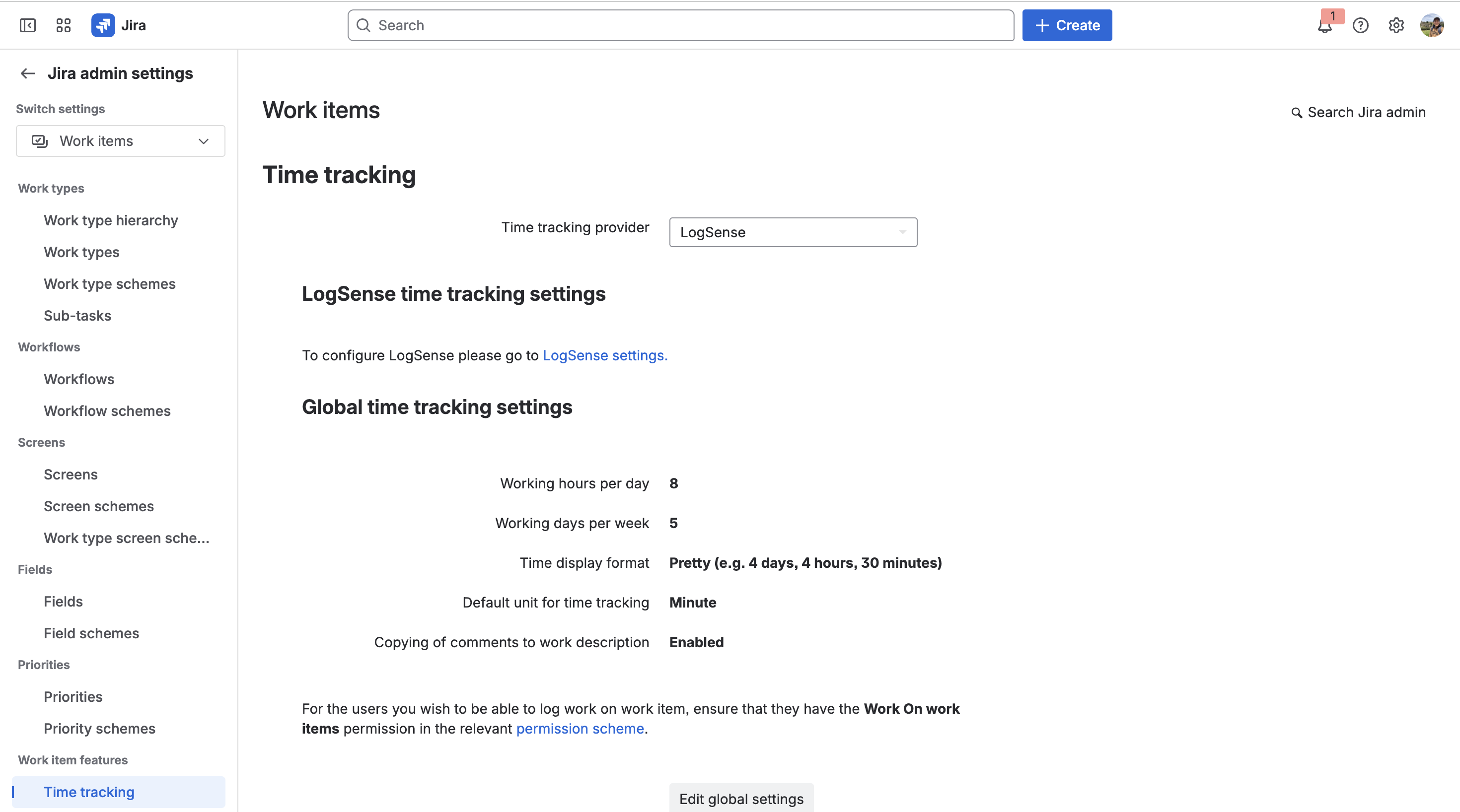
Entry points after activation
| Forge module | Jira surface | Description |
|---|---|---|
jira:issueAction | Log work issue action | Logging modal with LogSense metadata. |
jira:issueActivity | Work log tab | History and logging in issue activity. |
jira:adminPage | Provider administration | Link to LogSense global configuration (not only provider metadata). |
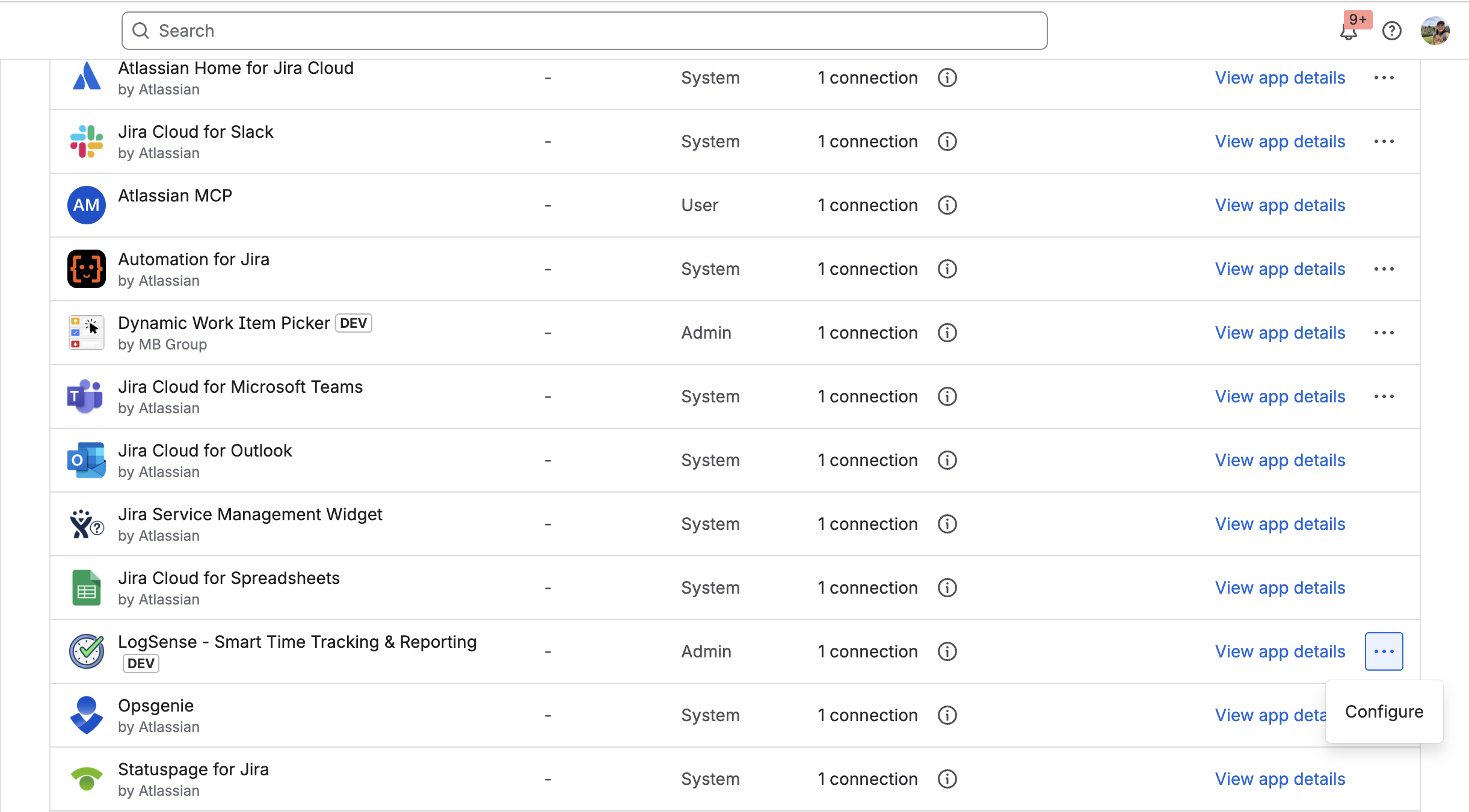
Selecting LogSense in the time tracking dropdown activates the provider; the screenshot above shows LogSense global configuration (General, Work Types, Holidays, and eazyBI tabs). See Site-wide global settings.
Time tracking provider dependency
Not all LogSense modules depend on being active as the time tracking provider. The table below shows which surfaces are available depending on the provider selection:
| Module | Provider dependent | Visible without LogSense as provider |
|---|---|---|
Log work action (jira:issueAction) | Yes | No |
Work log tab (jira:issueActivity) | Yes | No |
LogSense side panel (jira:issuePanel) | Yes | No (fixed in v2.3.0) |
LogSense — Global Settings (jira:adminPage) | No | Yes |
LogSense Settings per space (jira:projectSettingsPage) | No | Yes |
Billable hours gadget (jira:dashboardGadget) | No | Yes |
- v2.3.0: the panel only shows when LogSense is the active provider (visibility fix).
- v2.4.0: the panel is redesigned as an issue visual summary (KPIs, alerts, latest entries) and no longer includes worklog editing/deletion. Detailed management remains in the Work log tab.
Shared components
The logging form reuses components in worklogShared.jsx for consistency across modal, Work log tab, and other surfaces.
Relationship with per-space LogSense Settings
Activating the provider does not replace per-space or site global configuration. Effective hierarchy:
- Site-wide global settings — defaults for the whole site.
- Per-space LogSense Settings in Space settings — optional per-space override.
Each space must have defined (globally or locally):
- Daily hour limit
- Default billable value
- Work types
- Holiday calendar
Without this configuration, validations and defaults may not apply as expected.
Reverting to native tracking
To restore Jira's native experience:
- Settings → Work items → Time tracking.
- Select Jira (native) instead of LogSense.
- Save.
The jira:timeTrackingProvider module may be marked as Preview on the Forge platform. Check Atlassian's official documentation for current general availability status.