Incoming Links Panel
One of the most powerful features of Jira Issue Picker is its ability to create complex relationships between issues. To improve the visibility of these connections, we have added the Issue Picker References panel.
What does this panel do?
This panel appears in the issue view and shows you, at a glance, all other issues that are linking to the issue you are currently viewing through a "Jira Issue Picker" type field.
This is especially useful for understanding dependencies and relationships that would otherwise be difficult to track. For example, if several issues have a "Blocked by" field pointing to your current issue, you will see them all listed in this panel.
How does it work?
The panel is automatic. If an issue is the target of an "Approved Invoices" field in any other issue in the system, this panel will appear in its view and list the "source" issues.

The panel includes:
- Field Name: The name of the "Jira Issue Picker" field through which the link is established.
- Issue Key: A direct link to the issue that is linking to you. If the linked issue is resolved, its key is displayed with a strikethrough so you can spot already-closed tickets at a glance.
- Issue Summary: To give you quick context.
- Status: The current status of the referenced issue to provide immediate visibility.
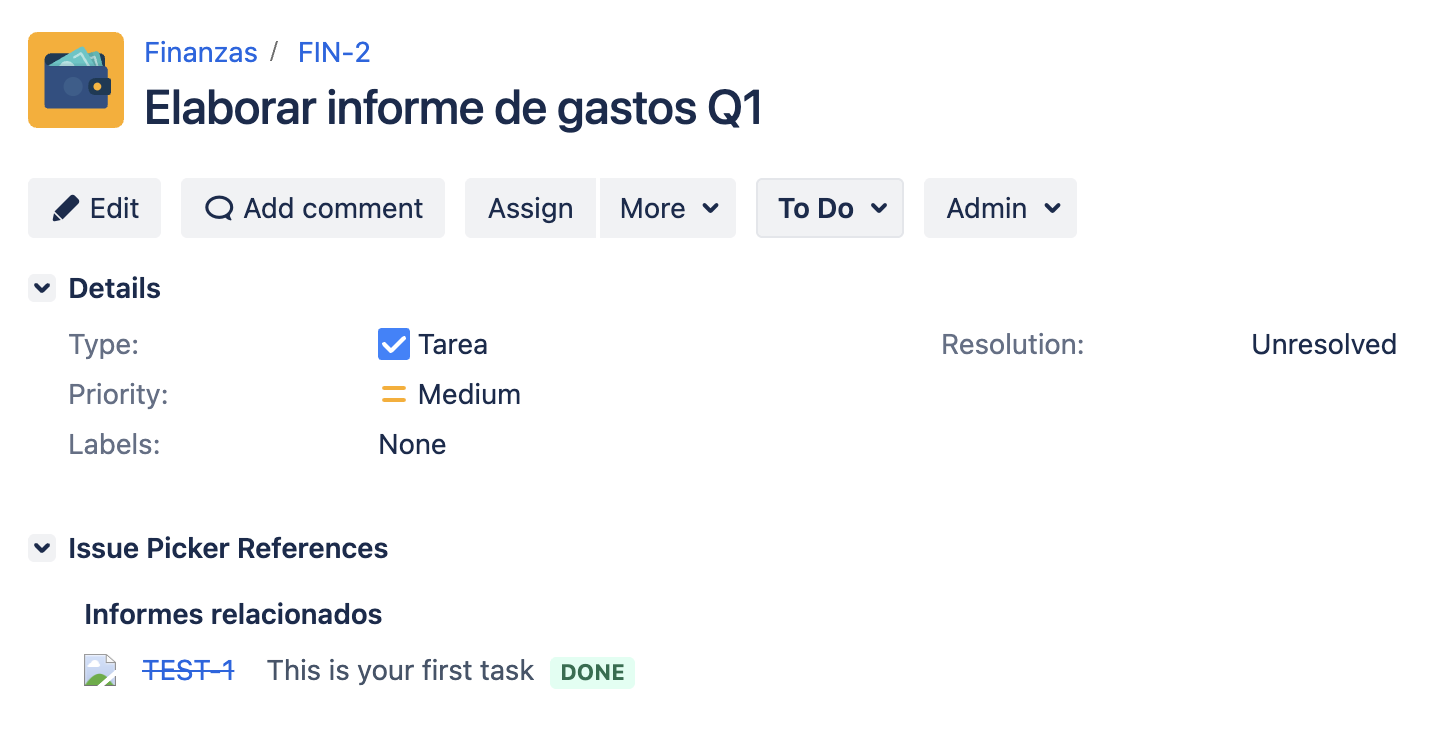
The panel title (e.g., "Approved Invoices") is customizable. A Jira administrator can define the title from the field configuration page. If the administrator has not configured a title for a specific field, the incoming links panel will display the field name.

Per-Context Titles
When a Jira Issue Picker field is configured with multiple contexts, each context can define its own Incoming Links Panel Title. The panel resolves the title based on the active context of the issue (project and issue type), so each team sees the name their administrator picked for their context, without one context overriding another.
For example, suppose the "Approved Invoices" field is configured with two distinct contexts:
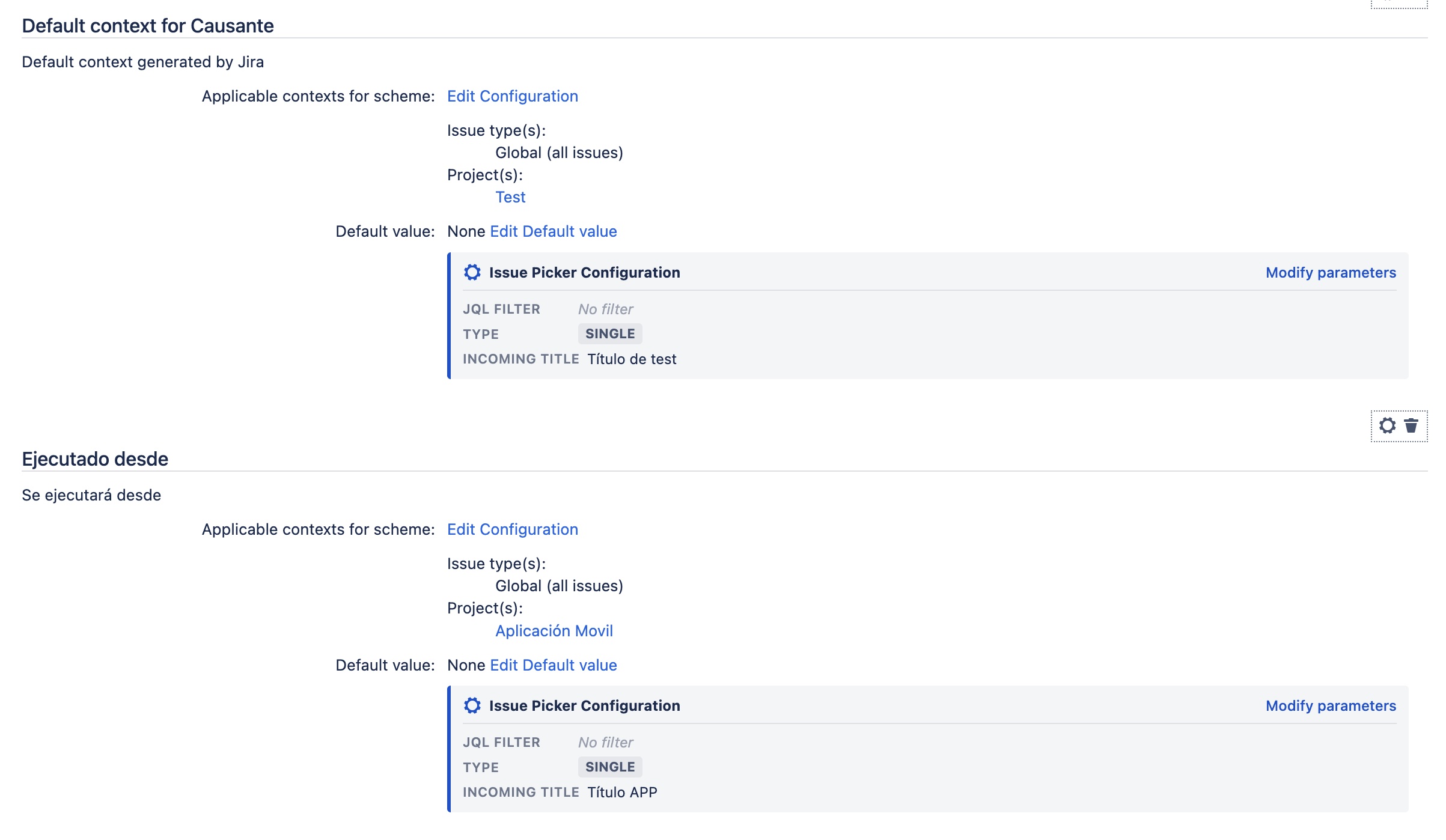
On an issue belonging to the project tied to the first context, the panel will display the title defined for that context:
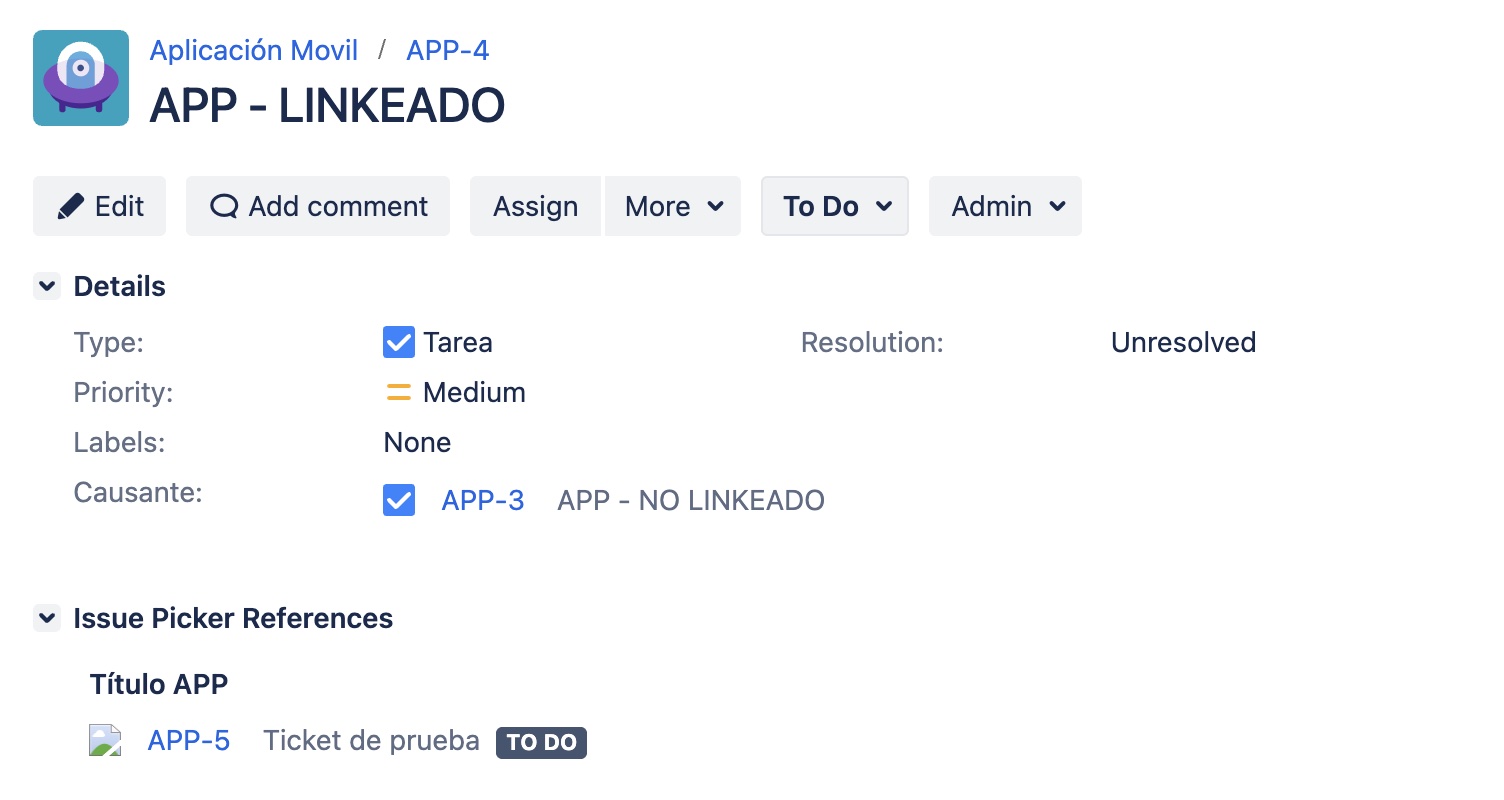
And on an issue belonging to the project tied to the second context, the panel will display the title for that context:
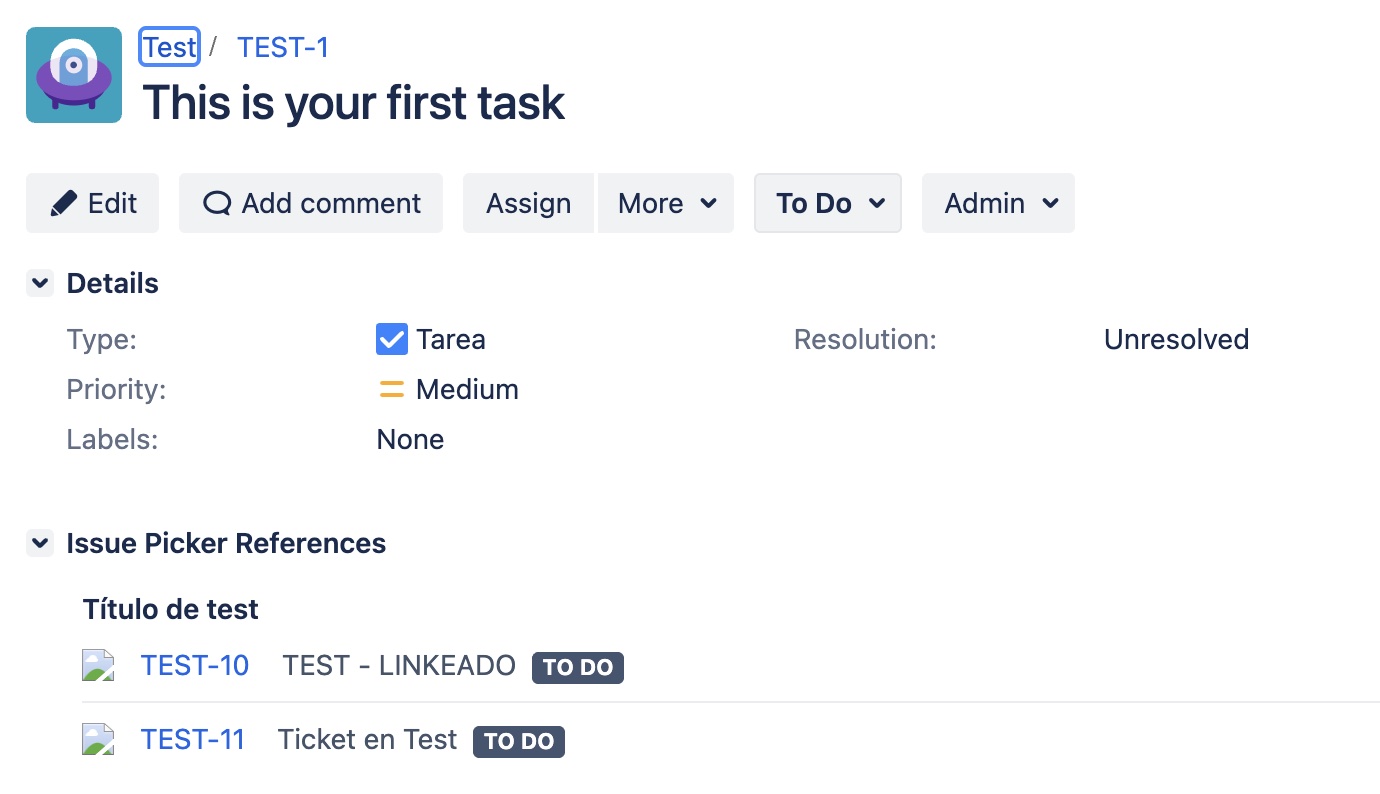
If a context does not define its own title, the panel will use the title from the field's global configuration and, failing that, the field name.