eazyBI integration
From version 2.1.0, LogSense writes billable and work type metadata into the Jira worklog comment using a structured stamp. eazyBI can read that stamp with calculated fields without accessing Forge KVS.
Why it is needed
eazyBI queries native Jira worklog data: hours, author, date, and comment. LogSense metadata (billable, workTypeId, notes) was stored only in Forge KVS (worklog-meta:{issueId}:{worklogId}), invisible to eazyBI.
LogSense uses dual write: it persists in KVS for the app UI and adds a machine-readable stamp to the ADF worklog comment in Jira.
Stamp format
When creating a worklog from LogSense, the comment includes a first line with the stamp and optional user notes on following lines:
[LogSense:v1 billable=1 type=development]
User notes here...
| Field | Values | Description |
|---|---|---|
billable | 1 or 0 | 1 = billable, 0 = non-billable |
type | work type id | Identifier configured in LogSense (e.g. development, meetings) |
If a user edits or removes the stamp in Jira's native UI, eazyBI may stop interpreting billable/work type correctly. LogSense attempts to parse the stamp as a fallback when KVS has no metadata (legacy worklogs).
eazyBI tab in Global Settings
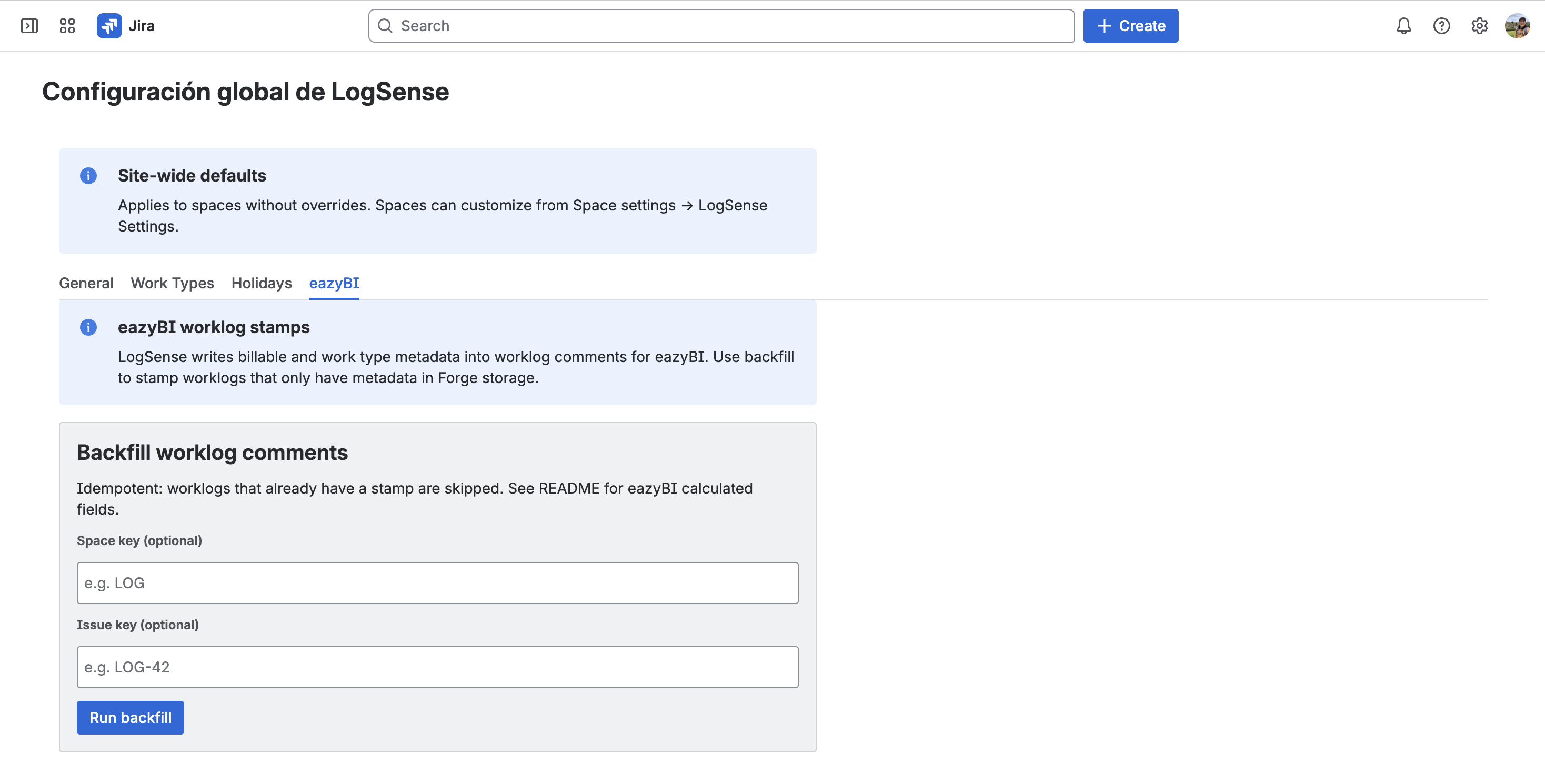
In LogSense global configuration → eazyBI tab you will find instructions and snippets ready to copy into your eazyBI instance.
Suggested eazyBI calculated fields
Create JavaScript calculated fields in your eazyBI cube that parse the worklog comment. Example to detect billable entries:
// LogSense Billable (boolean) — illustrative example
var comment = issue.fields.comment;
if (!comment) return null;
var match = comment.match(/\[LogSense:v1 billable=(\d)/);
if (!match) return null;
return match[1] === '1';
Example to extract work type:
// LogSense Work Type (string) — illustrative example
var comment = issue.fields.comment;
if (!comment) return null;
var match = comment.match(/\[LogSense:v1[^\]]*type=([^\s\]]+)/);
return match ? match[1] : null;
With those fields you can derive metrics such as:
- LogSense Billable Hours —
Hours spentwhen billable = true - LogSense Non-Billable Hours —
Hours spentwhen billable = false - Grouping by work type in utilization reports
Property names and the calculated fields API may vary by cube version and schema. Use the eazyBI tab in Global Settings and eazyBI documentation as the primary reference; the snippets above illustrate parsing [LogSense:v1 ...].
Worklogs without a stamp
| Worklog origin | Comment stamp | eazyBI suggestion |
|---|---|---|
| Created with LogSense (v2.1.0+) | Yes | Parse billable and work type from stamp |
| Created with native Jira or third-party apps | No | Treat as unknown or apply a default business rule |
| Legacy (KVS metadata only) | May be missing | Run documented backfill in the app README |
Backfill for existing worklogs
Worklogs logged before v2.1.0 may have metadata only in KVS. The app includes a backfill procedure (script or admin resolver) that reads KVS and updates comments with the stamp, idempotently (does not duplicate existing stamps).
See the logsense-for-jira repository README (tag f2.1.0) for execution steps on your site.
Relationship with the LogSense gadget
The LogSense reporting gadget still reads metadata from KVS. Comment stamps are the bridge for external tools such as eazyBI; they do not replace the gadget or require disabling it.
Next steps
- Site-wide global settings — eazyBI tab and site defaults
- Billable, non-billable, and work types — end-user perspective