Field Configuration
The configuration of each encrypted field allows you to precisely define who can view its content, either statically or dynamically.
To configure a field:
- Navigate to the Secure Fortress Dashboard.
- Make sure you are in the Fields section (it's the default view).
- Locate the field you want to configure in the list and click the Configure button.
Permission Types
Static Permissions (Groups and Users)
In the configuration window, you can directly assign viewing permissions to:
- Jira Groups: Select one or more groups. All their members will be able to see the field's value.
- Individual Users: Select one or more specific users to grant them access.
Dynamic Permissions (By Role in the Issue)
This functionality allows you to automatically grant viewing permissions based on the user's role within a specific issue. It is ideal for workflows where access to information depends on who is responsible for the issue.
- Grant permission to Assignee: If this option is selected, the user who is currently assigned to the issue will have permission to view the field's value.
- Grant permission to Reporter: If this option is selected, the user who created the issue (the reporter) will always be able to see the field's value.
Dynamic permissions are evaluated in real-time. If an issue is reassigned, the new assignee will gain access, and the previous one will lose it (unless they have permission through another means).
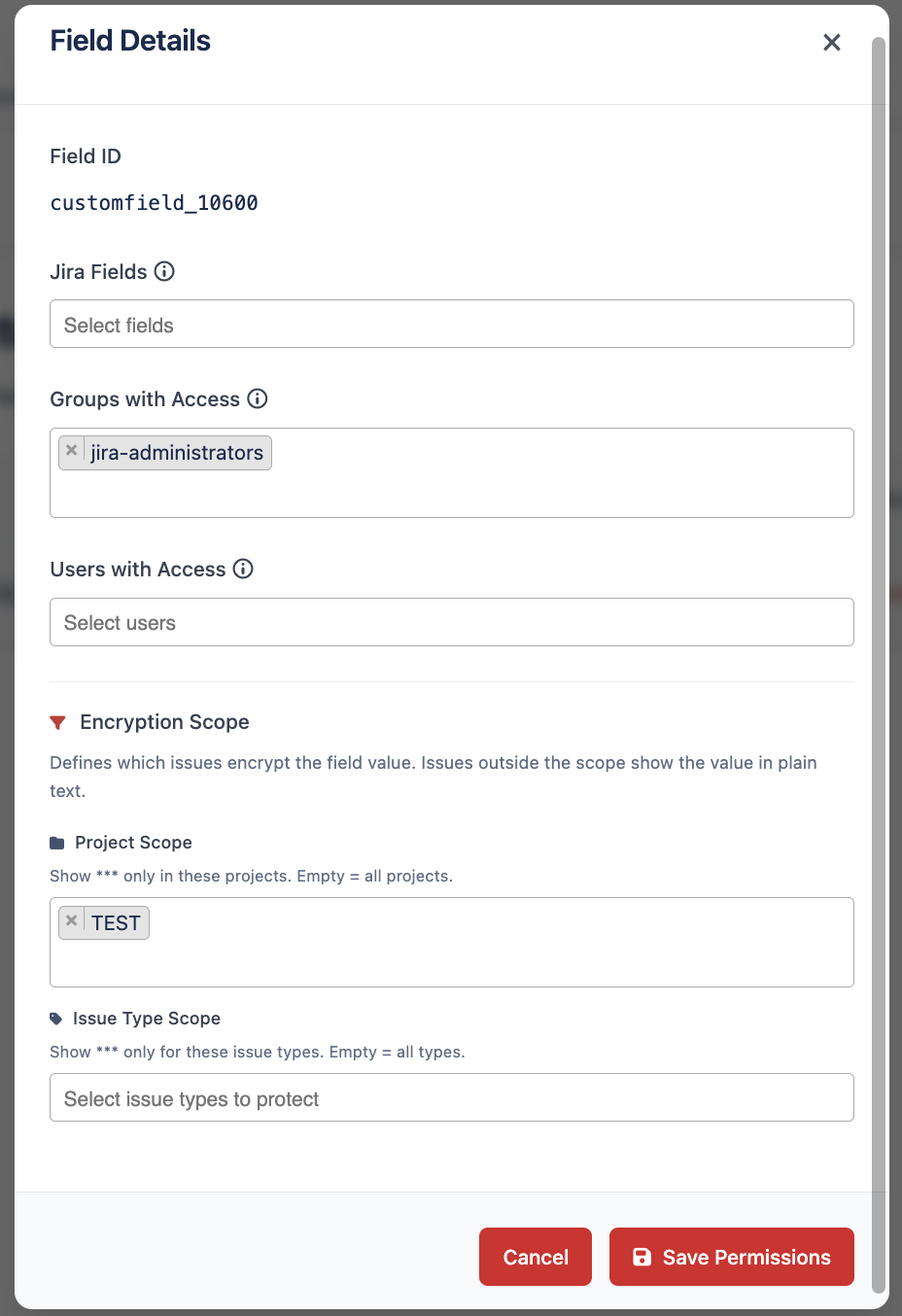
Protection Scope
When configuring an encrypted field you can define the scope of the protection, that is, which part of your Jira instance the encryption will apply to. This lets you protect only the issues that contain sensitive information and avoid unnecessary encryption in projects where it adds no value.
In the configuration window you will find three scope options:
- Global: The field is protected across the entire Jira instance. This is the default behavior and applies to any issue that uses this field.
- By project: Protection applies only to issues in the projects you select. In non-selected projects, the field is not processed by the add-on.
- By issue type: Protection applies only to issues of the selected issue types (for example, Incident or Change request).
When you choose By project or By issue type, a multi-select picker lets you choose one or more entries from the corresponding list.
The configured scope is clearly displayed in the administration panel, so you can quickly identify the coverage of each encrypted field.
Encryption and decryption are only applied to issues within the configured scope. Issues outside the scope are not processed by the add-on.
To save any changes to the configuration, click the Save Permissions button.
Any user who does not meet any of the permission rules (neither static nor dynamic) will not be able to see the field's content and will instead see the message [NO ACCESS], as explained in the user guide.
If you need to return this field to its original standard text state, you can revoke its protection from the Migration section of the Secure Fortress Dashboard. Please note that this action is irreversible and removes all configured permissions. See Protecting Existing Fields for details.