Frequently asked questions
What is the current version?
The current version is 1.2.0 (Forge 3.4.0). Previous releases are kept in the Changelog.
Why don’t dates change in Jira when I move a bar?
Because the change lives in Draft. Jira is only updated when you click Sync. You can discard the draft and return to the original dates. Details: Sandbox and sync.
What is the difference between Parent Element and Jira’s native Parent?
Parent Element is Stratify’s field for the planning hierarchy (several levels and types, according to the administrator’s rules). If it has a value, it wins in the Gantt. Jira’s native Parent (Epic, sub-task, and so on) is used as a fallback when Parent Element is empty, provided the parent type is allowed and the parent is in the plan JQL. Stratify does not copy the native Parent into Parent Element. You can use both. See Parent Element field.
Does the Parent Element field fill itself?
No. Stratify only uses the native Parent for nesting when the field is empty. The Parent Element value is not written until the user saves it.
What happens if the parent is not in the JQL result?
The work item is treated as an orphan in that view: it is grouped explicitly (for example No parent). Stratify does not invent the parent or expand the JQL to fetch it. This also applies to the native Parent and to sub-tasks.
Where does a sub-task hang?
Always from its Jira native Parent, even when Parent Element has another value. Its ⋯ menu does not show the Parent Element picker. If the Parent is not in the plan JQL, the sub-task goes to No parent. See Sub-tasks.
The date toggle is off and the parent does not extend. Is that a bug?
No. With Date roll-up OFF (the default), moving a child does not change parent dates. Turn it on if you want the parent to extend in Draft when a child is delayed, including visible sub-tasks.
Does a red Blocks alert stop me from saving or syncing?
No. The conflict is visual. You can save the draft and sync even when bars are red. Adjust dates if the plan must not overlap that way.
A child has no estimate. Does the roll-up break?
No. That child counts as 0, or the parent is marked partial. The rest of the sum still calculates. Visible sub-tasks are included in the calculation like any other child.
How do I view a work item without leaving the plan?
Click the row key or click the bar without dragging it. The preview panel opens inside the Gantt with the work item's real data. Close it with Close or Escape and the plan stays editable. Details: Work item preview.
Why does the app say Space instead of Project?
The current UI uses Space (en-US) and Espacio (es-ES) to match Jira. The example JQL still uses project = ... and Jira's project field is not renamed. See Group by Space.
Does Stratify follow Jira’s light or dark theme?
Yes. Stratify for Jira follows Jira's active theme in Command Center, the Gantt, dialogs, filters, the preview, the hierarchy admin, and the Parent Element field. You can change it from the Jira avatar → Theme. The light theme looks the same as before.
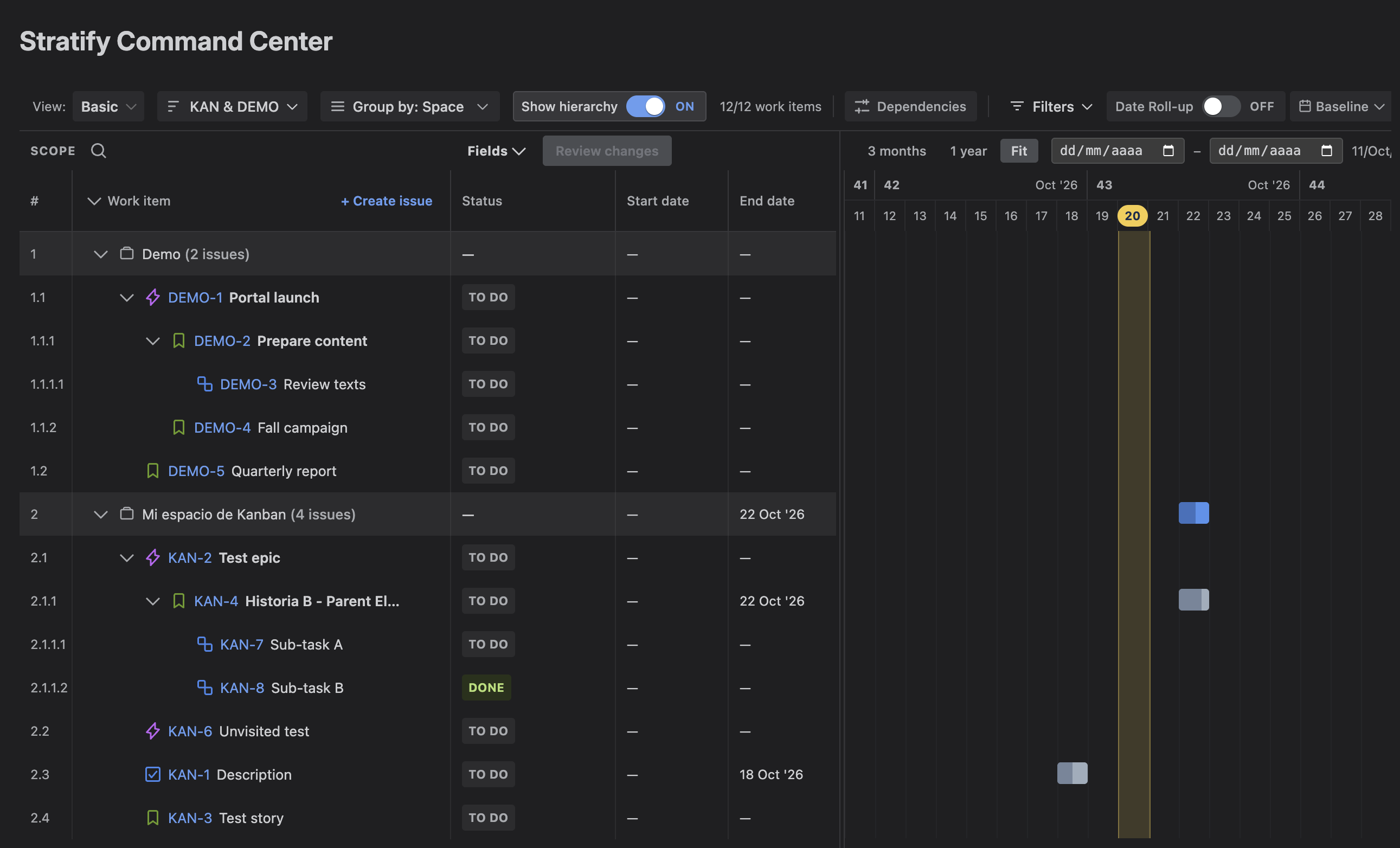
Where are Capacity, Budget, or Objectives?
They are not part of version 1.2.0. Stratify does not show those surfaces. They belong to a later product phase. The Command Center in this version is Gantt-focused.
What happens without an active license?
Command Center, the hierarchy panel, the Parent Element field (view and edit), and the Gantt are blocked. There is no read-only mode. A Marketplace evaluation counts as an active license. The site administrator manages it in Settings → Billing or Apps → Manage apps. Details: Installation Guide.
Is the draft lost on reload?
No. Each plan keeps its own draft. When you reopen it, Stratify restores pending dates, links, and Parent Element. On sync, only changes Jira accepted are removed. Details: Sandbox and sync.
Which language is the UI in?
The UI and Stratify’s own messages (including Gantt save error notices) follow the Jira locale: es-ES (default) or en-US. Issue type names, JQL, customer-entered data, and text returned by Jira are not translated.