Workflows and validators
A Jira administrator must add the app functions to the site's workflow transitions. Configure the screen and validators before enabling the workflow for analysts.
| Transition / purpose | Required configuration |
|---|---|
| Create a PQR in the SFC | Add Create PQR in the SFC (Smart Supervision) to the configured transition. It is skipped for a PQR already received from the SFC. |
| Update a PQR in the SFC | Add Update PQR in the SFC (Smart Supervision) to the configured transition. The app validates required fields before sending. |
| Send documents filed by the entity | Add Send filed documents to the SFC (Smart Supervision) to the configured transition. It sends native PQR attachments whose names begin with DOC_RADICADO_SFC_. |
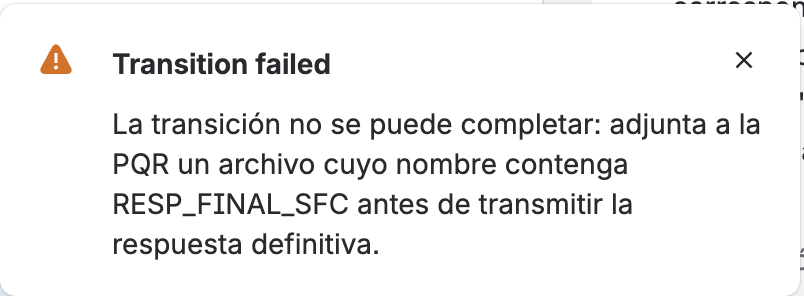
| Send the final response | Add Send final response to the SFC (Smart Supervision) and the Validate SFC response file (Smart Supervision) validator to the final-response transition. The PQR must have an attachment whose name contains RESP_FINAL_SFC. |
| Close the document | Configure the document-closing transition selected in the Jira model. |
| Update requiring fraud data | Add the Fraud data complete (Smart Supervision) validator to the update transition. For applicable reasons, the analyst must complete typology, modality, claimed amount and recognized amount before proceeding. |
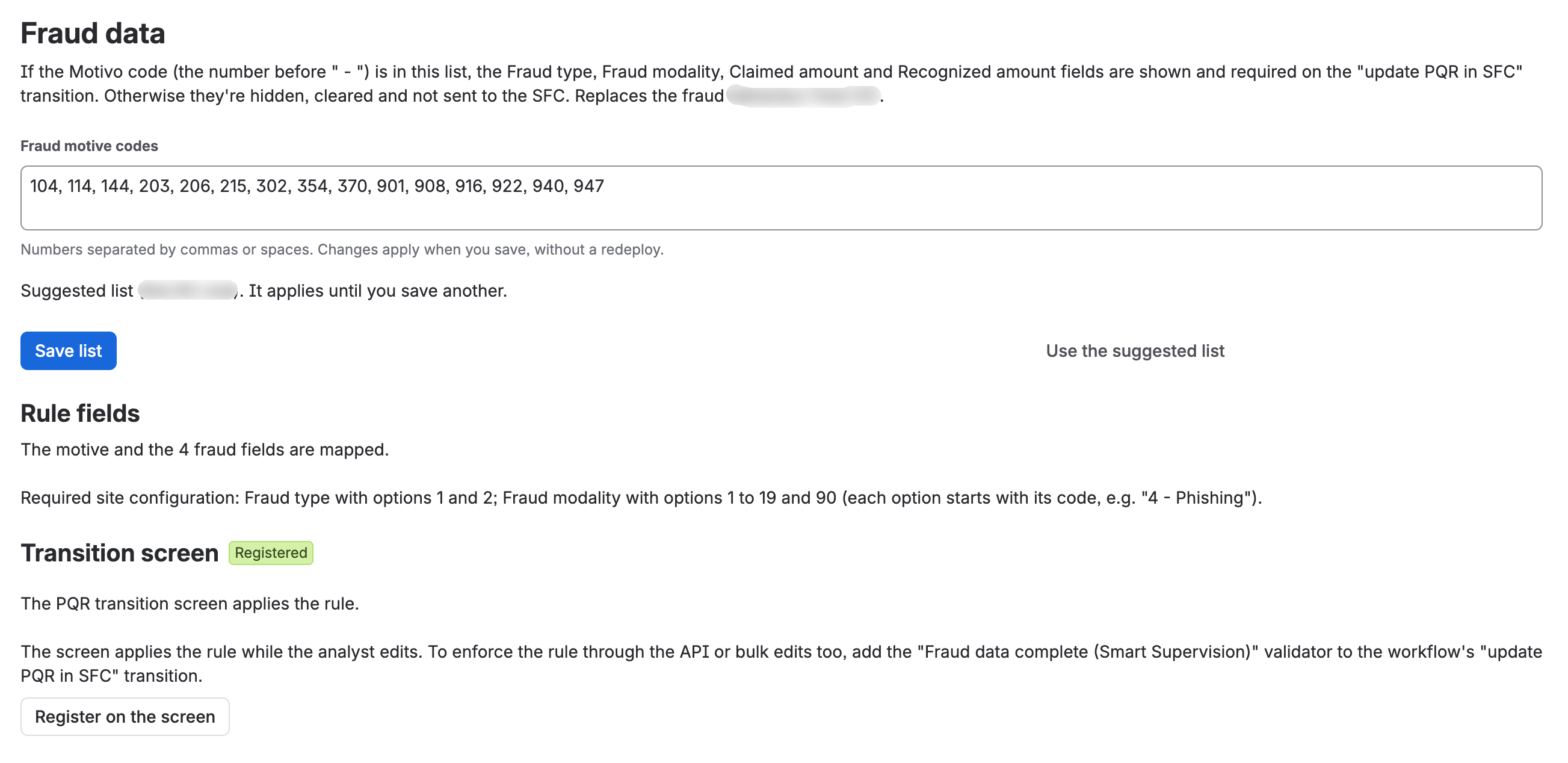
In administration, configure Fraud motive codes with the codes that require these data (separated by commas or spaces), then save the list. Next, under Fraud data > Transition screen, select Register on the screen to add fraud typology, modality, claimed amount and recognized amount to the transition screen. Confirm that the status is Registered; if it shows Not registered, the fields will not be available to analysts. They are shown and required when the PQR's Reason is in the list.
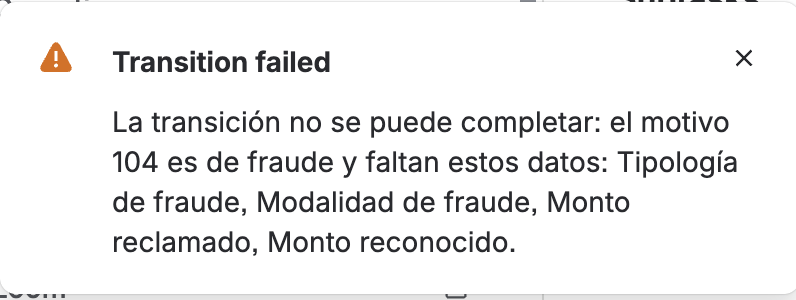
Add the Fraud data complete (Smart Supervision) validator to the update transition. It blocks the transition when required data is missing, including attempts through the API or automation.
On this site, the dialog title is Transition failed, but the validator message remains in Spanish: “La transición no se puede completar: adjunta a la PQR un archivo cuyo nombre contenga RESP_FINAL_SFC antes de transmitir la respuesta definitiva.”
The screenshots below show where to configure the motive codes and how the fraud validator blocks a transition. In this release, Jira is in English, but the validator message remains in Spanish.
A post-function may log integration errors without rolling back a transition that has already completed. Check the PQR history for the result and resolve the issue.