Jira model and field mapping
Jira model
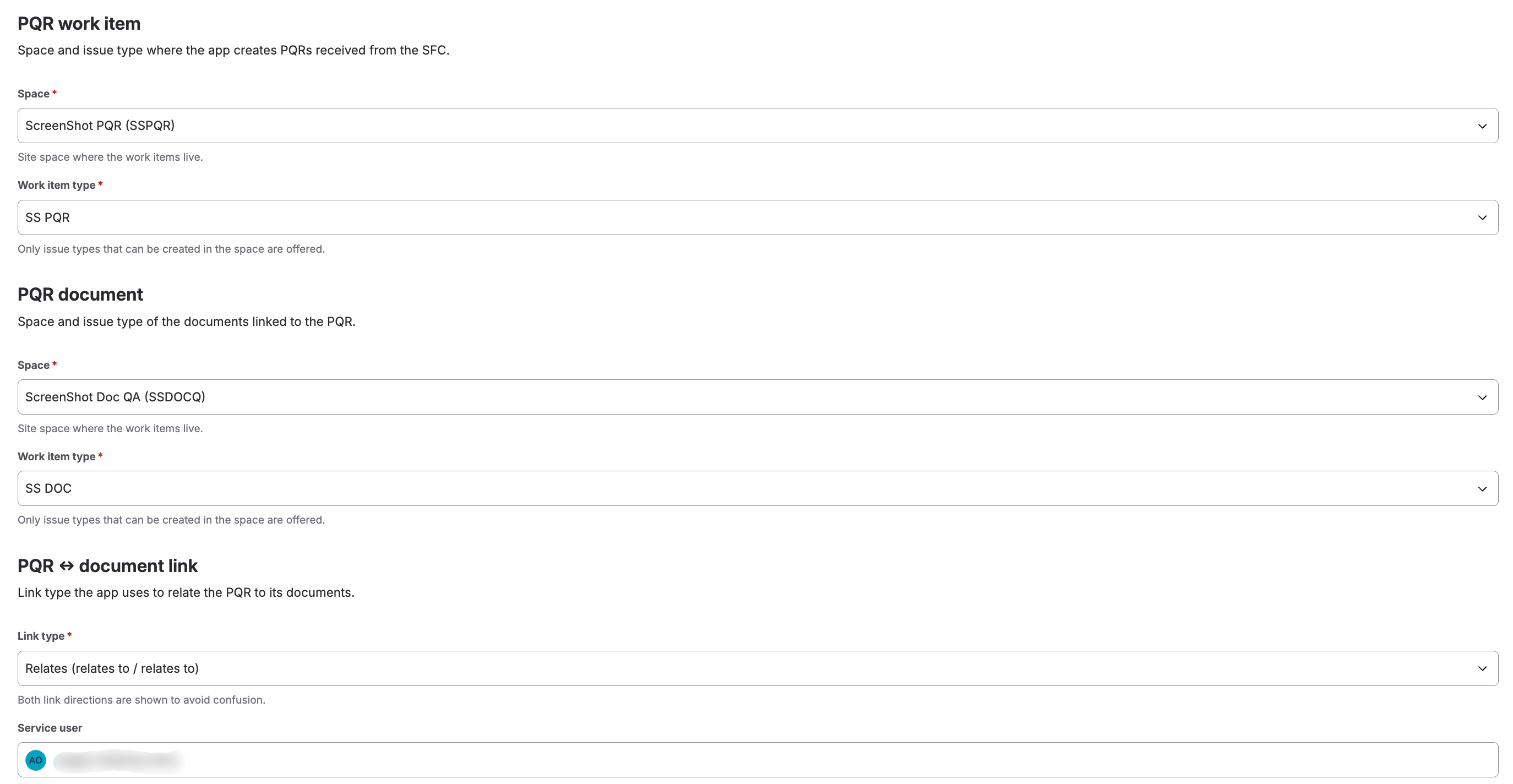
Select these items from the site lists:
- Space and work item type for PQRs.
- Space and work item type for documents. Use a different space and type from the PQR.
- Link type between a PQR and its document.
- Service user, if applicable.
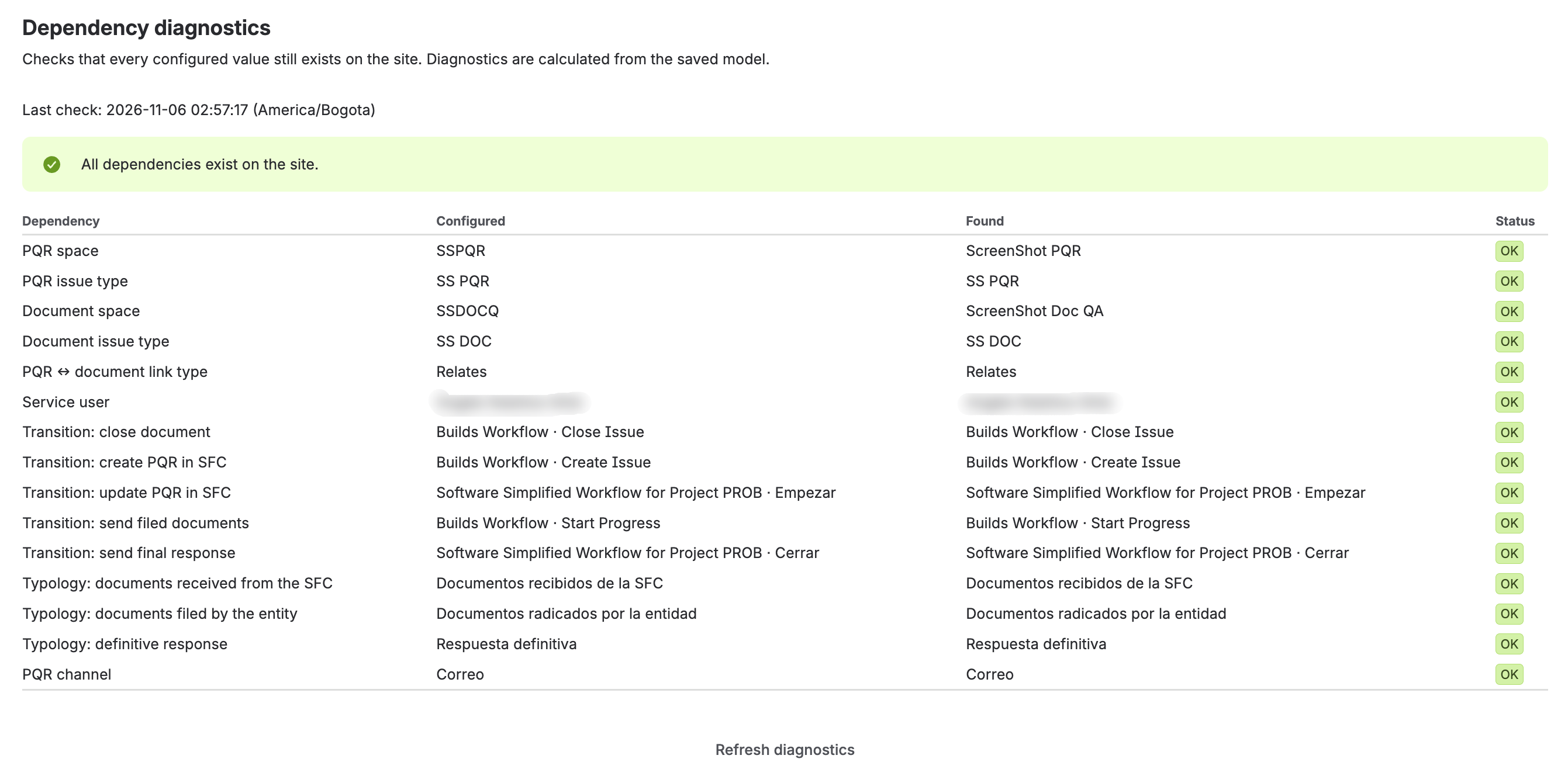
- Transitions to close documents, create and update PQRs in the SFC, and transmit files.
- Document typology values for documents received, documents filed by the entity and the final response.
- Channel value identifying a PQR received from the SFC.
Diagnostics confirm whether each item is still available on the site. If an item is deleted or changed, correct it here before activating the entity.
Field mapping
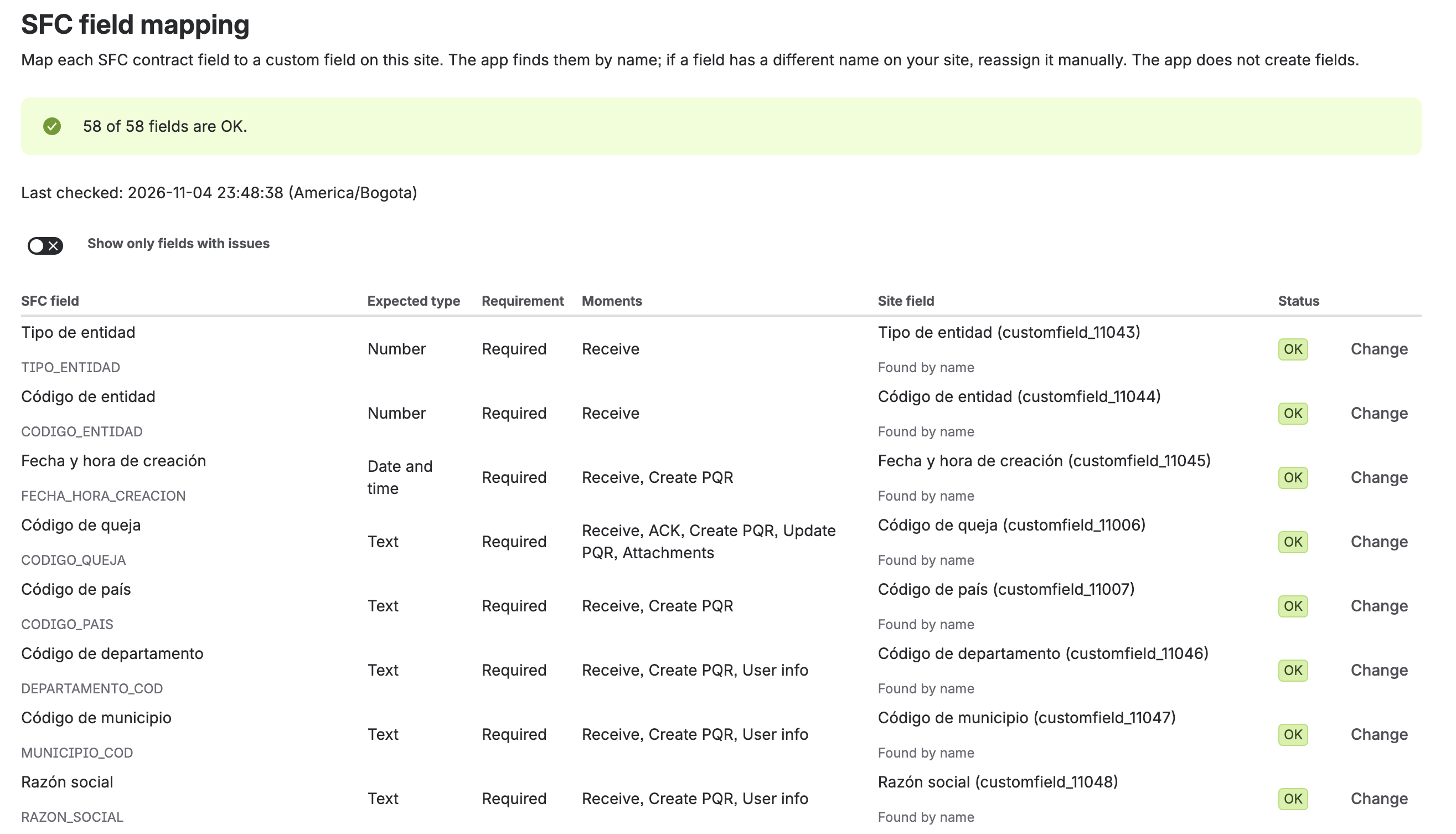
In SFC field mapping, review each field's status, expected type, requirement and moments of use. The app first resolves fields by name. If a field has a different name, select it manually; the change takes effect without a redeploy. Choose Automatic to search by name again.
The app does not create fields. Only custom fields compatible with the expected type are offered. Unavailable optional fields are not used; required fields must be OK to activate the entity.
Reference screenshots