Jira model and field mapping
Jira model
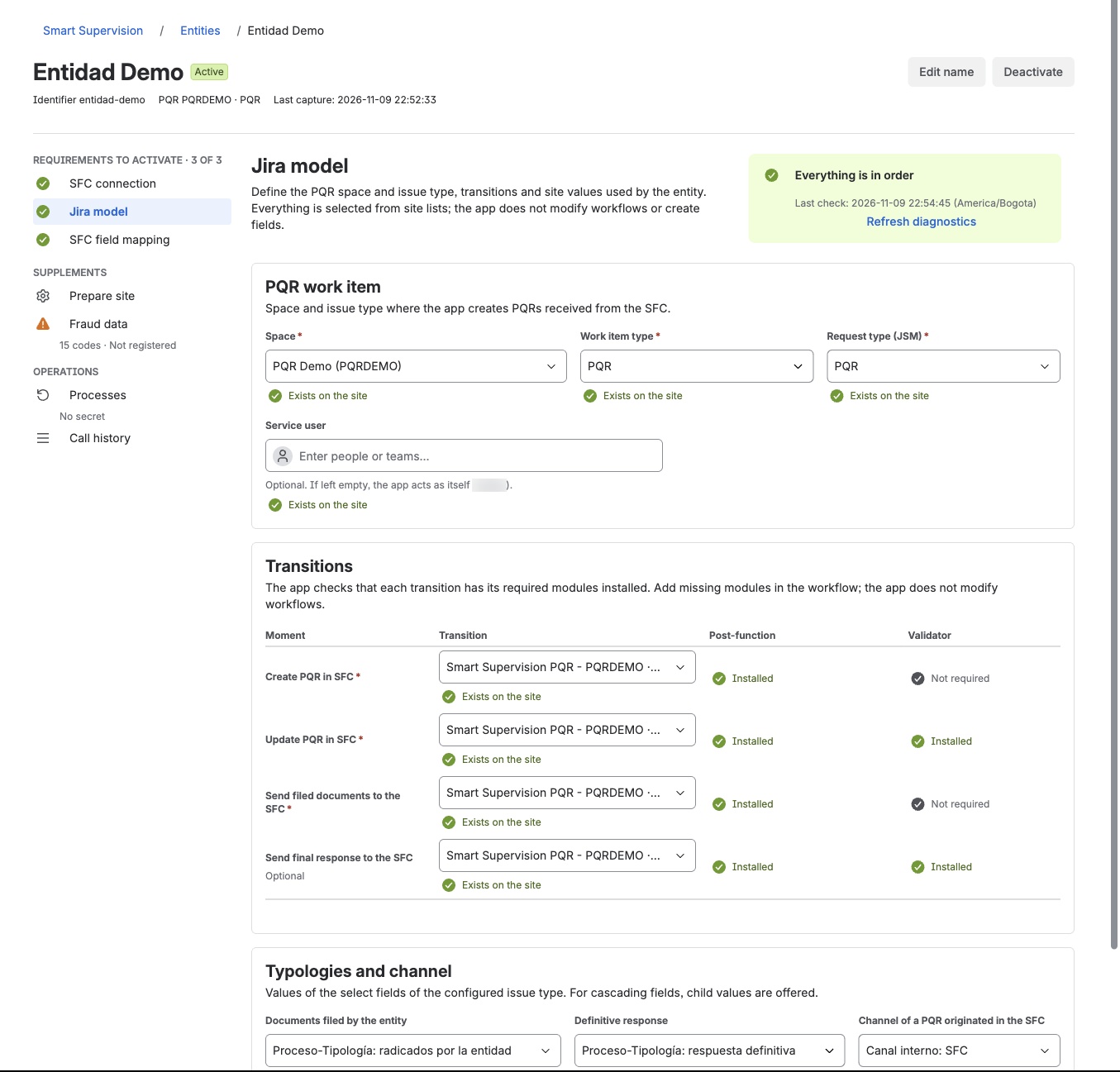
The model is organized into sections. Select these items from the site lists:
- Space and work item type for PQRs.
- JSM service desk and request type associated with the PQR work item type. These are required for received PQRs to be categorized in the JSM portal and queues.
- Service user, if applicable.
- Transitions to create and update PQRs in the SFC, send documents filed by the entity and, optionally, send the final response.
- Document typology values for documents filed by the entity and the final response.
- Channel value identifying a PQR received from the SFC.
Available transitions are limited to the workflow associated with the selected PQR project and work item type. If a saved transition belongs to another workflow, the form flags it and asks you to select one from the current workflow.
Diagnostics confirm that dependencies are available and that each transition has its required post-function and validators installed. If an item is removed or changed, correct it on the site and run the checks again before activating the entity.
Field mapping
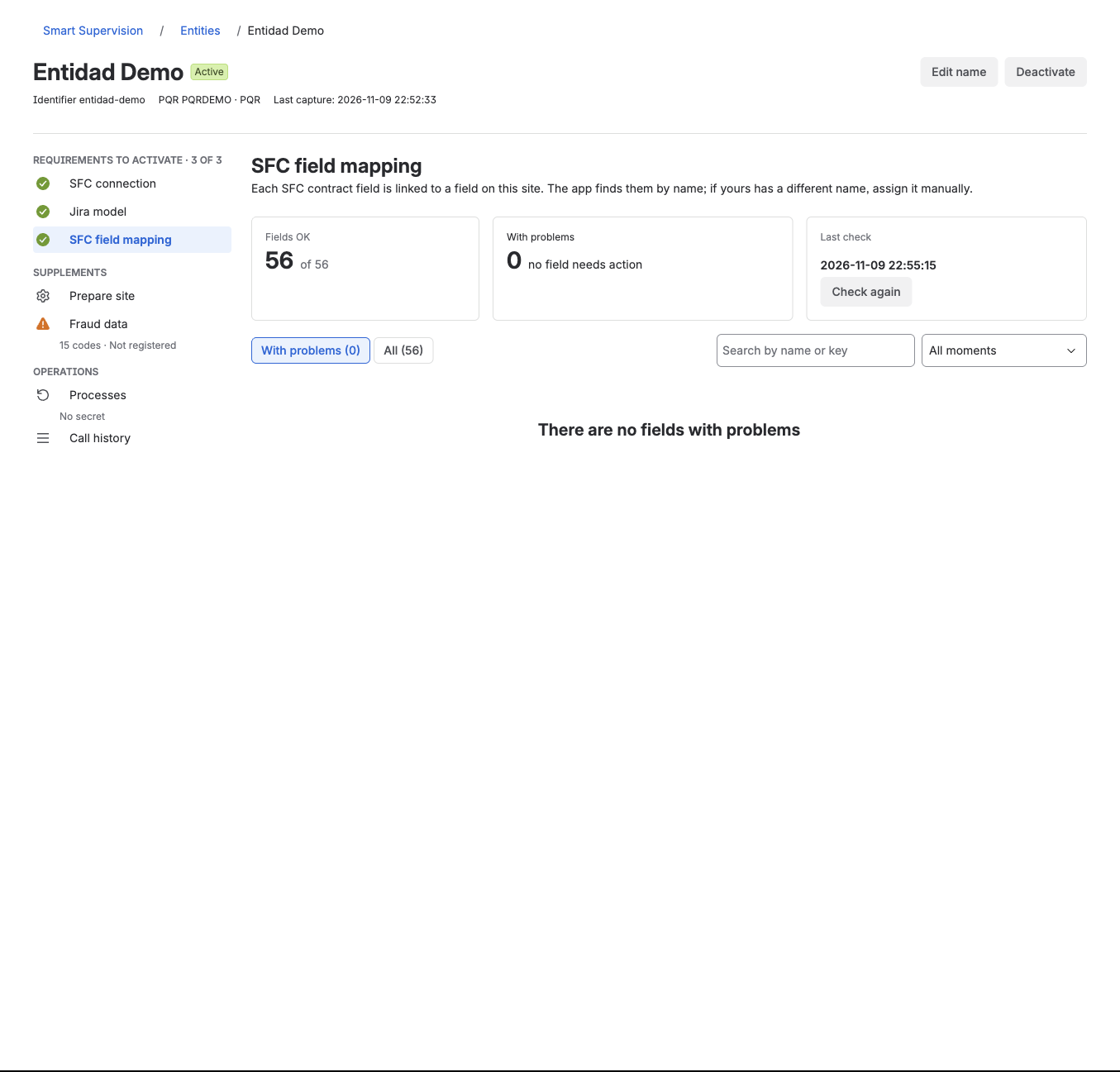
In SFC field mapping, review the indicators for fields marked OK, fields with issues and the last check; filter by status, name or moment of use. The integration catalog contains 56 fields. The app first resolves fields by name. If a site field has a different name, select it manually; the change takes effect without a redeploy. Choose Automatic (look up by name) to look it up by name again.
The site preparation assistant can create or reuse compatible fields. This Jira model section only offers custom fields compatible with the expected type. Unavailable optional fields are not used; required fields must be OK to activate the entity.