LogSense Settings — Approval
The Approval tab in Space Settings → LogSense Settings lets you enable the worklog approval workflow and configure who can approve or reject time entries.
Access
- Open the space in Jira.
- Space settings → LogSense Settings.
- Select the Approval tab.
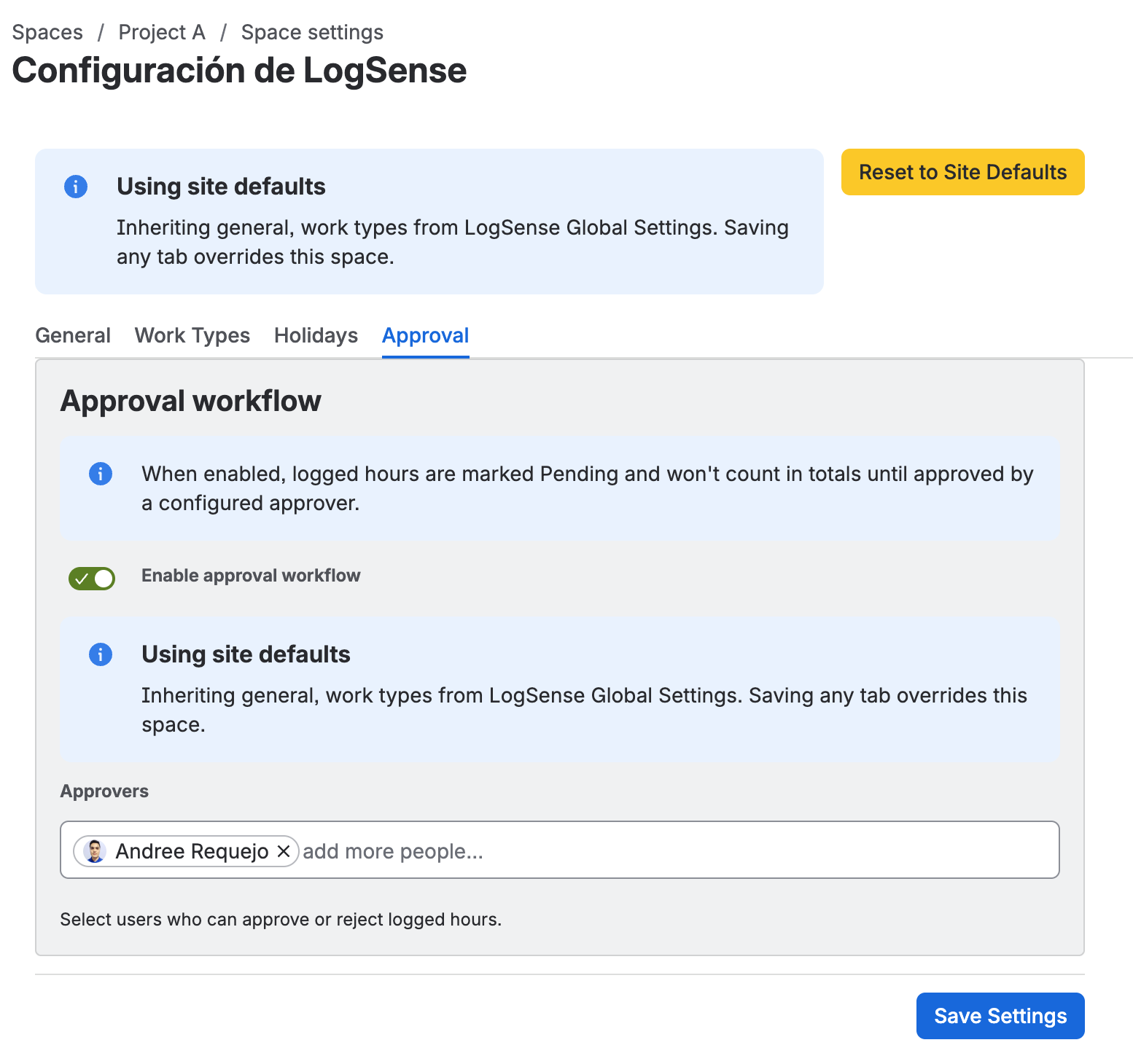
Enable approval workflow
The Enable approval workflow toggle activates the approval cycle for all new worklogs in the space.
- Disabled (default): worklogs are created directly as APPROVED (no approval behavior).
- Enabled: new worklogs are created in PENDING state and must be approved to count toward LogSense totals and reports.
Approver list
When the workflow is active, define who can approve or reject worklogs by entering their accountId in the Approvers field.
How it works
- A user logs time → the worklog is created in Jira with PENDING status.
- The worklog does not count toward LogSense totals, panel, gadget, or reports until approved.
- Only users on the approver list can change the status to APPROVED or REJECTED.
- REJECTED worklogs exist in Jira but LogSense excludes them from aggregations.
Effect on reports and totals
| Status | Counts in LogSense | Visible in Jira |
|---|---|---|
| PENDING | No | Yes |
| APPROVED | Yes | Yes |
| REJECTED | No | Yes |
Inheritance from global settings
Approval configuration can inherit from Site-wide global settings:
| Action | Effect |
|---|---|
| Save changes in the space | Creates or updates the space override. |
| Reset to Site Defaults | Removes the override and restores site values. |
Legacy worklogs
Worklogs recorded before enabling the approval workflow do not have approvalStatus and LogSense treats them as APPROVED automatically (backward compatibility).