Creating and Editing the Field's Value
Interacting with an encrypted field from Jira Secure Fortress is simple and integrates naturally into the Jira workflow.
Adding a Value When Creating an Issue
When you create an issue that includes an "Encrypted Custom Field," you can enter the value directly into the field, just as you would with any other text field.
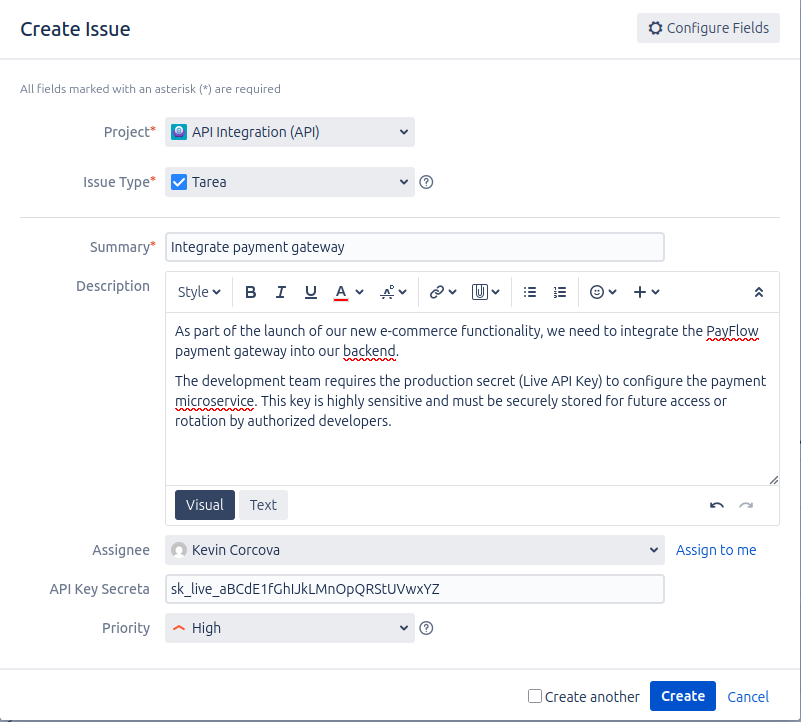
Once the issue is created, the value you entered is automatically encrypted and will not be directly visible.
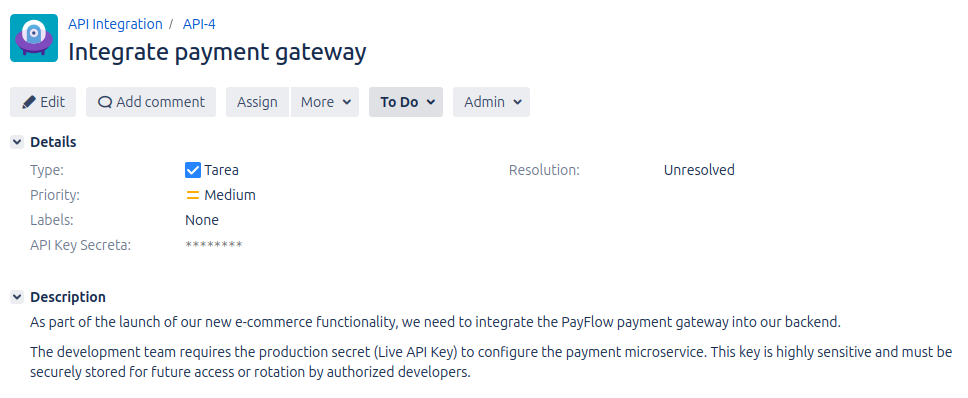
Field View in an Existing Issue
After creation, in the main issue view, the field's content will be obfuscated with asterisks (*******) to protect the information.
Editing the Field's Value
If you need to change the field's value in an existing issue, you can do so from the issue's edit screen.
- Open the issue's edit screen.
- Locate the encrypted field. You will notice that the field is empty and displays a placeholder:
[ENCRYPTED DATA].
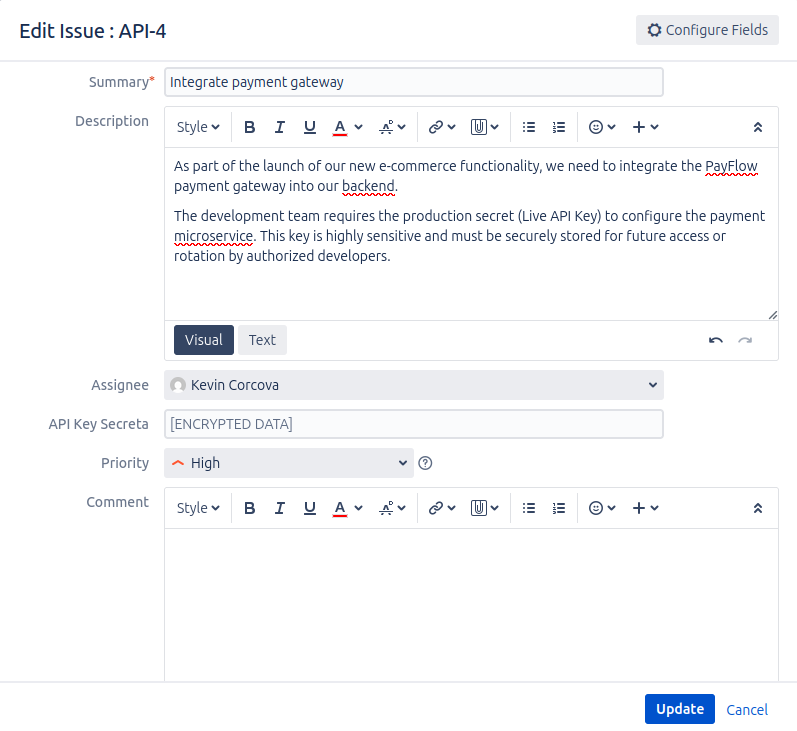
- Enter the new value into the field.
- Save the issue's changes.
The new value will replace the old one and will also be stored in encrypted form.