Audit Log
The audit log provides a detailed history of all changes made to the configuration of your Dynamic Work Item Picker fields. This feature is crucial for maintaining security, complying with regulations, and diagnosing issues by offering transparency about who modified what and when.
Each time a field's configuration is saved and a change in one or more of its parameters is detected, one or more entries are generated in the log.
Accessing the Audit Log
The audit log panel is located on the same application configuration screen, in the tab Audit Logs below the list of "Dynamic Work Item Picker".
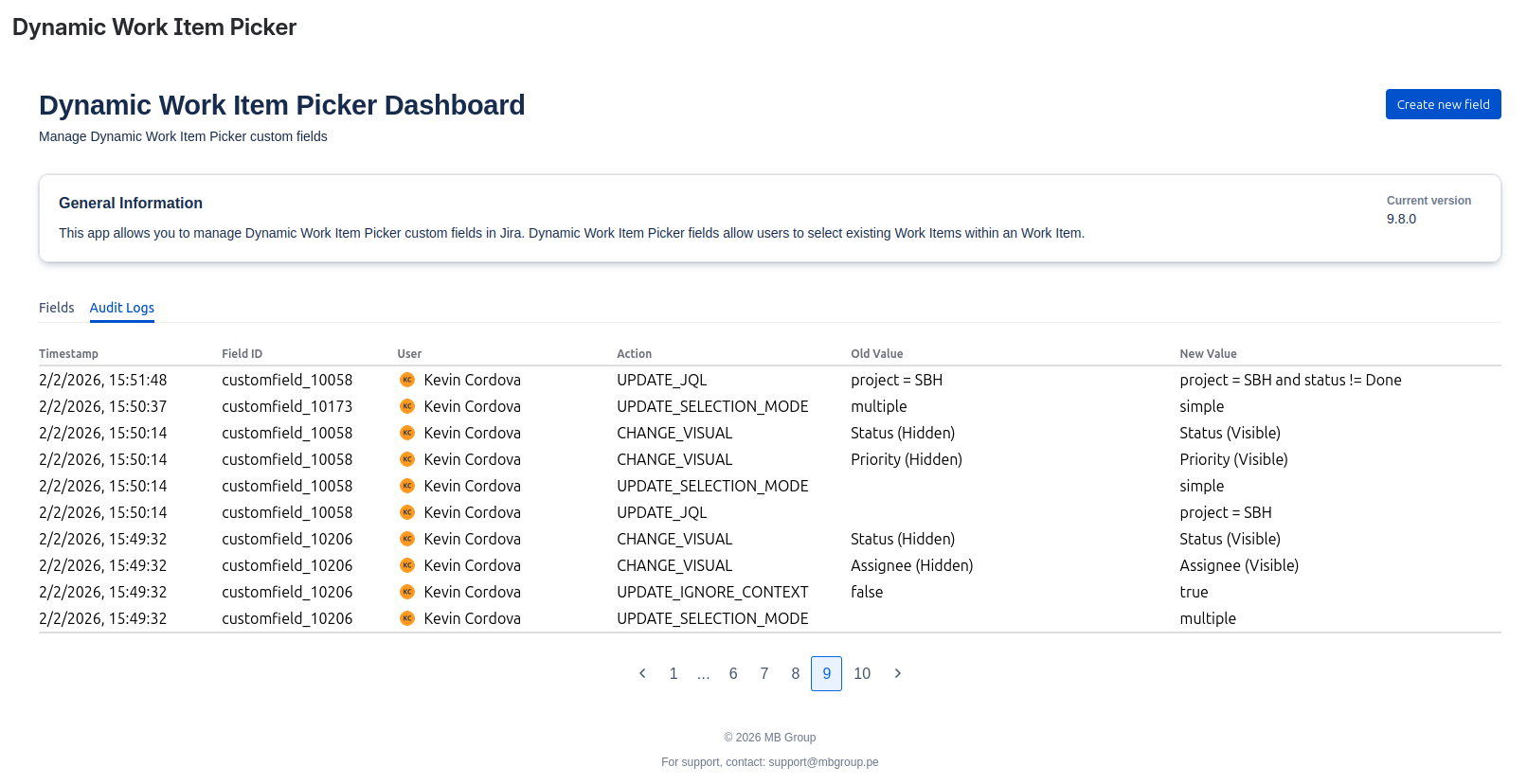
Understanding Log Entries
Each entry in the audit log captures a single modification and contains the following information:
| Column | Description |
|---|---|
| Timestamp | The exact time the change was recorded. |
| Field ID | The unique identifier of the work item field that was modified. |
| User | The Jira user who performed the modification. |
| Action | The type of change that was made. This value will always be displayed in English (e.g., UPDATE_SELECTION_MODE). |
| Old Value | The configuration value before the change. |
| New Value | The configuration value after the change. |
Key Behavior
- Log on Change: The system only creates a log entry if a setting's value has actually changed.
- Multiple Changes: If you modify several aspects of the same field in a single operation (for example, changing both the
Selection Modeand theVisualcomponent), individual log entries will be created for each of those changes, allowing for granular tracking.