Documentation validator
The Case documentation workflow validator blocks a status change when the case documentation does not meet the rule configured on that transition.
- Company-managed projects. Team-managed projects are not supported.
- Jira's new workflow editor. The validator configuration is not available in the old editor.
- The validator is in Preview.
Adding the validator to a transition
- Open the project workflow in the new workflow editor.
- Select the transition you want to control.
- In the Validate details section, click + and choose Case documentation (Portal Docs Hub for JSM).
- In the Edit Rule dialog, configure the rule on the Edit tab (see below) and save with Update. To change it later, use ⋯ on the validator card.
- Publish the workflow.
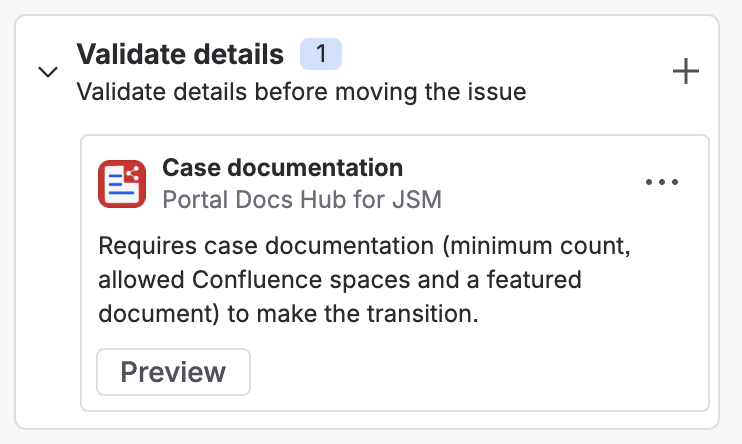
Each transition has its own configuration. You can add the validator to several transitions with different rules.
Do not configure the validator on the transition that creates the issue. At that point the case list does not exist yet and the transition would always be rejected.
Configuration
| Option | Description |
|---|---|
| Minimum number of documents | Whole number, 0 or more. 0 means no minimum. |
| Allowed Confluence spaces | Only documents from these spaces count. Leave all unchecked to accept any space. If the spaces cannot be loaded, enter the space keys separated by commas. |
| Require a featured document | When enabled, the transition needs a featured document. |
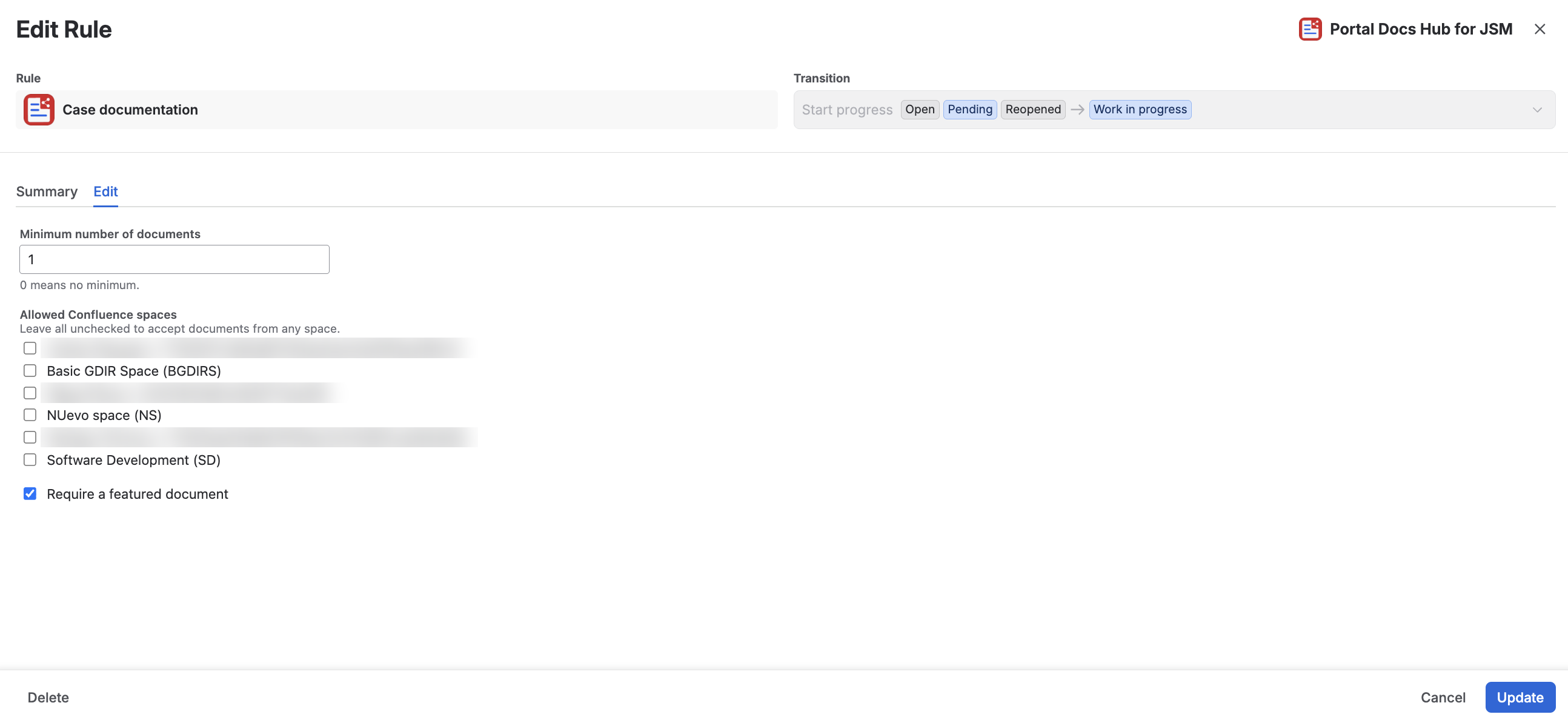
What the validator checks
The validator reads only the case list: the same one shown by the Case Documentation panel, the transition field and the portal.
- If the agent does not open the field on the transition, it counts the documentation the case already had in the panel.
- Changes made in the field during the transition are already saved, so they count. See Documentation on transitions and issue creation.
What counts as a document
A document counts if:
- It has a page, a title and a link.
- If spaces are configured, its Confluence space is in the list. A document without a space does not count when spaces are configured.
The featured requirement is met if any of the counted documents is featured.
Documents shared with earlier versions of the app already store their Confluence space. You do not need to add them again.
When the rule is not met
The issue status does not change and Jira shows a message with the reason:
| Reason | Message |
|---|---|
| Count | This transition needs at least {min} document(s) in the case documentation. The case has {count}. |
| Space | This transition needs at least {min} document(s) from the allowed Confluence spaces ({spaces}). The case has {count}; documents from other spaces or without a space don't count. |
| Incomplete document | This transition needs at least {min} document(s). The case has {count} valid; some documents are incomplete (missing page, title or link) and don't count. |
| No featured document | This transition needs a featured document. Feature one in the case documentation. |
| Featured from another space | This transition needs a featured document from the allowed Confluence spaces ({spaces}). The featured document is from another space. |
| Incomplete featured document | This transition needs a featured document. The featured document is incomplete (missing page, title or link). |
| Read failure | Could not read the case documentation. Try the transition again. |
Messages are shown in English or Spanish according to the language set in the user's Atlassian profile. If the profile language is set to automatic, the message is shown in English.

Changes the agent already saved to the documentation stay even if the transition is rejected.
Limitations
- It does not check Confluence again to confirm the page still exists.
- It does not write or change documents: it only reads them.
- If it cannot read the case list, the transition does not go through.
- It is not a post function.
- Team-managed projects are not supported.