Main document
If the agent has marked a document as featured, it appears in a separate section at the top of the panel with a distinctive label.
Display
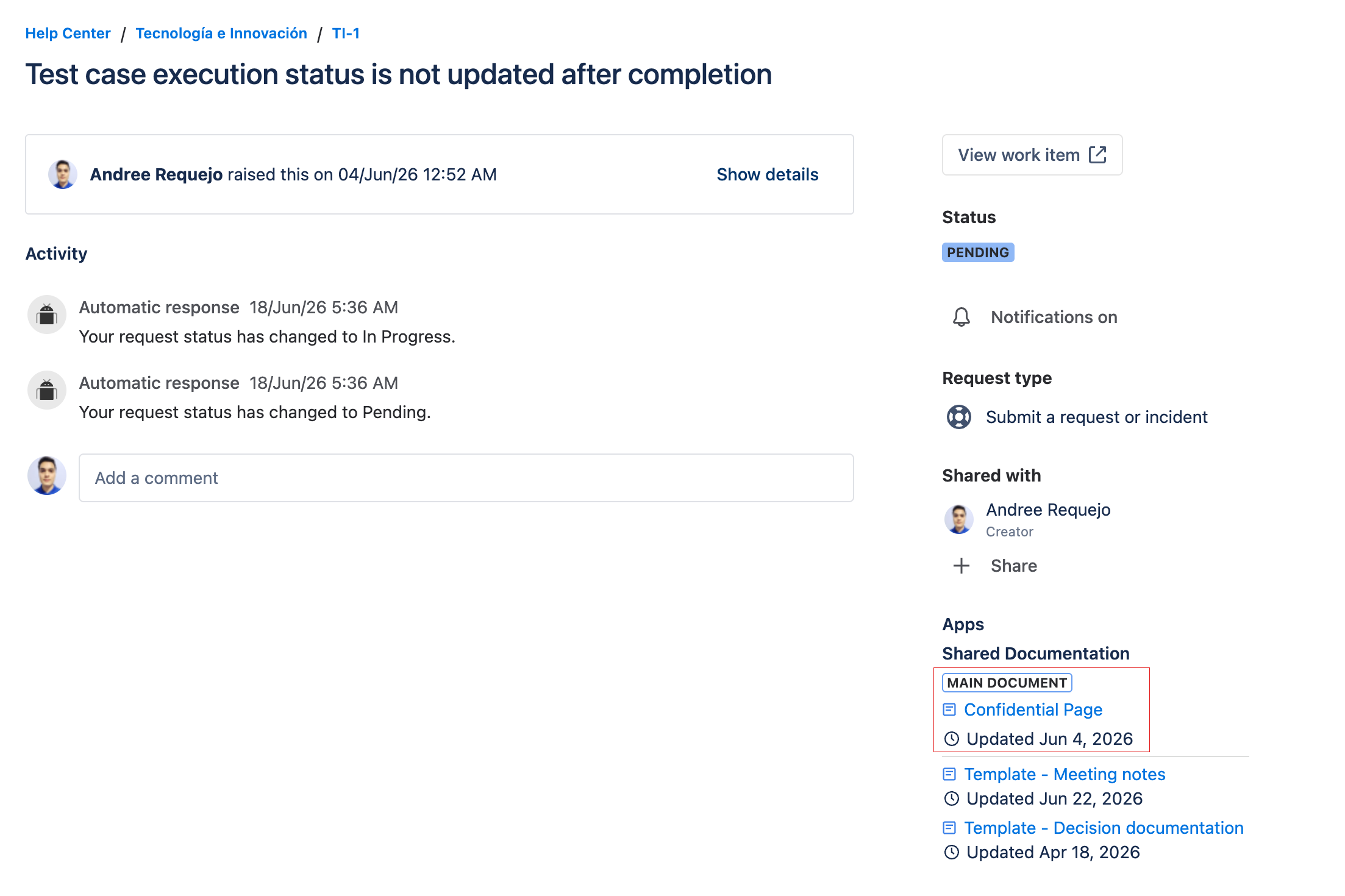
- The featured document is shown in a separated top section.
- It includes the "Main document" label.
- The remaining documents are listed below in normal order.
info
Only one main document is allowed per ticket. If the agent changes the featured document, the portal reflects the change upon reload. If the featured document is removed, the portal shows only the normal list.