Gantt and plans
The Stratify Gantt shows work items from several projects using a JQL, draws them as bars on a timeline, and nests them according to the configured hierarchy and the Parent Element field.
Open Stratify from the app’s global page (Command Center focused on the Gantt).
Create or open a plan
- Enter a JQL. Stratify shows an approximate count before save.
- Run the search. You only see issues your permissions allow you to read.
- Save the plan (JQL + view) so you can reopen it later.
- If the JQL is invalid or you lack permission, you get a clear message; fix the query and run it again.
Each issue is a bar between start and end dates (or the configured date fields). If a date is missing, the UI flags it (placeholder or incomplete state). Each bar shows at least key and summary.
The timeline supports basic zoom and pan.
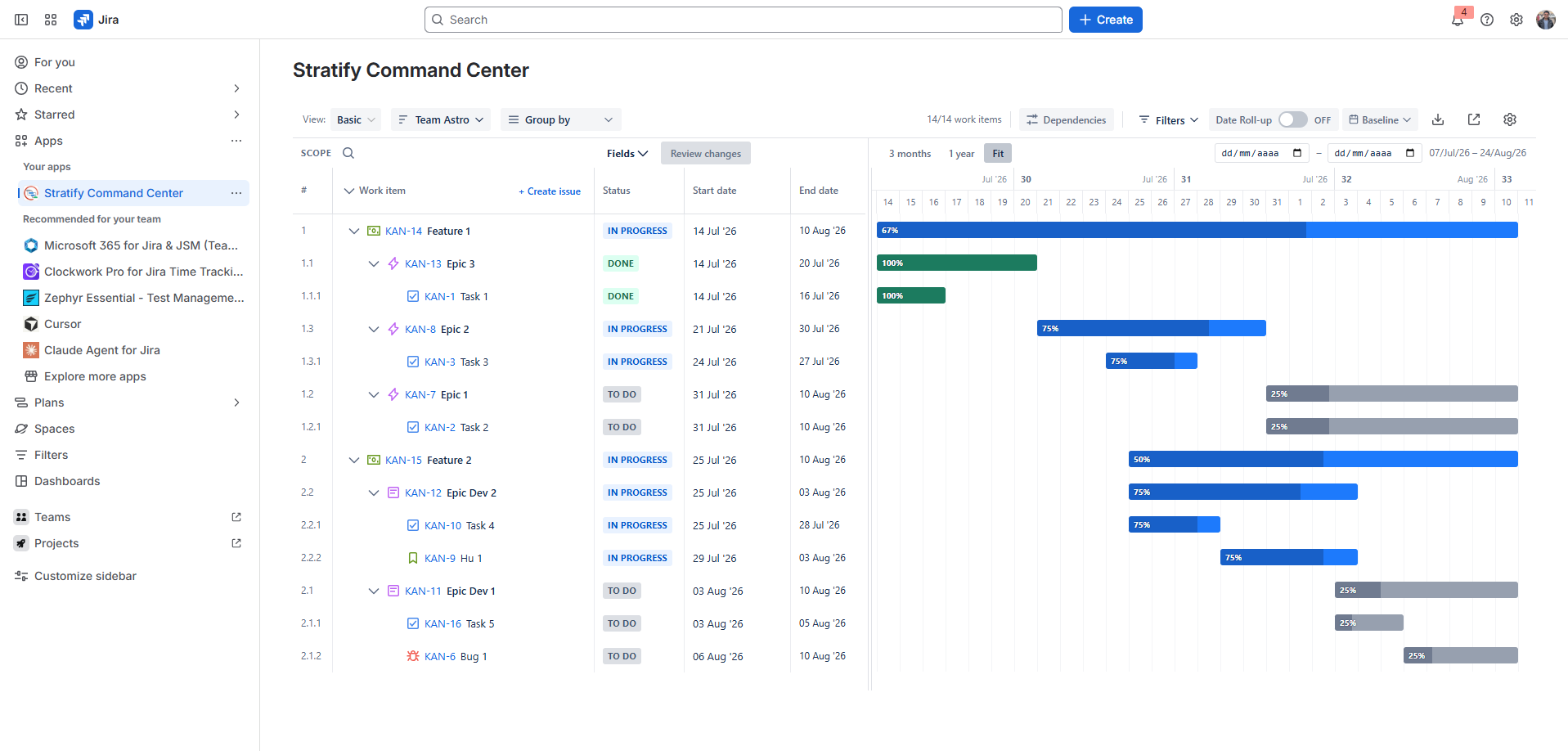
Nesting
Bars are grouped using:
- The administrator’s Parent → Children rules.
- Each issue’s Parent Element value.
You can expand and collapse levels. Issues without a parent, or whose parent is outside the JQL result, are grouped explicitly (for example No parent).
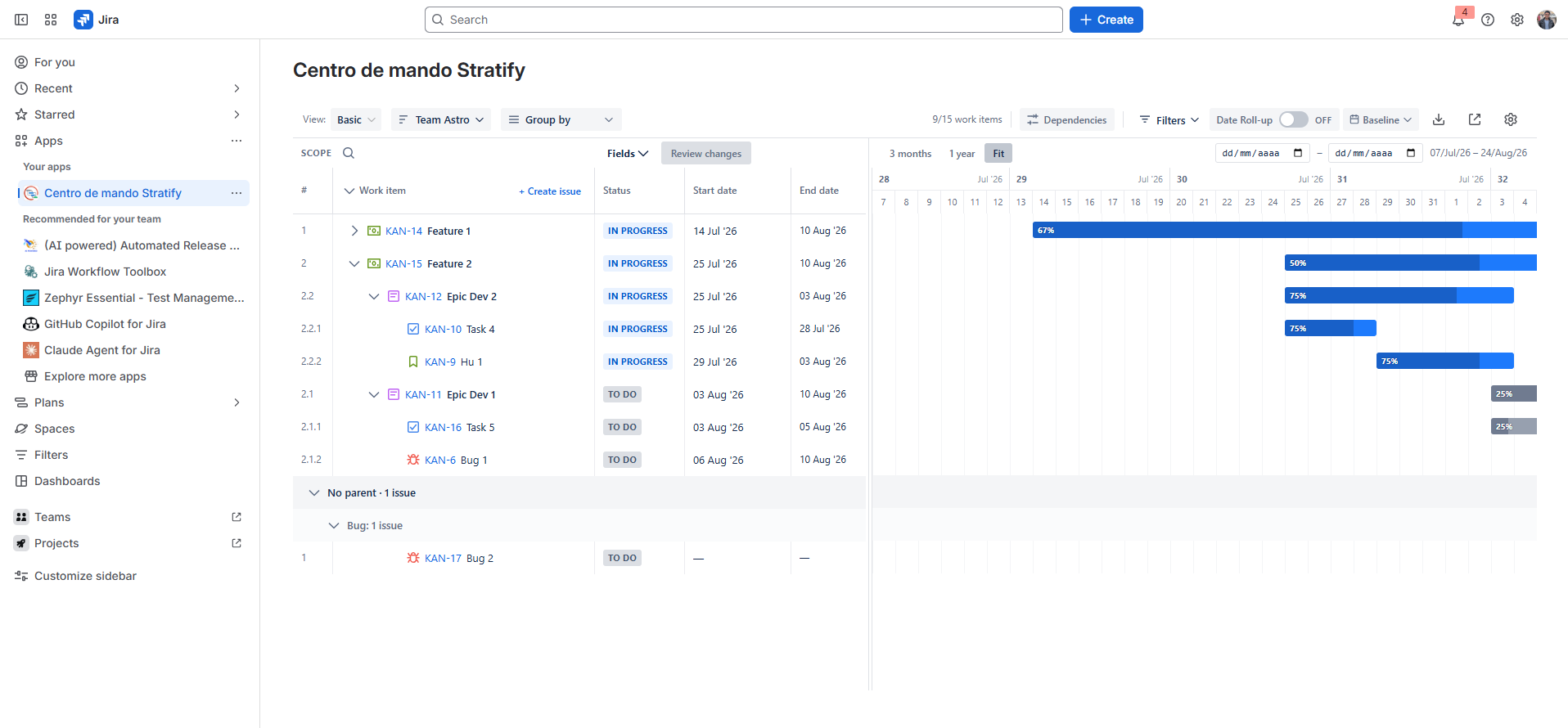
Fields menu
The Gantt fields menu is fully visible: the search box and the full names of the fields (Status, Assignee, and the rest) are shown without clipping.
The view is remembered
Stratify restores the layout of each plan and some global preferences for your user:
- Collapsed tree rows, table scroll, and timeline scroll: per plan.
- Column widths, collapsed column headers, and the position of the divider between the table and the Gantt: for every plan.
The divider is saved when you release the drag and does not crush the estimate column after a reload. That column’s text and the labels of collapsed columns are centered.
Next step
Dates you move on the Gantt do not go to Jira until you sync. See Sandbox and sync.