Roll-ups and risks
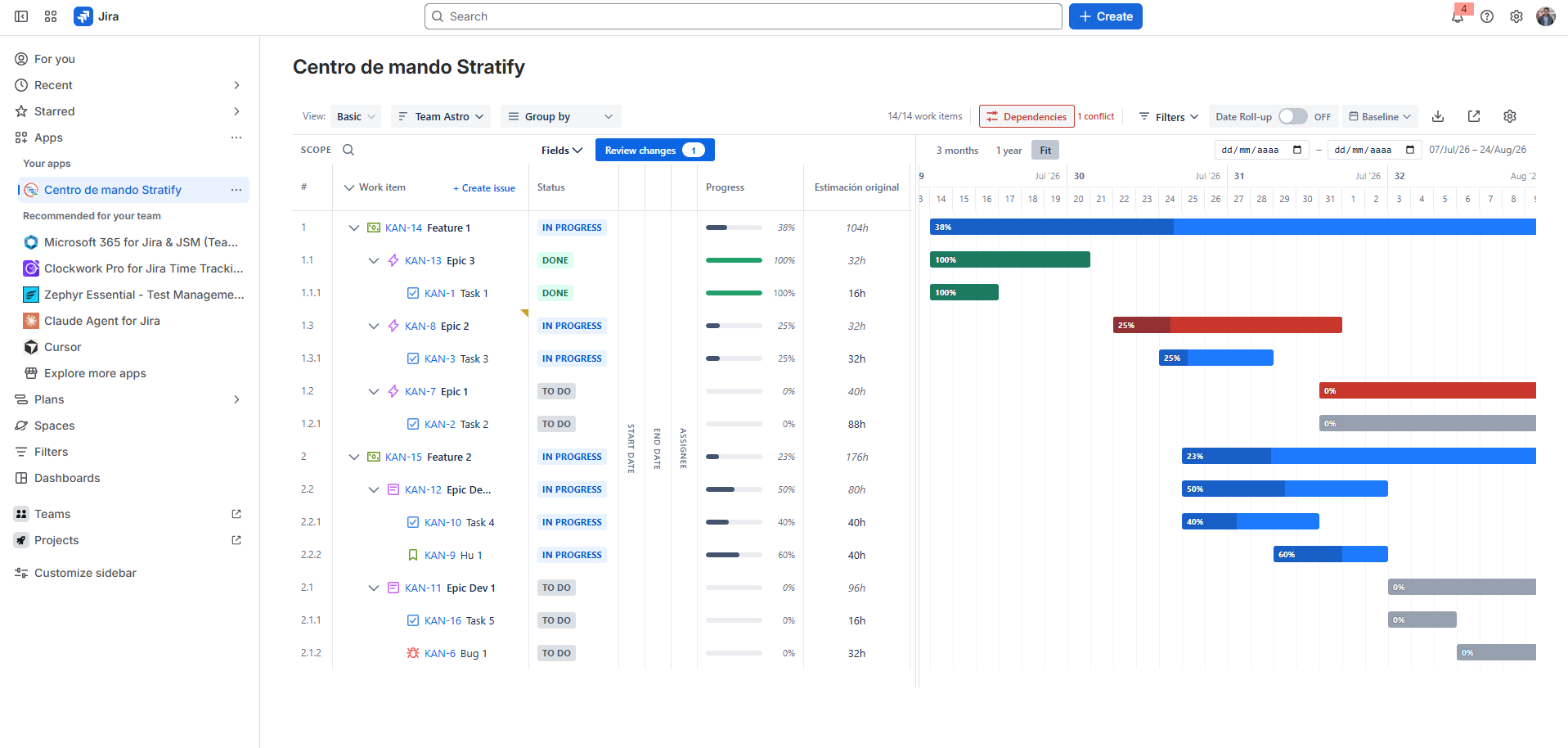
Besides bars, Stratify shows aggregated effort, an optional date toggle, and Blocks dependencies with visual alerts.
Estimate roll-up
Each parent shows the sum of estimates of its visible children (Story Points or hours, depending on the configured or available field).
- A child without an estimate does not break the calculation: it counts as 0 or the parent is marked partial.
- The value updates when you expand/collapse and when the JQL dataset changes.
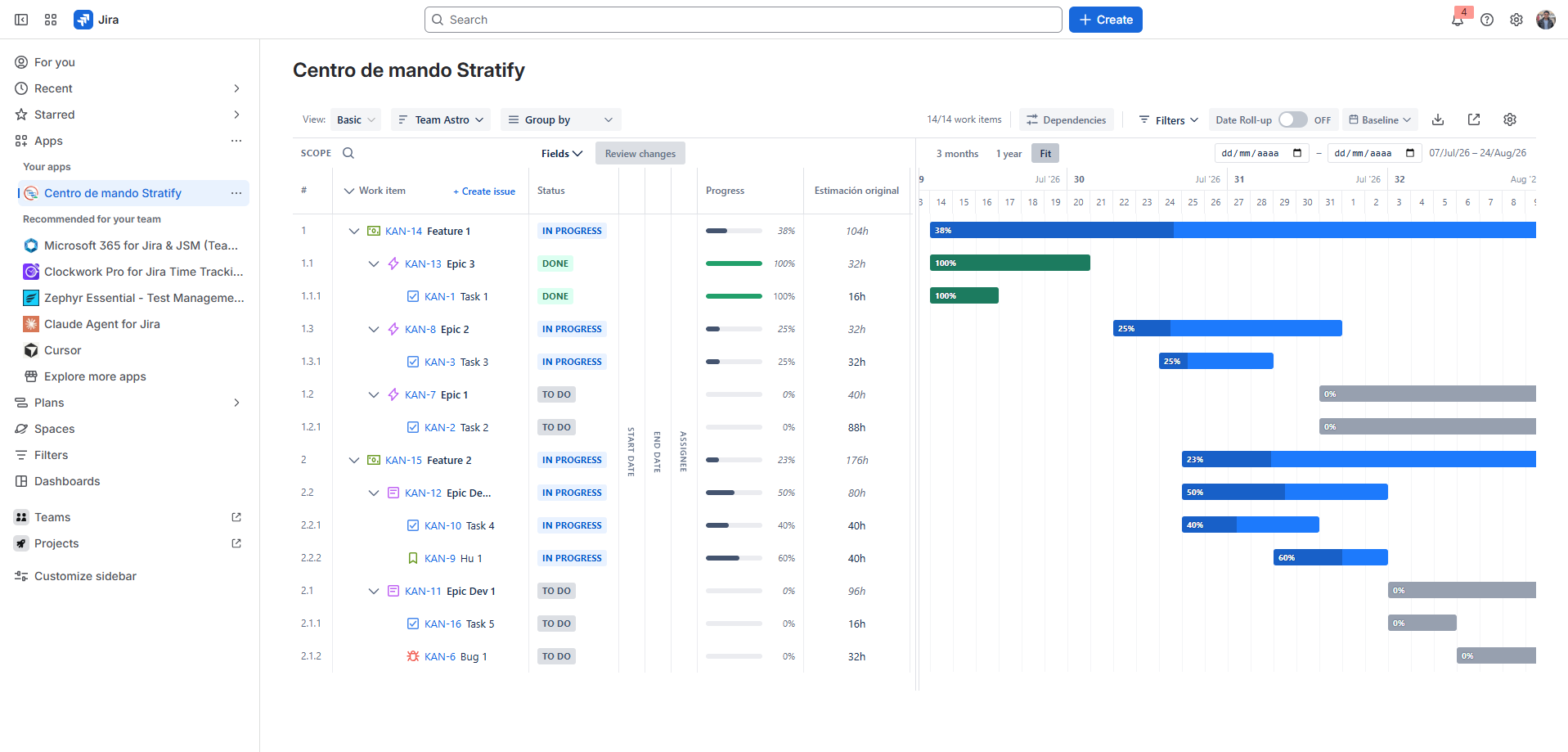
Date roll-up toggle
The Date roll-up toggle is off by default.
| State | Behaviour |
|---|---|
| ON | If a child is moved or stretched past the parent’s finish, the parent extends in Draft. |
| OFF | Parent dates are not changed automatically. |
The parent change is marked as draft, like any other edit. A short helper in the UI explains the behaviour.
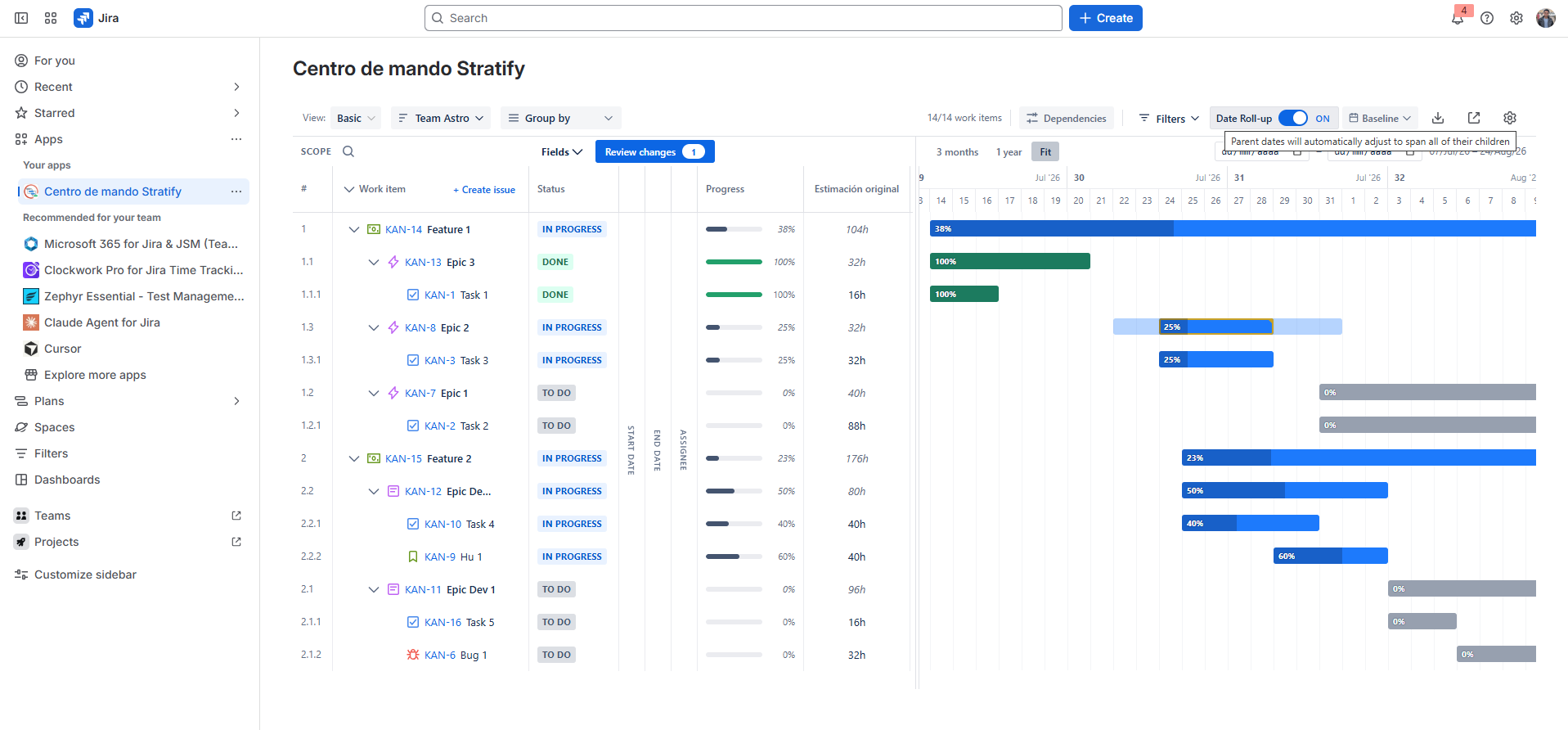
Blocks arrows
If Blocks / is blocked by links exist between issues in the view, Stratify draws connectors with a readable direction (who blocks whom). You can turn dependency display on or off on the Gantt.
From the work item menu you can edit Blocks and is blocked by separately. On sync, the link is stored in Jira in that direction. If you remove a link that Jira no longer has, the draft does not keep an orphan arrow.
If one end of the link is not in the JQL result, it is omitted or marked incomplete (it does not block use of the plan).
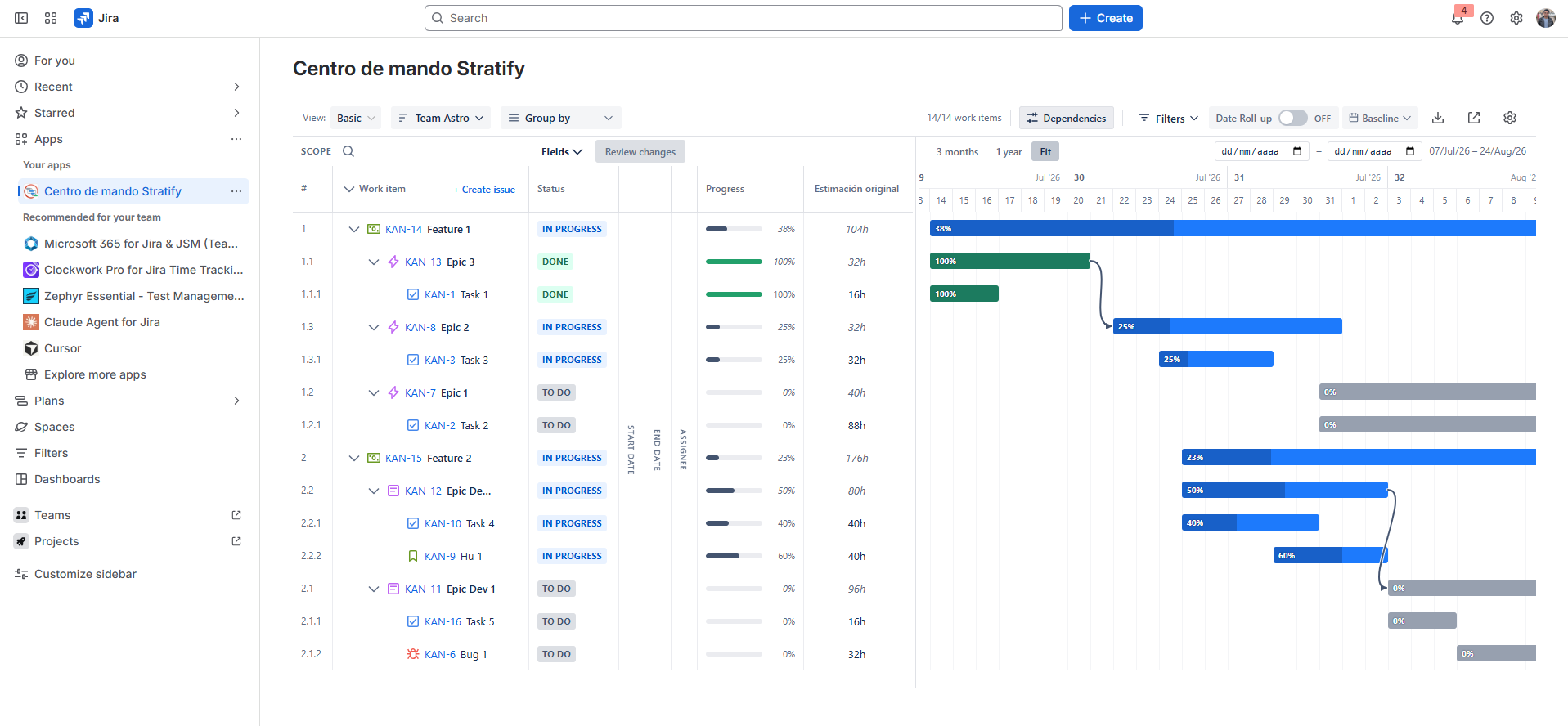
Conflict alerts
When you move dates in Draft, Stratify recalculates conflicts on Blocks links.
Conflict: the blocked issue sits before its blocker (according to the rule documented in the UI).
- Conflicting bars and arrows turn red immediately.
- When you resolve the conflict by moving dates, the highlight disappears.
- The alert is visual only: it does not block saving the draft or syncing.
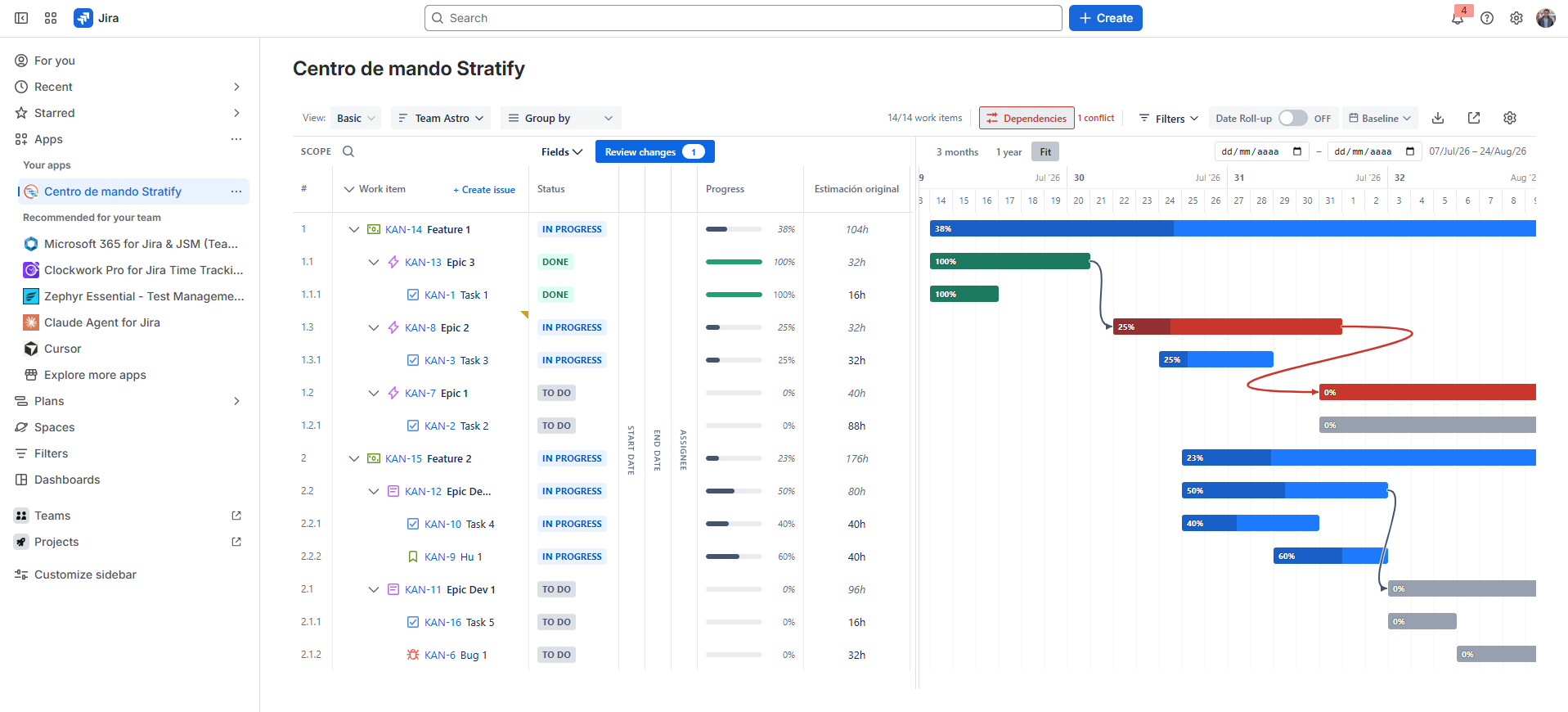
Progress
In estimate mode, a child in Done shows 100% even when logged hours are below the original estimate.
Parent progress (time, Story Points, or estimate) includes the effort of visible children, including when the parent has no estimate of its own. A parent whose epic child is at 100% reflects that progress and does not stay at zero.