Managing documents
The Case Documentation panel allows you to manage documents shared per ticket.
Adding documents
You can add documents by:
- Search: select a search result.
- Direct URL: paste a Confluence URL.
Available actions
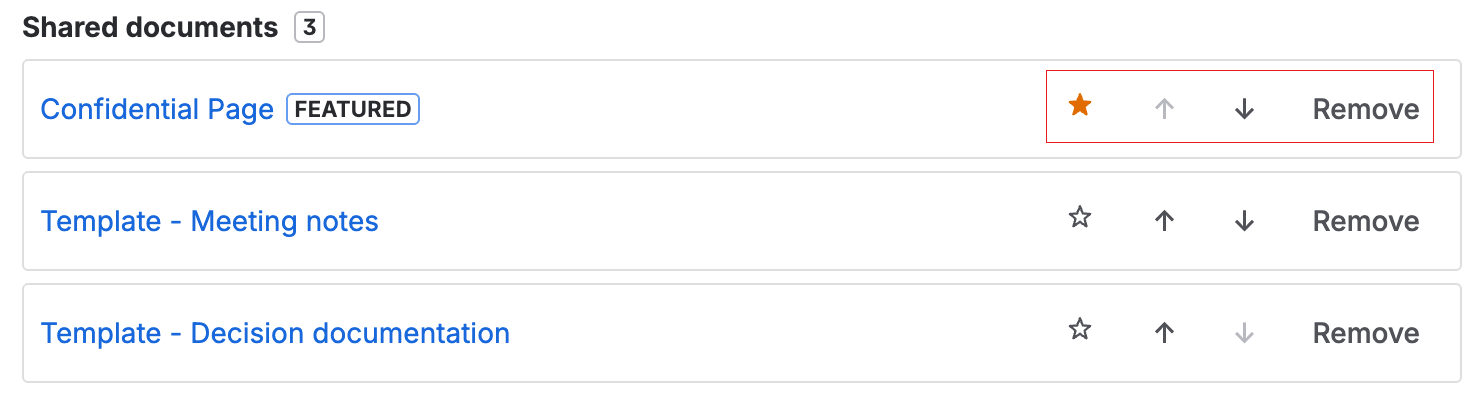
Once added, each document has three available actions:
| Action | Description |
|---|---|
| ↑ / ↓ | Reorder the document's position in the list. The order is reflected in the customer portal. |
| ★ | Mark as featured document. Only one per ticket is allowed; selecting another removes the flag from the previous one. |
| ✕ | Remove the document from the list. |
Audit metadata
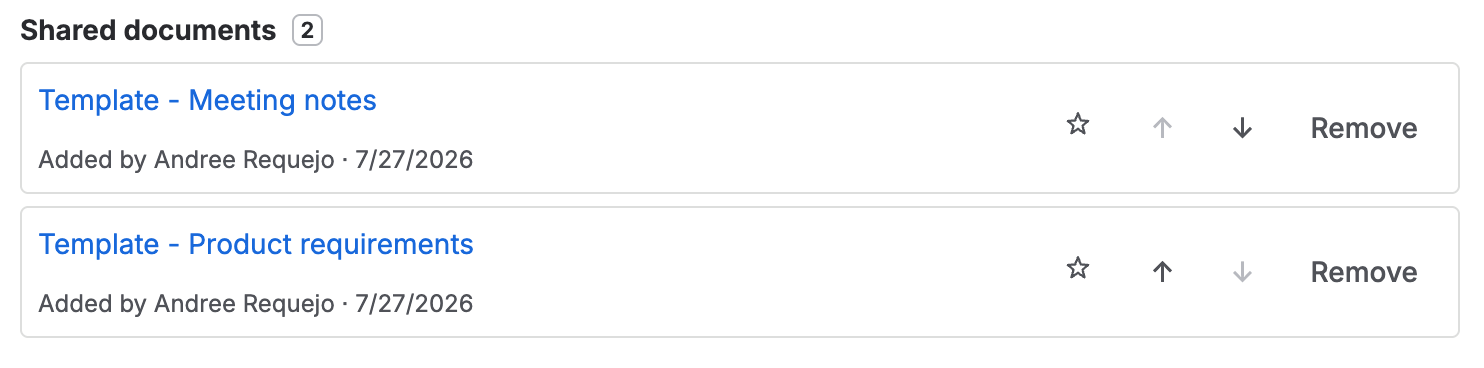
Below the title of each shared document, audit information is displayed:
- Added by: name of the agent who added the document.
- Date: when it was added.
This information is visible to the agent only in the Case Documentation panel. The customer portal (Shared Documentation) does not show audit metadata.
Change history
At the bottom of the Case Documentation panel, there is a collapsible Change history section that records document removals:
| Information | Description |
|---|---|
| Title | Name of the removed document |
| Removed by | Agent who removed the document |
| Date | When it was removed |
The history stores up to 20 events. When the limit is reached, the oldest event is automatically removed to make room for the new one.
