Introduction to Live Chat for JSM
Live Chat for JSM is a Forge app for Jira Service Management Cloud that enables real-time communication between service portal customers and support agents. Each conversation is automatically linked to a JSM request, so the team can review the entire history without leaving Jira.
Key Features
-
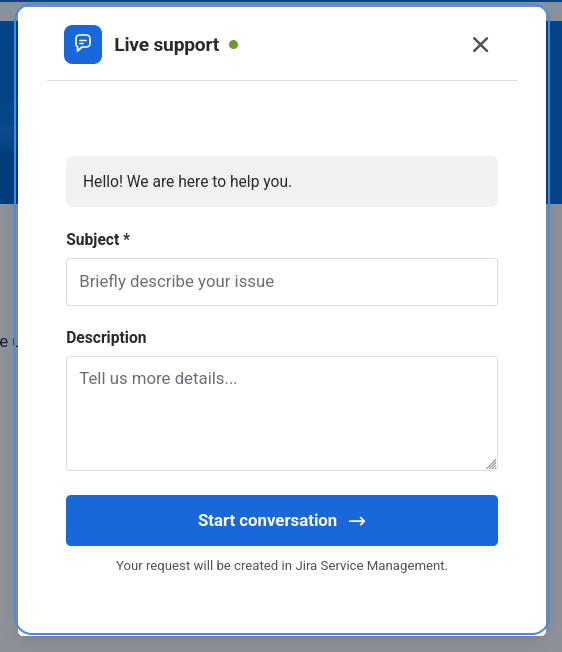
Portal chat widget: Customers can start a chat directly from the JSM service portal. The widget loads with the configuration of the service desk the customer is on.
-
Portal-based configuration: Administrators can configure multiple service portals independently from Apps → Your apps → Live Chat for JSM. Each portal is linked to a unique project, service desk, and request type.
-
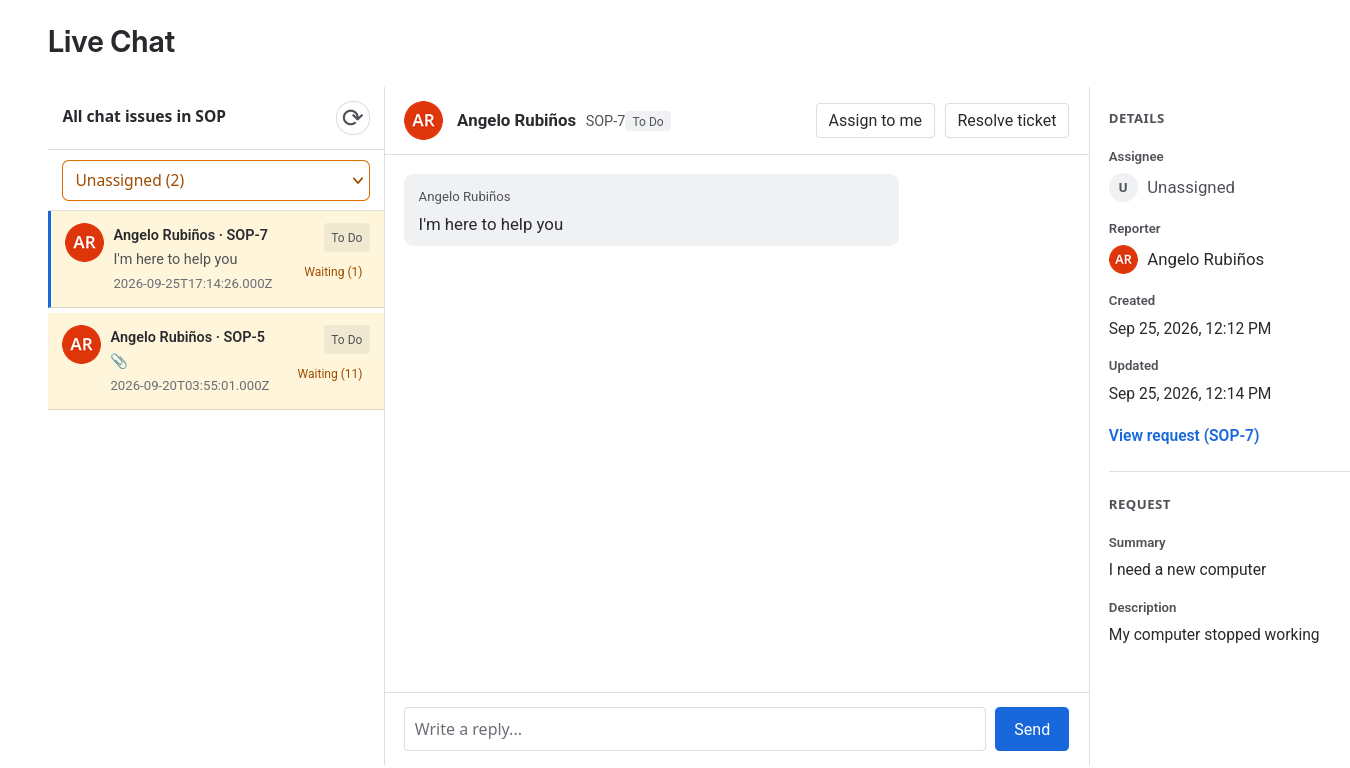
Agent tray: Authorized agents manage sessions from the project Live Chat page, with a three-column layout and queues to organize conversations.
-
Controlled inbox access: Administrators can restrict which users and groups can handle chats on each portal using authorization lists.
-
Single open conversation: Only one active conversation can exist per customer and portal. If the customer returns to the portal, the active chat is recovered from the server.
-
Automatic request creation: Each new chat automatically generates a JSM request, with messages stored as public comments on the request.
-
Auto-assignment: When an agent responds to or resolves a conversation from Jira, the request is automatically assigned to that agent.
-
Resolution with resolution: The agent can close the conversation by selecting a resolution and adding a transition comment.
-
Multilingual interface: The interface is available in English and Spanish, adapting to the language configured by the user in Jira.
Differences from Jira Live Chat (DC)
| Feature | Live Chat for JSM (Cloud) | Jira Live Chat (DC) |
|---|---|---|
| Platform | Atlassian Forge · JSM Cloud | Jira DC / JSM Data Center |
| Modules | jiraServiceManagement:portalHeader (Custom UI), jira:projectPage, jira:adminPage | Plugin Servlet + JS/CSS |
| Actions | Forge resolvers (liveChatApi) | Own REST servlet |
| WebSocket | No — uses polling | No — uses polling |
| Initial form | Not available in 1.0.0 | Configurable with additional fields |
| Attachments | Not available in 1.0.0 | Supported |
| Satisfaction survey | Not available in 1.0.0 | Native JSM survey |
This product is the Cloud equivalent of Jira Live Chat (DC). If you already use the Data Center version, check the differences before migrating.
Data model
- 1 chat = 1 JSM request: Each conversation creates or links to a request in the Service Desk associated with the portal.
- 1 message = 1 public comment: Chat messages are stored as public comments on the request.
- Label
jira-dc-live-chat: Requests created by the chat include this label for easy JQL searching.
Technical architecture
The app consists of three Forge modules:
| Module | Description |
|---|---|
| Widget / Launcher | Injected into the customer portal (jiraServiceManagement:portalHeader) via Custom UI. |
| Agent tray | Project page (jira:projectPage) showing queues and the conversation. |
| Administration panel | App page (jira:adminPage with useAsConfig) for portal configuration, accessed from Apps → Your apps. |
Next step: Installation Guide.