Field Dependency Validator
The Field Dependency (Admin Essentials) validator blocks a workflow transition when a target field is empty while another field (the trigger) holds a specific value. It is the natural way to model "if A happens, then B is required" relationships without making the field mandatory in every situation.
A single validator can hold several independent rules, each with its own trigger → required pair and, optionally, its own error message.
When to use this validator?
- When Priority is Highest, require the Assignee field before closing.
- When Issue Type is Bug, require a custom "Severity" or "Steps to reproduce" field.
- When a specific Resolution is chosen (for example Won't Do), require an explanatory comment.
- When a "Ticket source" select takes a specific value (e.g. VIP Customer), require a follow-up owner.
Unlike Fields Required, where a field is enforced on every transition, this validator only enforces it when the condition holds, preventing unnecessary blocks.
Add the validator to a transition
-
In Jira, open the workflow you want to edit:
- For project-scoped workflows: Project settings → Workflows → Edit.
- For global workflows: Jira settings → Issues → Workflows → Edit.
-
Select the transition you want to protect.
-
Open the Validators tab.
-
Click Add validator.
-
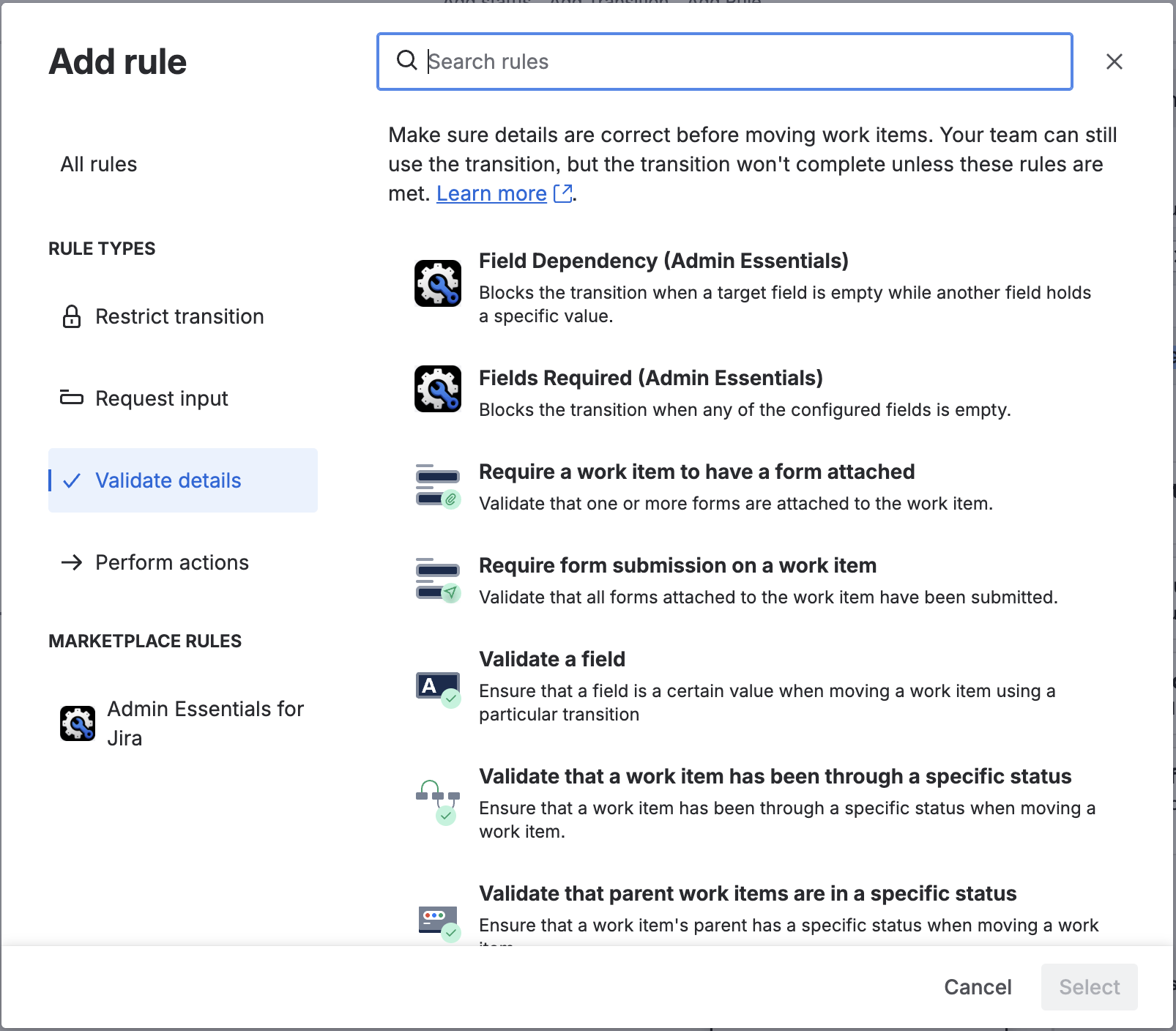
From the available validators list, pick Field Dependency (Admin Essentials) and click Add.
-
Define one or more rules (next section) and save.
-
Publish the workflow so the changes take effect.
Configure the rules
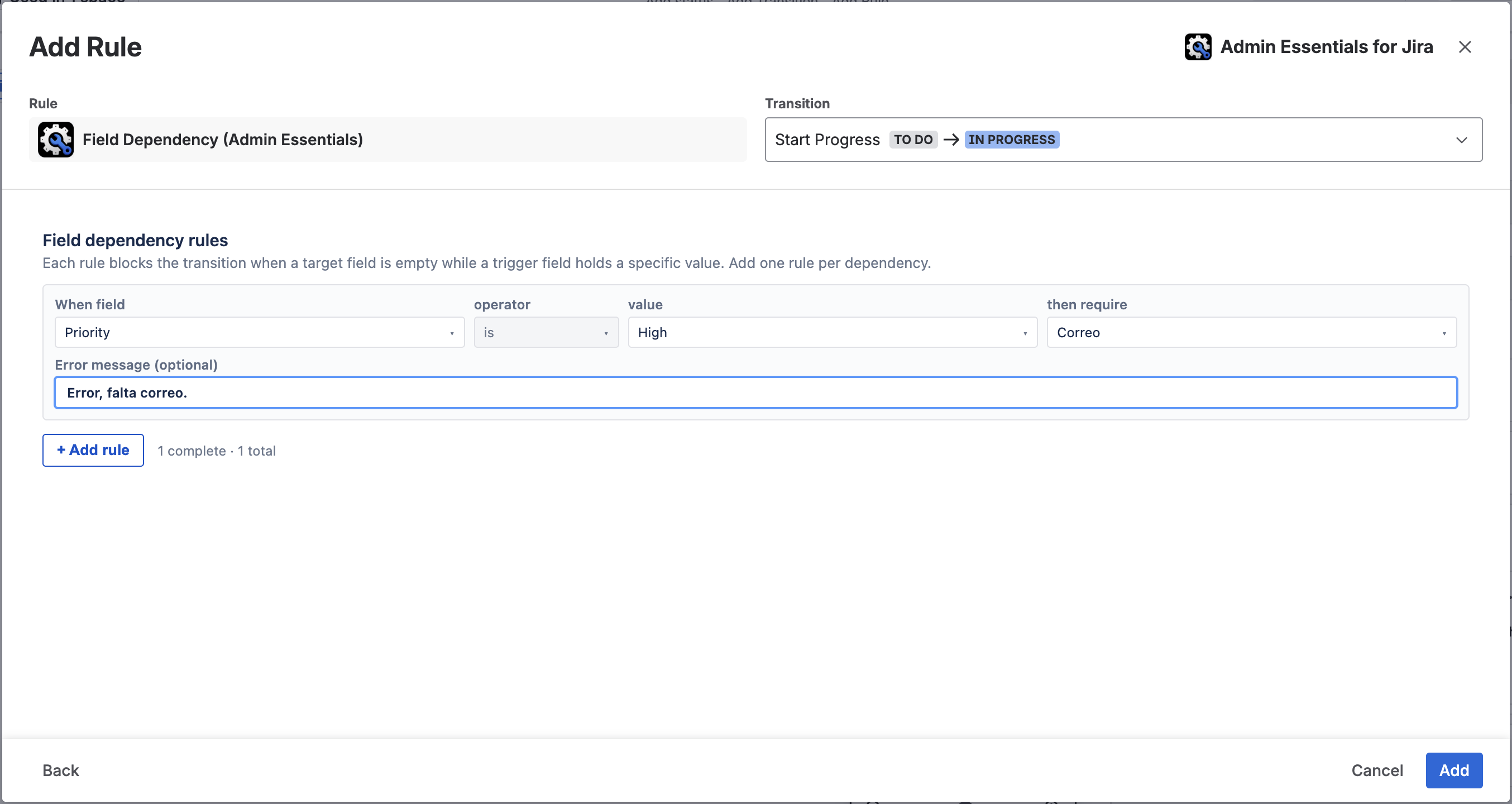
When you add or edit the validator, its configuration panel opens (a Custom UI served by Forge). Each rule is configured as an independent row with the following format:
When field
<trigger field>is<value>then require<required field>
And below, optionally, an Error message specific to that rule.
Supported trigger field types
This version of the validator supports trigger fields whose value comes from a closed list of options:
- System fields:
Priority,Issue Type. - Custom fields of type Single-select List or Radio Buttons.
The available values are loaded automatically from Jira when the user opens the "is" list.
Upcoming versions of the validator will expand the supported trigger field types (numeric fields with operators >=, <, etc., text fields). In this version triggers are limited to fields with discrete values.
Required field
The required field can be any field from the Jira catalog (system or custom), including Assignee, Comment, Description, Labels, Fix Versions, etc. The validator checks that the field has a non-empty value at transition time.
Custom error message
Each rule can carry its own Error message. If left blank, the add-on shows a default message of the form "Assignee is required when Priority is Highest.".
Multiple rules
You can add as many rules as you need by clicking + Add rule. Each rule is evaluated independently, and any that fire at the same time must all pass for the transition to run (rules are combined with AND).
Behaviour at transition time
When a user attempts to run the transition:
- If no rule fires (no trigger field holds the configured value), the transition runs normally.
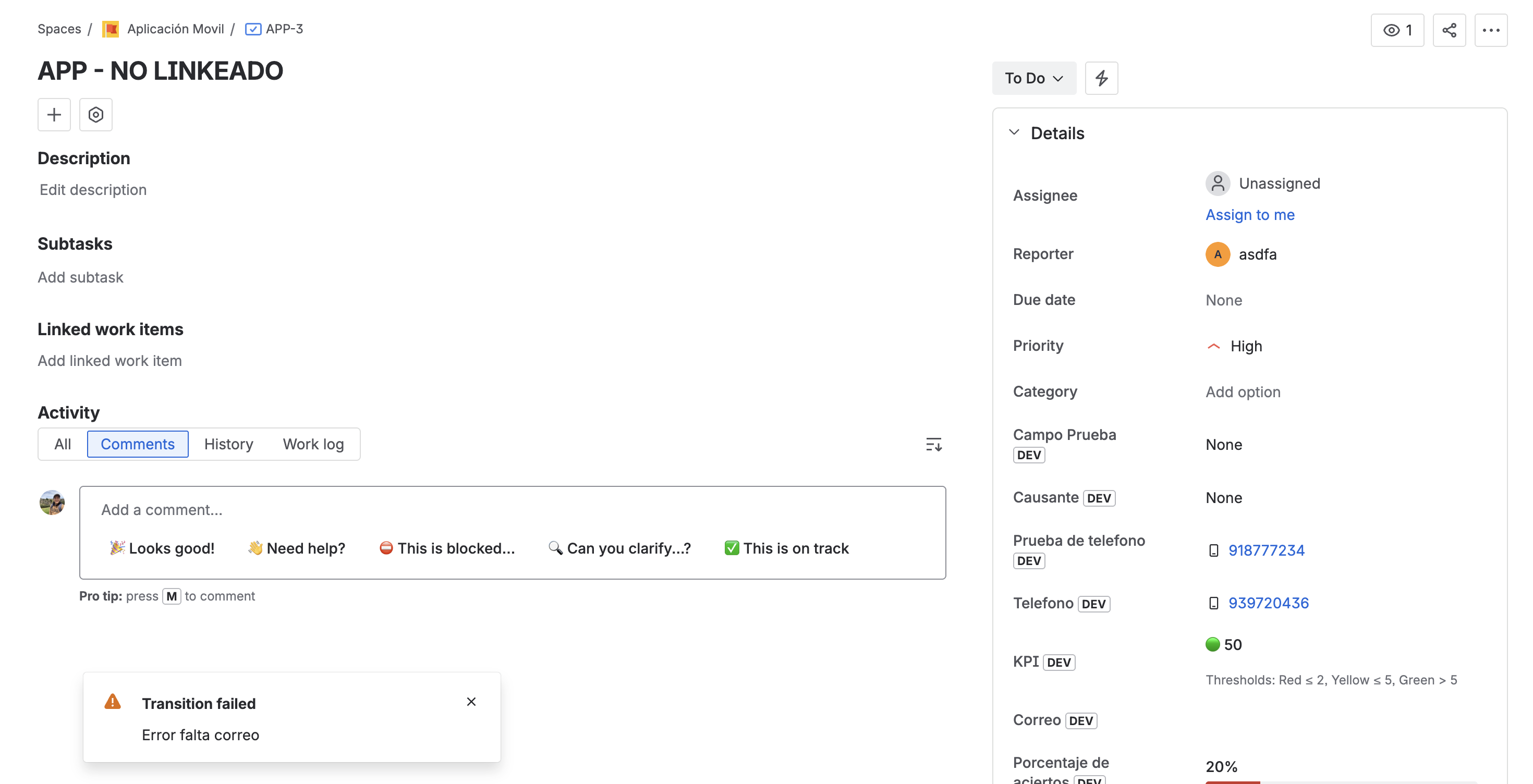
- If one or more rules fire and their corresponding required fields are empty, the transition is aborted and Jira shows the error messages of each failing rule. The issue stays in the previous state.
As with any validator, we recommend associating the transition with a screen that contains the required fields. That way the user can complete them during the transition rather than discovering the error at the end.
Example: Assignee required when Priority is Highest
Suppose the team wants to guarantee that no Highest-priority issue ever moves to In Progress without an assignee.
- Edit the "Start Progress" transition of the workflow.
- Add the Field Dependency (Admin Essentials) validator.
- Configure the rule:
- When field:
Priority - is:
Highest - then require:
Assignee
- When field:
- (Optional) Error message: "Please pick an assignee before starting a Highest-priority issue."
- Save and publish the workflow.
From that point on:
- A Medium-priority issue can move to In Progress without an assignee.
- A Highest-priority issue without an assignee gets blocked with the configured message.
Example: Comment required depending on issue type
If the team wants all Bugs to carry a comment when moving to Resolved:
- Edit the "Resolve" transition of the workflow.
- Add the Field Dependency (Admin Essentials) validator.
- Configure the rule:
- When field:
Issue Type - is:
Bug - then require:
Comment
- When field:
- (Optional) Error message: "To resolve a bug, please record an explanatory closing comment."
Other issue types (Story, Task, etc.) pass through without needing a comment.
Differences from "Fields Required"
| Aspect | Fields Required | Field Dependency |
|---|---|---|
| When the field is required | Always when the transition runs | Only when a trigger field holds a specific value |
| Rules per validator | A single list of required fields | Multiple rules (each with its own trigger → required pair) |
| Custom message | One global message | One per rule |
| Typical use case | "On this transition, always require Resolution" | "On this transition, require Resolution only when the type is Bug" |
Both validators can coexist on the same transition. If you need a combination, configure each one with its specific part.