Audit Log
The audit log provides a detailed history of all changes made to the configuration of your Dynamic Work Item Picker fields. This feature is crucial for maintaining security, complying with regulations, and diagnosing issues by offering transparency about who modified what and when.
Each time a field's configuration is saved and a change in one or more of its parameters is detected, one or more entries are generated in the log.
Accessing the Audit Log
The audit log panel is located on the same application configuration screen, in the tab Audit Logs below the list of "Dynamic Work Item Picker".
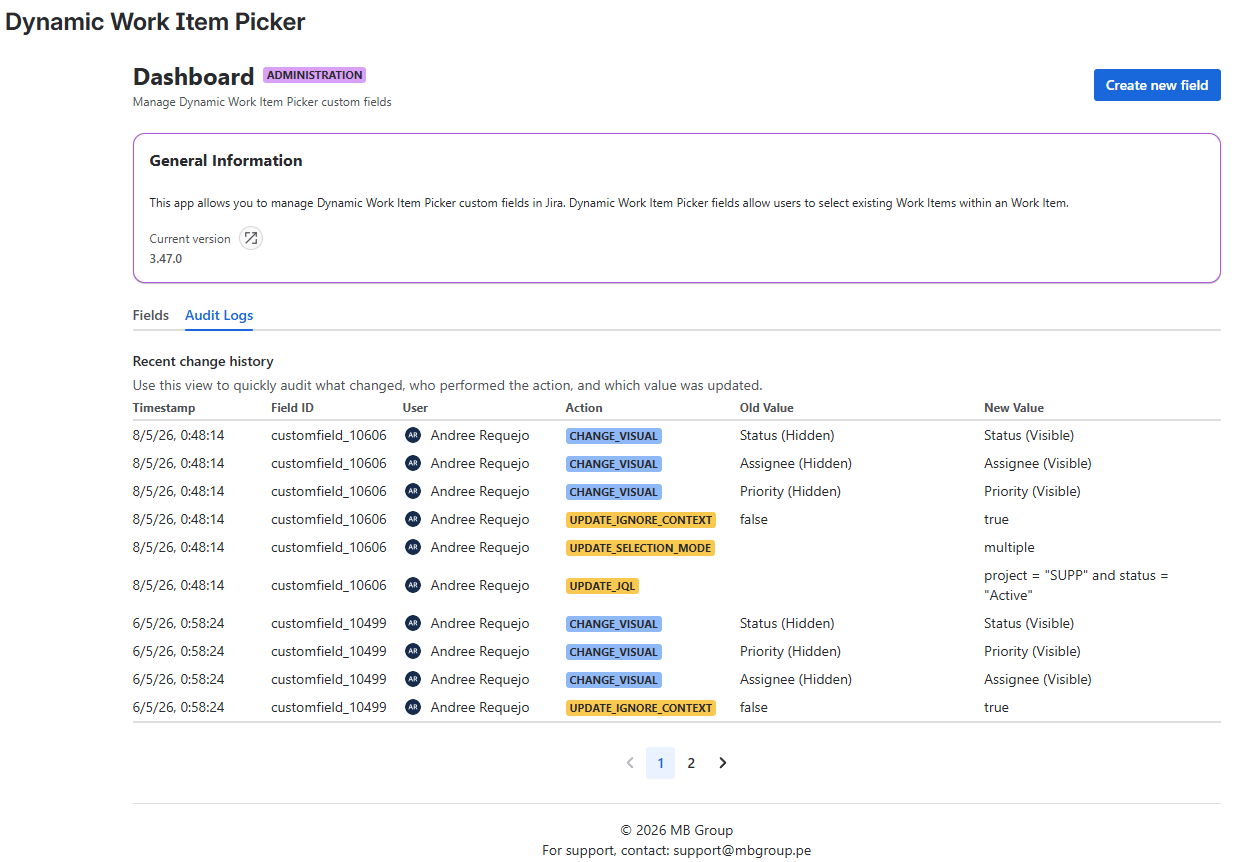
Filtering the Audit Log
As of version 5.8.0, the Audit Logs tab includes cascading filters that let you narrow down records by field and context.
Field → Context Filters
The filters work in cascade:
- Select a Field in the first selector. The Context selector will automatically activate, showing only the contexts available for that field.
- Optionally, select a specific Context to see only the records for that field-and-context combination.
- The table will update showing the filtered results with correct pagination.
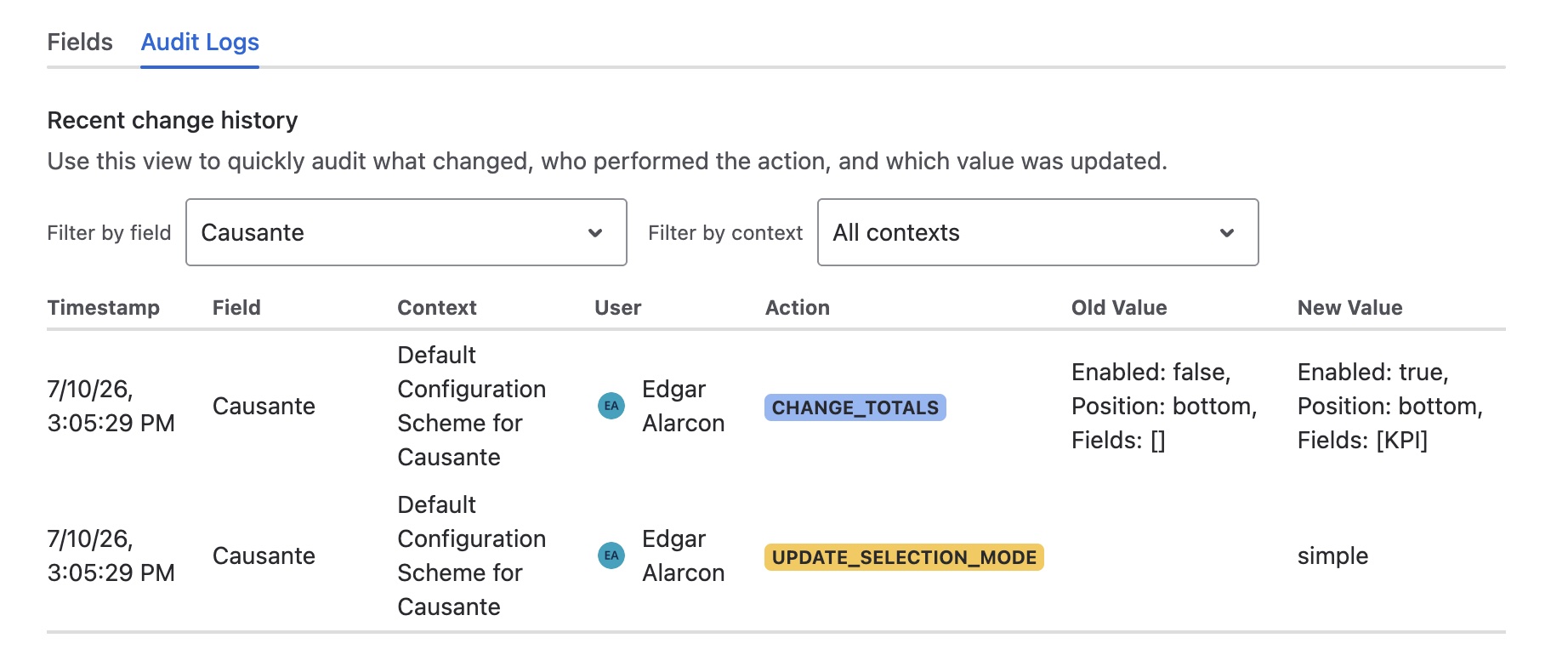
Records predating this version that have no associated context will show "Not recorded" in the Context column. If the context no longer exists in the instance, it will show "Unknown context (ID)".
Value of this improvement: You can investigate who changed the JQL or visual configuration of a specific context without sifting through all mixed records from every field.
Understanding Log Entries
Each entry in the audit log captures a single modification and contains the following information:
| Column | Description |
|---|---|
| Timestamp | The exact time the change was recorded. |
| Field | The human-readable name of the Work Item field that was modified. |
| Context | The name of the context in which the change was made. Records without a context show "Not recorded". |
| User | The Jira user who performed the modification. |
| Action | The type of change that was made. This value will always be displayed in English (e.g., UPDATE_SELECTION_MODE). |
| Old Value | The configuration value before the change. |
| New Value | The configuration value after the change. |
Key Behavior
- Log on Change: The system only creates a log entry if a setting's value has actually changed.
- Multiple Changes: If you modify several aspects of the same field in a single operation (for example, changing both the
Selection Modeand theVisualcomponent), individual log entries will be created for each of those changes, allowing for granular tracking. - Context Reset: When utilizing the Reset action, an event with the action
RESET_CONTEXT_CONFIGwill be logged. The Old Value will display the custom configuration that was removed, and the New Value will indicate that it has reverted to global defaults (GLOBAL_DEFAULTS). - Totals change: When modifying the totals configuration from the View tab, an event with the action
CHANGE_TOTALSwill be recorded.