Work item panel
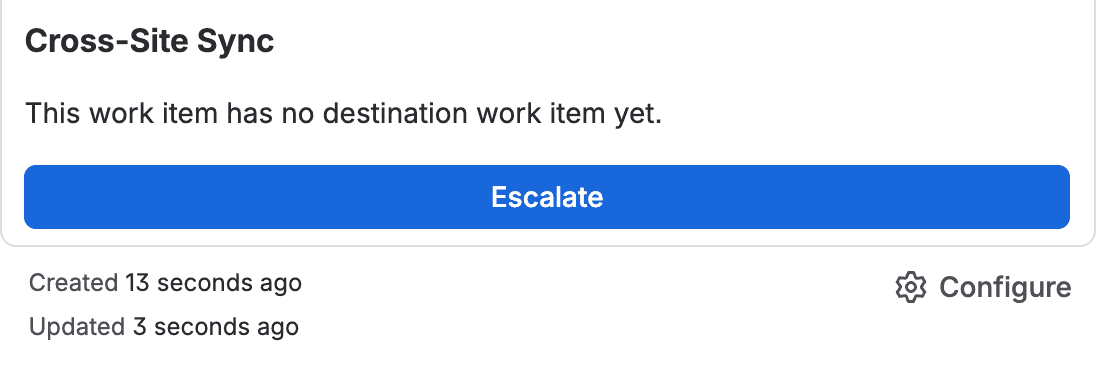
The Cross-Site Sync panel shows the local work item's link status and the actions available to your account. The panel can appear even when no rule applies yet; in that case, it indicates that no link is configured for the work item.
Link information
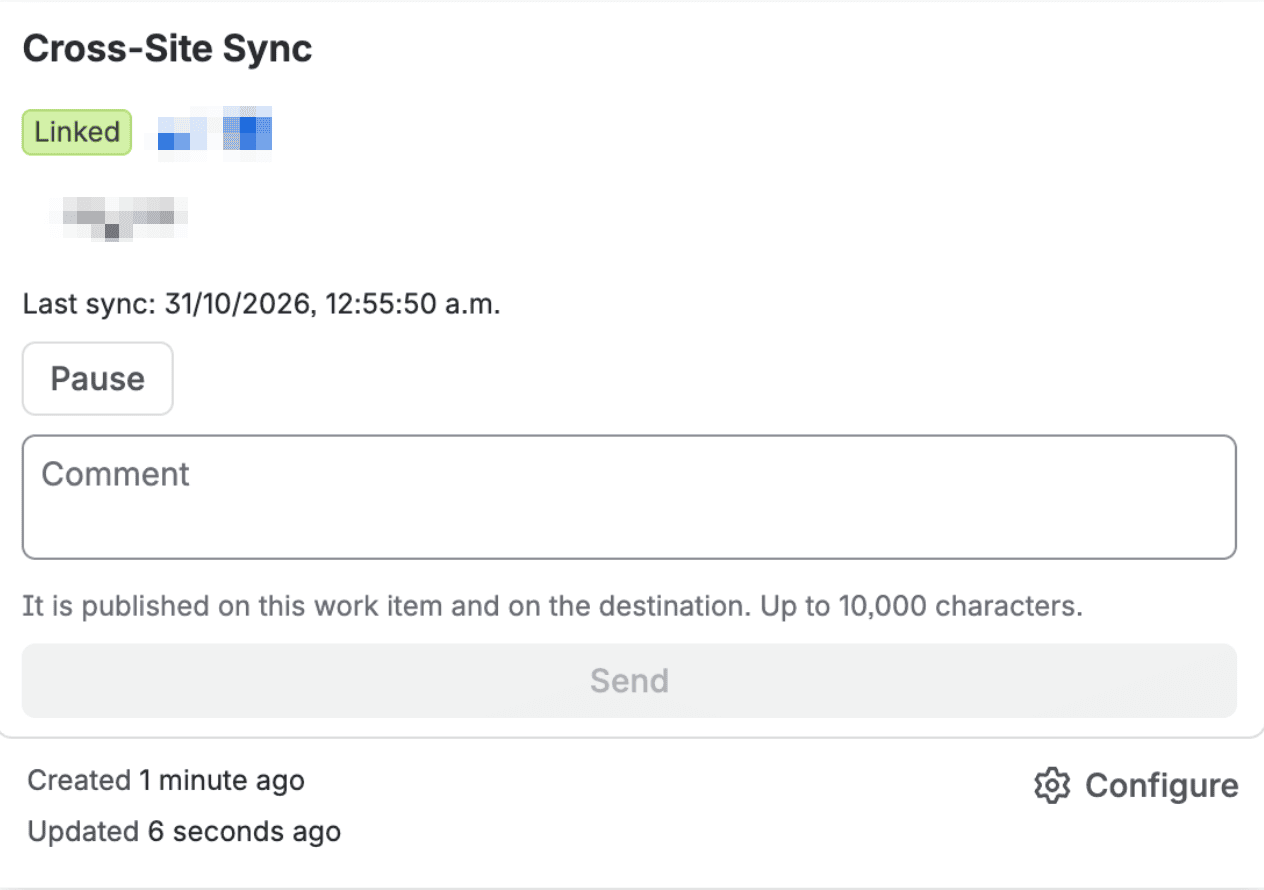
When a link exists, the panel shows:
- The sync status.
- The remote work item key.
- When the last sync ran.
- The latest error, if an operation needs attention.
Link statuses
| Status | Meaning |
|---|---|
| Creating | The app is creating the remote work item. |
| Linked | The remote work item was created and the link is active for syncing. |
| Failed | The latest operation did not complete. Check the latest error, fix its cause, and retry when appropriate. |
| Paused | Syncing is stopped. Pending jobs are kept and can continue when you resume. |
| Archived | The remote work item remained in Done for the configured period; the app stops checking it for status changes. |
The local site does not change status when the remote work item changes. The app reports remote status changes in a comment on the local work item, usually within about five minutes. The comment also includes the remote resolution if the rule allows it.
Available actions
If you can edit the work item, the panel may offer these actions, depending on its state and rule:
- Escalate: create the remote work item when the rule allows the manual trigger.
- Comment: send a comment to the remote team if the rule allows comments from the panel. Only the text you enter in this action is sent.
- Retry: try pending changes again after you fix the cause of the error.
- Pause or Resume: stop or continue syncing the link.
If you cannot edit the work item, you can check its status but cannot run these actions. Pausing keeps pending changes; syncing can continue when you resume.
Comments and remote changes
Comments received from the remote site include an authorship header so you can tell who wrote them. Jira Service Management keeps the internal or public visibility configured in the rule. When escalation finishes, you also receive a comment with the remote work item key.
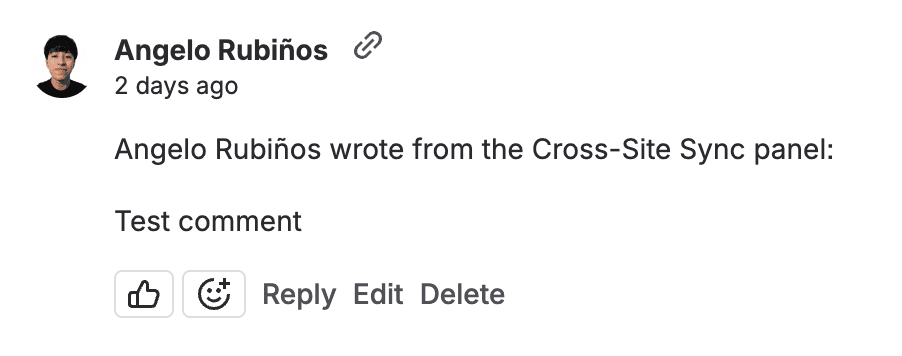
When the remote status changes, you receive an informational comment on the local work item. This notice does not transition the local work item. The app automatically retries temporary failures. If an error persists, the panel shows it and lets you retry when appropriate. Contact an administrator if the connection or rule needs to change.