Sandbox and sync
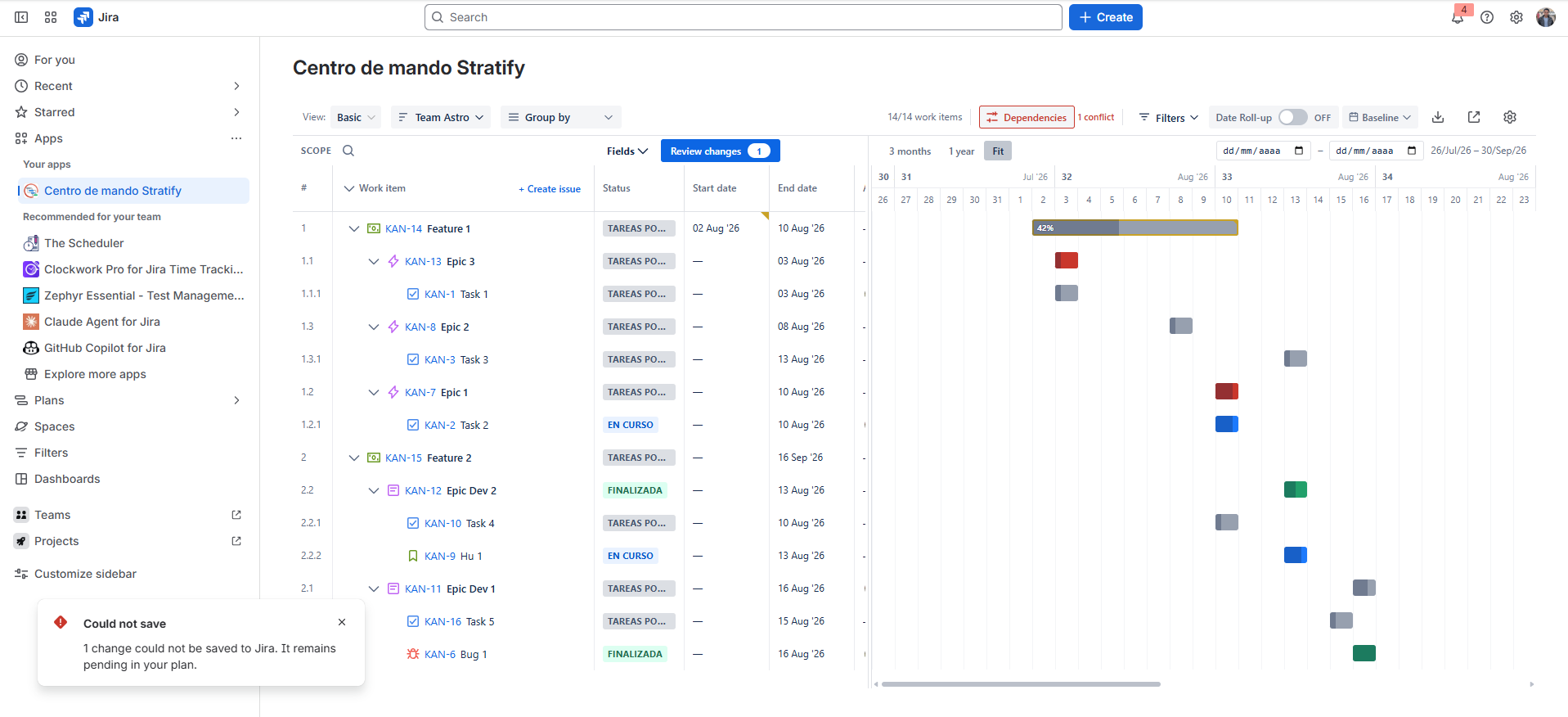
The sandbox (Draft) lets you move, stretch, or edit dates on the Gantt without writing to Jira until you click Sync.
Working in Draft
- Drag a bar to change start and end.
- Resize a bar to change duration.
- Edit dates with the datepicker (or equivalent control).
- Edit Parent Element, Blocks, and is blocked by from the work item menu. Each dependency direction is saved separately.
- The main bar shows the draft. The ghost bar shows the original Jira dates and does not repeat the progress percentage.
- Discard the draft to return to the state ingested from Jira.
Each plan keeps its own draft. After a reload, or when you return to that plan, Stratify restores it. Switching plans does not mix drafts.
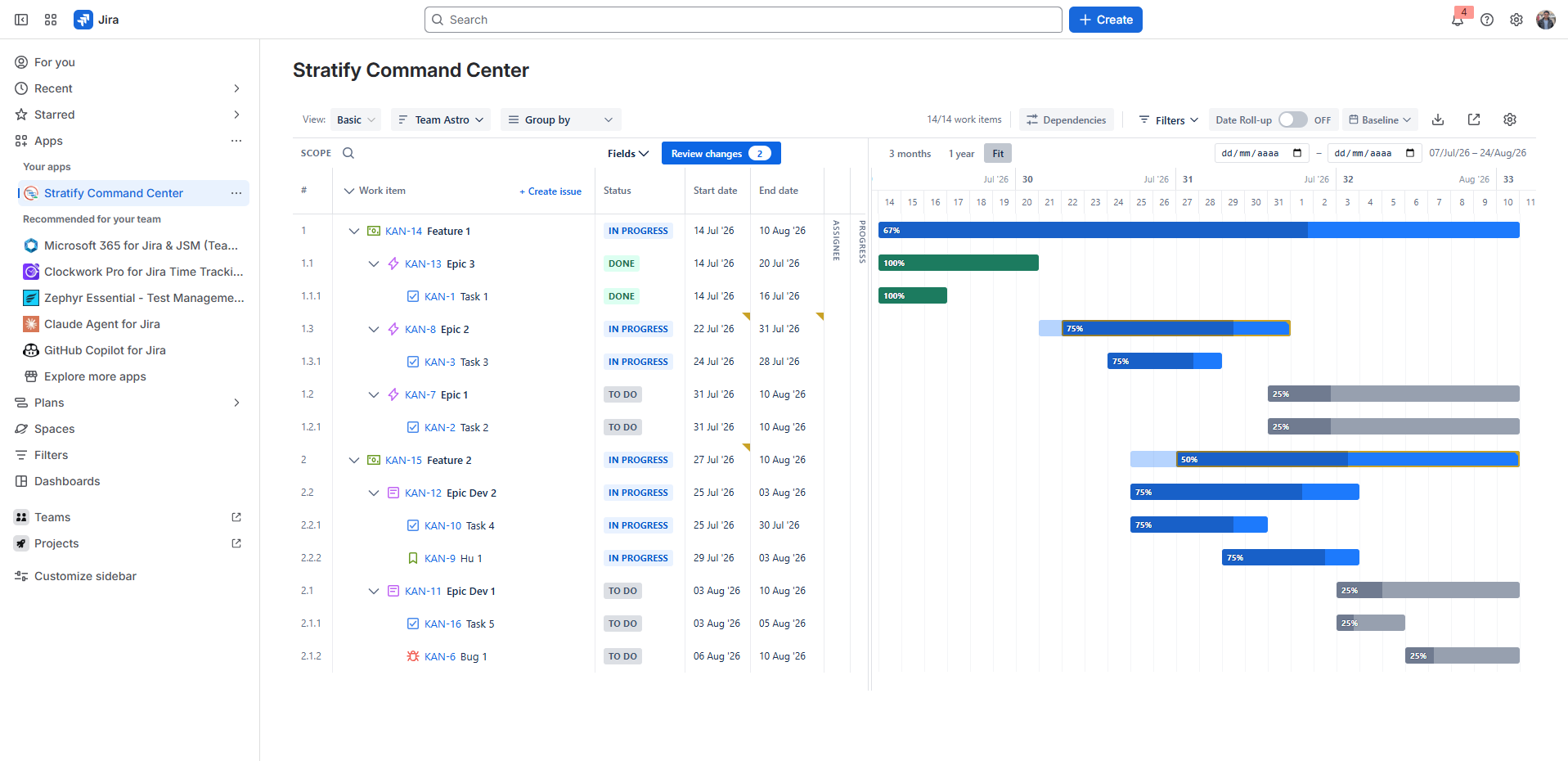
While the change exists only in Draft, Jira dates do not change.
Sync to Jira
When the plan is ready:
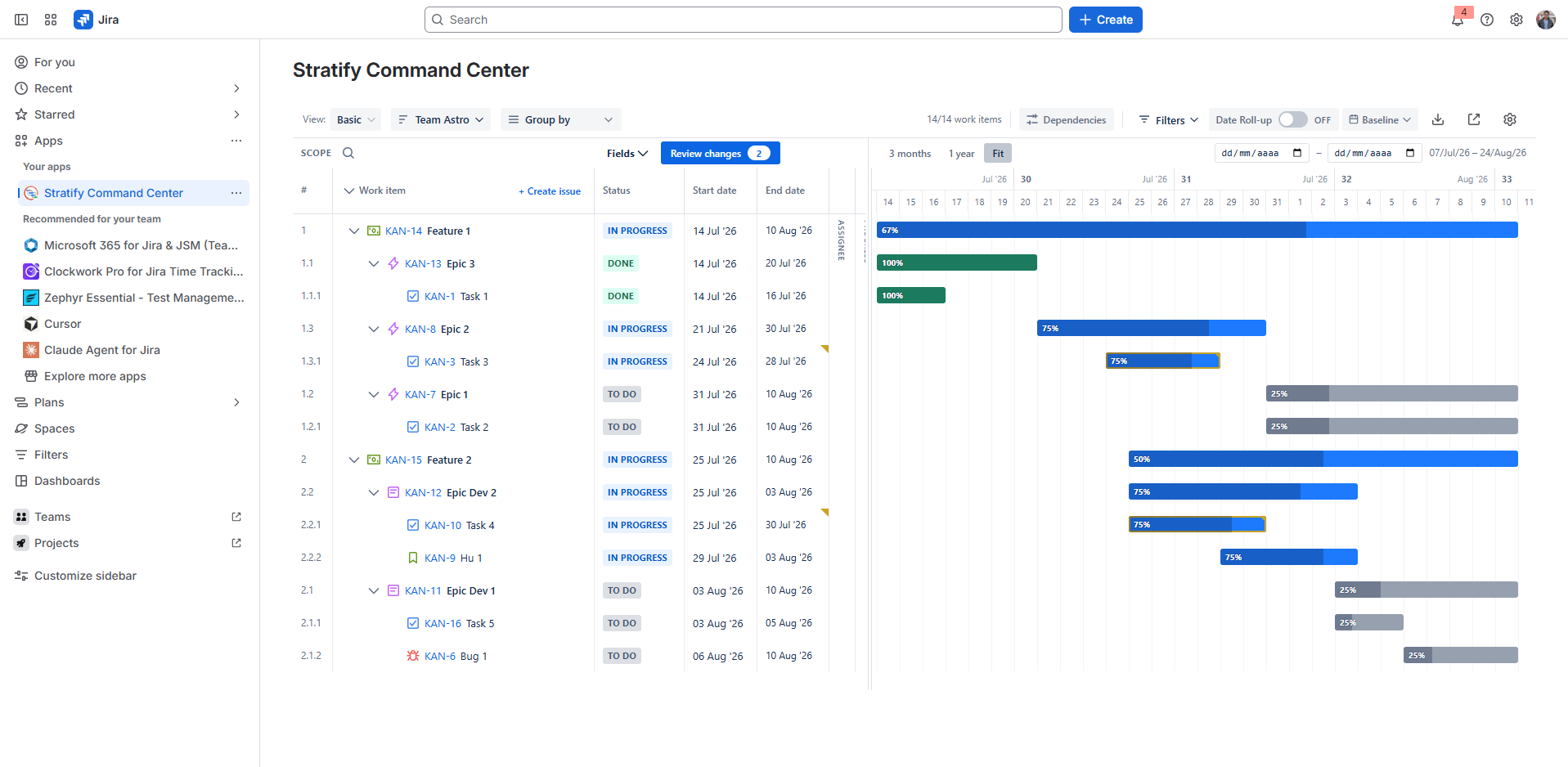
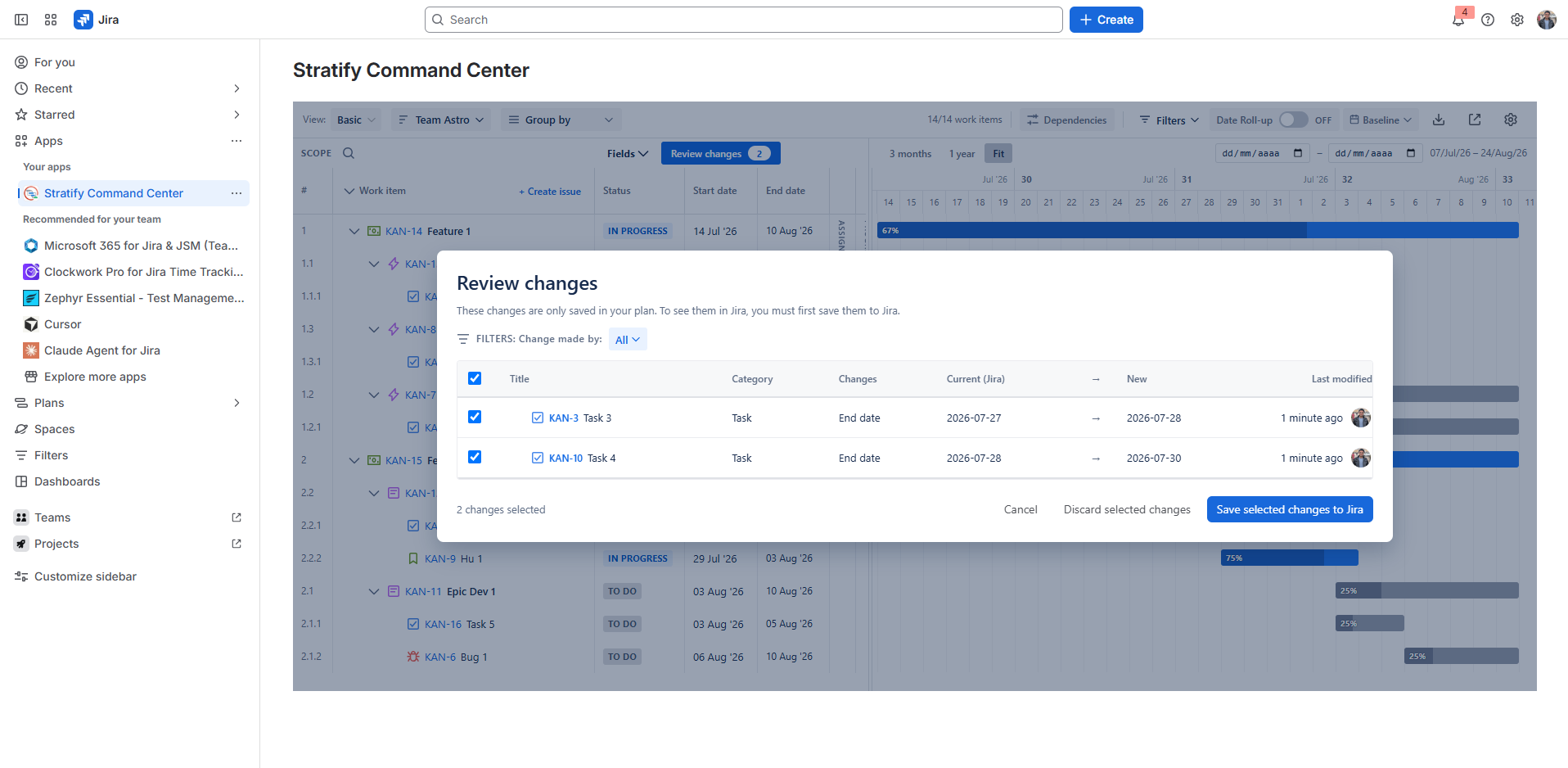
- Click Sync (visible when there are draft changes).
- Confirm the send.
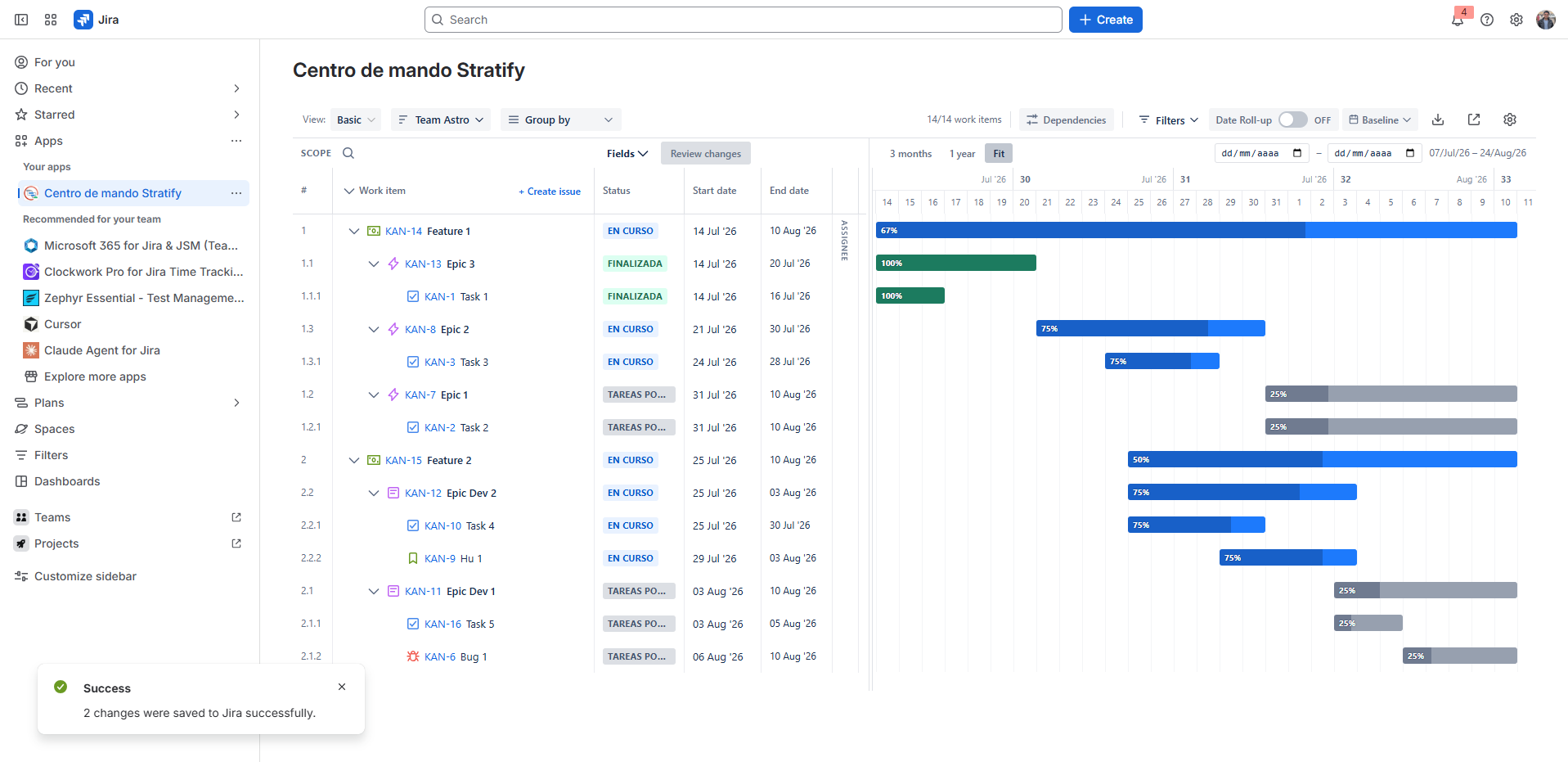
- Stratify updates the configured start and end dates in Jira (and agreed fields, including Parent Element and Blocks links) for all modified issues, using the current user’s identity and permissions.
- Review the per-issue success or failure summary.
Partial failure: only changes Jira accepted leave the draft. Failed changes stay, with the error, so you can retry. Saving Parent Element re-nests the tree as soon as Jira accepts it, without a reload. After a full success, that plan’s draft is cleared and the view reflects Jira data.
Permissions
If you cannot edit an issue in Jira, sync for that issue will fail. Request edit permission or remove that issue from the plan.
Next: Roll-ups and risks.