Transmission status and history
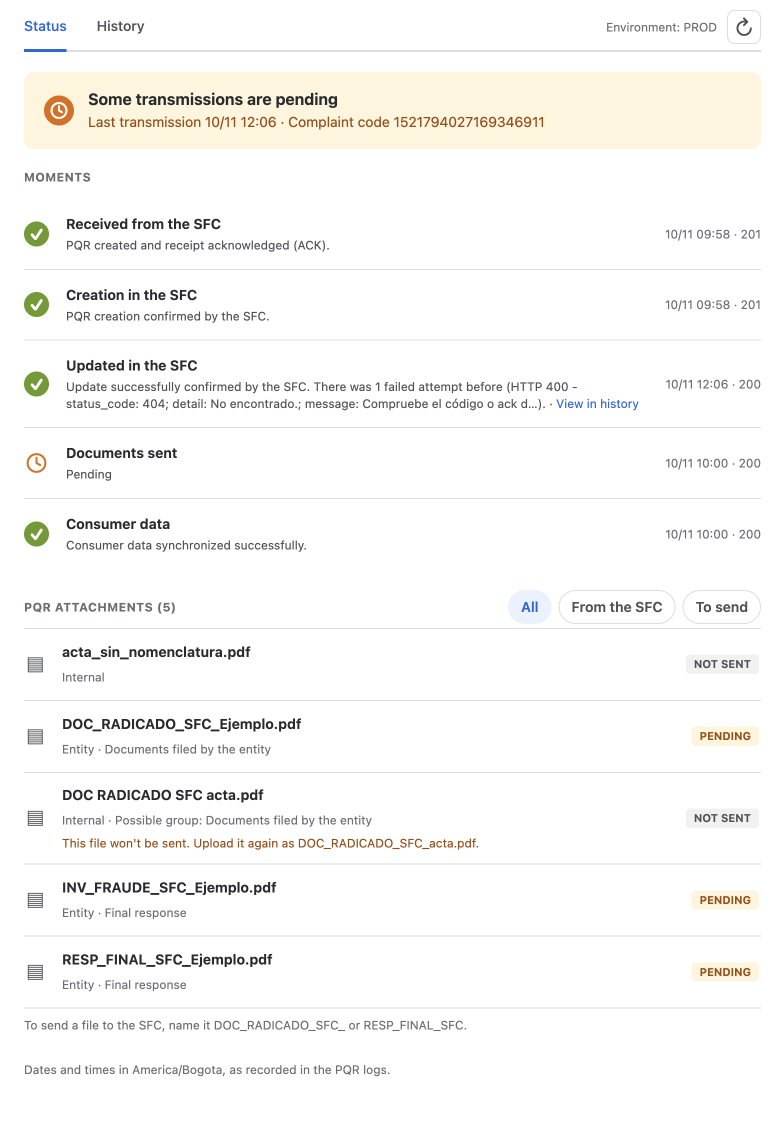
On the PQR, open the SFC transmission status panel. The Status tab presents each integration moment separately—Received from the SFC, Creation in the SFC, Updated in the SFC, Documents sent and Consumer data—with its status, date, last HTTP code and most recent error. Moments that do not apply are identified as such; previously resolved errors are not shown as the current status.
In the same panel, review the PQR's native attachments, their origin and individual transmission status. Use the All, From the SFC and To send filters to show all attachments, those received from the SFC, or those to be sent.
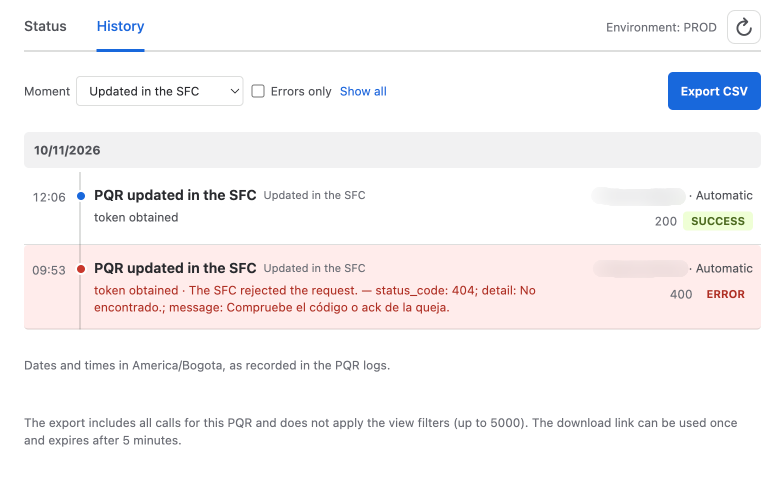
Open History to review the SFC call timeline, including date and time, moment, action, result and details. To analyze multiple records, ask an administrator to export a CSV from the entity history view.