Introduction to Jira Live Chat (DC)
Jira Live Chat (DC) is a Jira Service Management Data Center add-on that enables real-time communication between service portal customers and support agents. Each conversation is automatically linked to a JSM request, so the team can review the complete history without leaving Jira.

Main Features
-
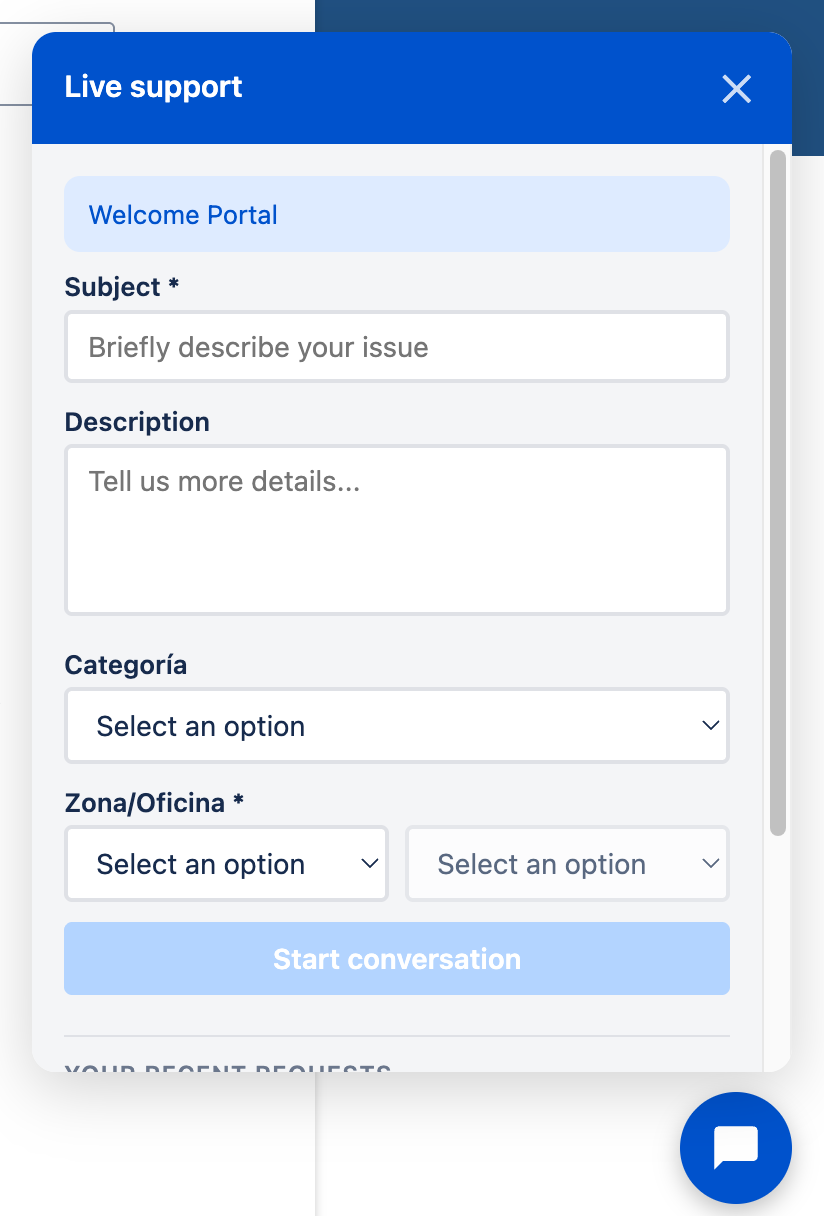
Portal chat widget: Customers can start a chat directly from the JSM service portal. In addition to a summary and description, the administrator can request other information relevant to each request type.
-
Per-portal configuration: Administrators can configure multiple service portals independently. The widget appears only in portals that are enabled.
-
Agent tray: Authorized agents manage sessions from the project sidebar, with queues for unassigned chats, their own chats, all assigned chats, and closed chat history.
-
Controlled inbox access: Administrators can decide which users and groups can handle chats in each portal. Global administrators retain access.
-
Configurable initial form: Each portal can request additional information before creating the request, such as text, numbers, dates, selections, checkboxes, or cascading lists.
-
Initial conversation message: After submitting the form, the customer can receive an introductory message as the first chat bubble and, when configured, choose an option to describe the inquiry.
-
Automatic request creation: Each new chat automatically creates a JSM request, with messages stored as comments on the request.
-
Attachment support: Both customers and agents can attach files to the conversation. Files are stored as native request attachments in Jira, with inline previews for images and download links for other types. On desktop, you can also paste an image directly from the clipboard using Ctrl+V / Cmd+V.
-
Session persistence: Conversations are preserved in the browser when customers reload the page or close and reopen the widget.
-
Mobile experience: The widget adapts to small screens and can use the full screen for easier reading and typing.
-
Expanded desktop window: On desktop devices, the chat window uses more screen area to display the conversation without breaking the responsive layout.
-
Administrative configuration: Administrators can configure Polling (ms), the welcome message, and closing statuses from the Manage apps panel.
-
Satisfaction survey: After a chat is closed, the customer can complete the standard JSM satisfaction survey when it is enabled for the project.
-
Automatic assignment: When an agent replies to or resolves a conversation from Jira, the request is automatically assigned to that agent.
This add-on is ideal for support teams that need to provide real-time assistance from multiple JSM portals while keeping the complete conversation history linked to the request for later review.