Project Roles on Transition Condition
The Project Roles on Transition condition restricts the execution of a workflow transition to users who belong to one or more specific project roles. Users who do not belong to any of the allowed roles will not see the transition available on the issue.
It is a direct way to model separation of duties in the workflow: for example, restricting issue closure to Project Leads, allowing only QA to move an issue to "Ready for Production", or reserving issue escalation to Support N2.
When to use this condition
- Restrict issue closure to the project lead role.
- Allow the move to "In Production" only to users in the Release Manager role.
- Reserve the "Approve" transition for an Approvers role defined in the project.
- Limit the "Return to Requester" transition to the Support N1 or Service Desk role.
Working with project roles (instead of users or global groups) lets you reuse the same workflow across several projects: each project defines who fills each role and the condition adapts automatically, with no need to duplicate workflows.
Add the condition to a transition
- Navigate to Jira Administration > Issues.
- In the left sidebar, under Workflows, click Workflows.
- Find the workflow and click Edit.
- Select the transition you want to restrict and open the Conditions tab.
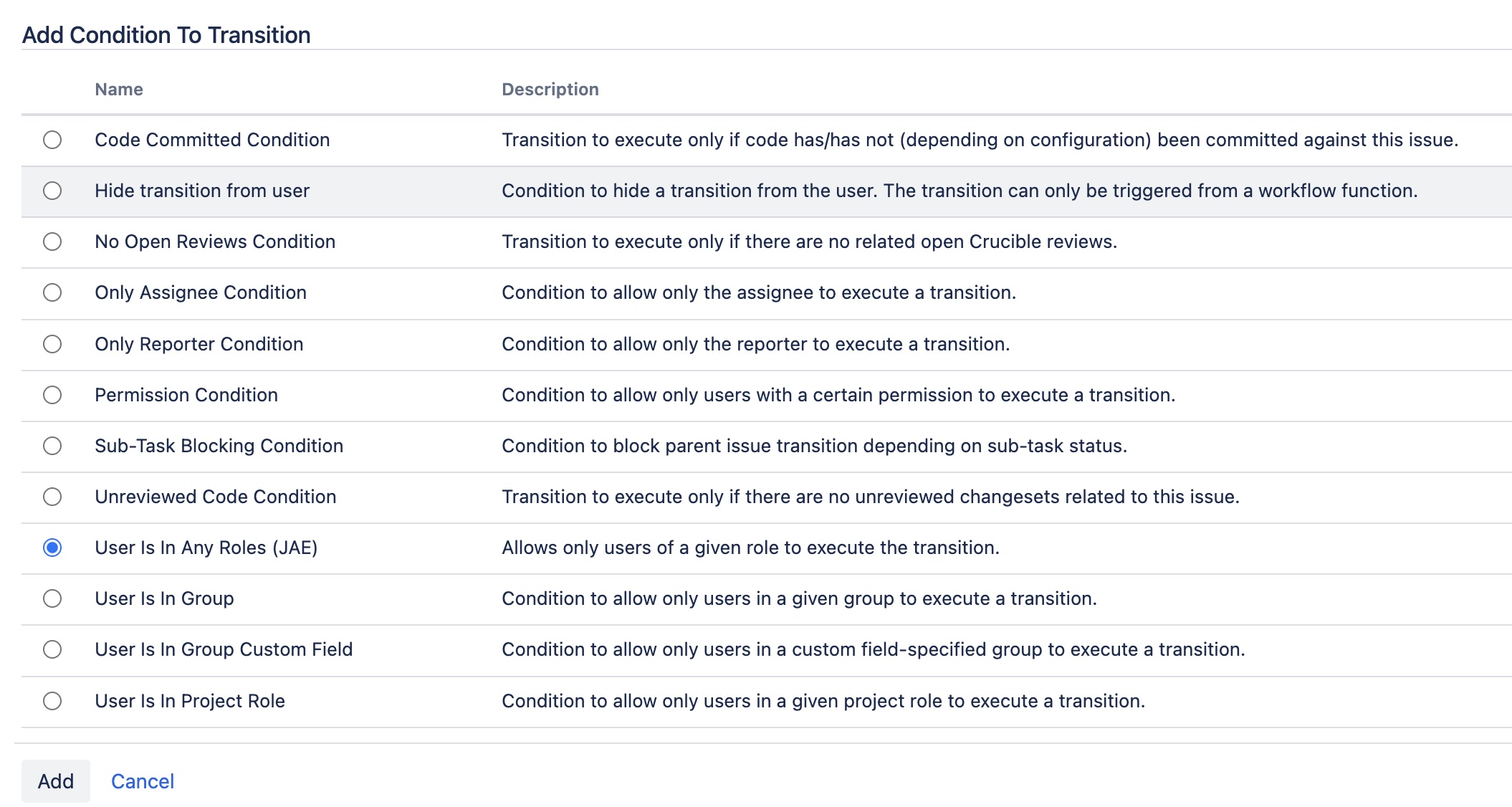
- Click Add condition.
- From the list of available conditions, select Project Roles on Transition and click Add.
- Configure the allowed roles (see next section) and save.
- Publish the workflow so the changes take effect.
Configure the allowed roles
When you add or edit the condition, a form is displayed with:
- Allowed roles — Multi-select containing all the project roles available in the instance (for example, Administrators, Developers, Users, as well as any custom roles your organization has defined).
Check one or more roles. The condition is met when the user attempting to execute the transition belongs to at least one of the selected roles in the issue's project.
After saving, the selected roles will appear summarized in the transition's condition list. You can edit the condition at any time.
Behavior on the issue view
When a user opens an issue:
- If they belong to at least one of the configured roles in the issue's project, the transition appears available and they can run it as usual.
- If they do not belong to any of the configured roles, the transition does not appear in the issue's available actions. This prevents the user from attempting it and getting a runtime error.
The evaluation is always relative to the issue's project: the same user can see the transition in one project where they hold the role and not see it in another where they don't, even when both projects share the same workflow.
You can combine this condition with other native Jira conditions or with other conditions from the add-on itself. By default, all conditions are evaluated as AND: the user must meet them all for the transition to become available.
Example: approval restricted to project leads
Consider the "Approve" transition in a change management workflow. Only project leads should be able to approve:
- Edit the "Approve" transition of the workflow.
- Add the Project Roles on Transition condition.
- Select the Project Leads role (or whichever name it has in your instance).
- Save and publish the workflow.
From then on, only users belonging to the Project Leads role in the project will see and be able to execute the "Approve" transition. Other users will still see the issue, but the approval action will not appear among the available ones.
Recommendations
- Define project roles with clear and consistent names across the whole instance (Approvers, QA, Release Manager) to make it easier to reuse workflows across projects.
- Document in your process catalog which role governs each sensitive transition (closure, approval, move to production, etc.).
- Combine this condition with the Required Fields on Transition validator to reinforce data quality on the same critical transitions.
Internationalization (i18n)
All administrative texts of the condition (name, description in Jira's catalog and configuration form labels) are internationalized and respect the Jira user's language, with English and Spanish support included.