Email Custom Field
The Email Custom Field lets you store an email address per work item, with format validation both on the client and on the server, and search support integrated with Jira Cloud's search engine.
This section describes how to create the field, associate it with your screens, and understand the validation rules the add-on applies.
Create the Email field
-
In Jira, click the Settings (gear) icon in the top-right corner.
-
Select Issues.
-
In the left sidebar, under Fields, click Custom fields.
-
Click Create custom field in the top-right corner.
-
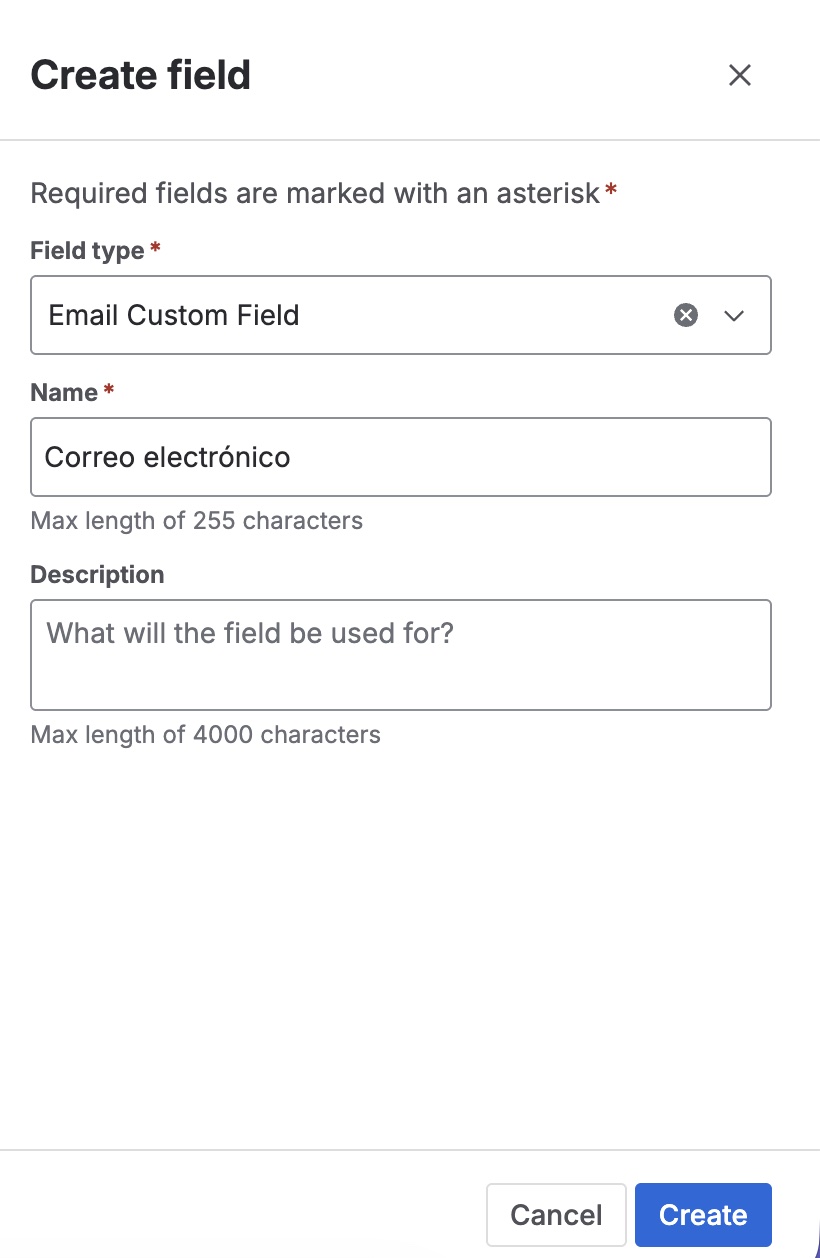
On the "Select a field type" screen, find and pick Email Custom Field (provided by Admin Essentials). Click Next.
💡 You'll recognize it by its description: "Stores a single email address." and the blue envelope icon.
-
Name and description:
- Enter a Name for the field (for example, "Requester email", "Contact email").
- Add an optional Description to guide users.
-
Click Create.
-
Associate to screens: Jira asks which screens the field should appear on (create, edit, transition). Select the relevant ones and click Update.
The field is now available on the configured screens, and users can capture email addresses on their issues.
Verify that the Admin Essentials installation has completed (under Apps → Manage apps). If the app is installed but the field type doesn't appear yet, give Forge a few minutes to sync the modules with your site, then refresh the page.
Validation rules
The add-on validates input at two levels:
- Client (while editing): The inline edit component shows specific error messages as the user types.
- Server (on save): Forge runs a Jira expression declared in the add-on manifest that checks the address before persisting it. This is the source of truth.
The rules are:
- Format: The value must match the shape of a standard email address (
local@domain.tld), with no spaces and a single@. - Total length: The address must not exceed 254 characters (RFC 5321 limit).
- Local part length: The portion before the
@must not exceed 64 characters (RFC 5321 limit). - Empty allowed: If the field is not marked required in Jira's configuration, leaving it blank is valid.
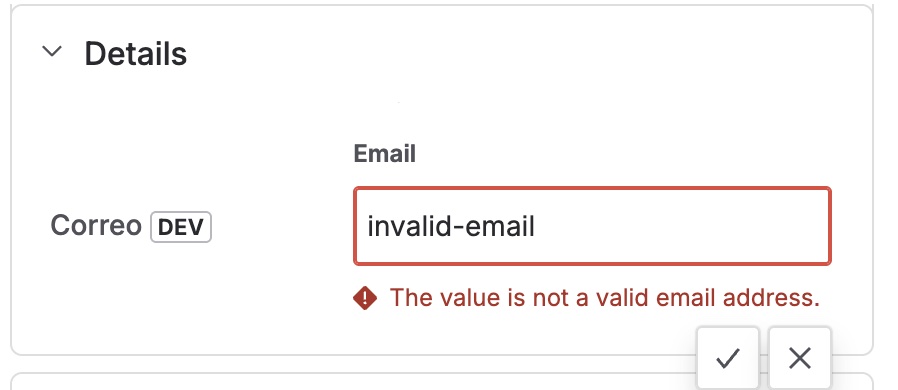
If the value fails any rule, Jira shows "The value is not a valid email address." (or its localized equivalent) and refuses to save.
Because final validation runs as a Jira expression on the server, it also applies when an issue is created or edited via the Jira Cloud REST API or external integrations. This avoids gaps where invalid addresses could slip past browser-side validation.
Search and JQL support
The Email field is registered in Forge with type: string, which enables JQL exact-match string operators:
| Operator | Supported | Example |
|---|---|---|
= | ✅ | "Requester email" = "user@example.com" |
!= | ✅ | "Requester email" != "spam@no.com" |
in / not in | ✅ | "Requester email" in ("a@x.com", "b@y.com") |
is EMPTY / is not EMPTY | ✅ | "Requester email" is not EMPTY |
~ / !~ (partial) | ❌ | (not supported by Forge for type: string) |
Partial-match operators (~, !~) are not supported for Forge string custom fields. This is a platform limitation on Atlassian Forge, not on the add-on. For lists of addresses, use the in (...) operator.
Rendering on the issue view
Once saved, the email appears on the issue view as a clickable mailto: link preceded by an envelope icon (✉). Clicking it opens the user's default mail client with a new message addressed to that address, ready to write.
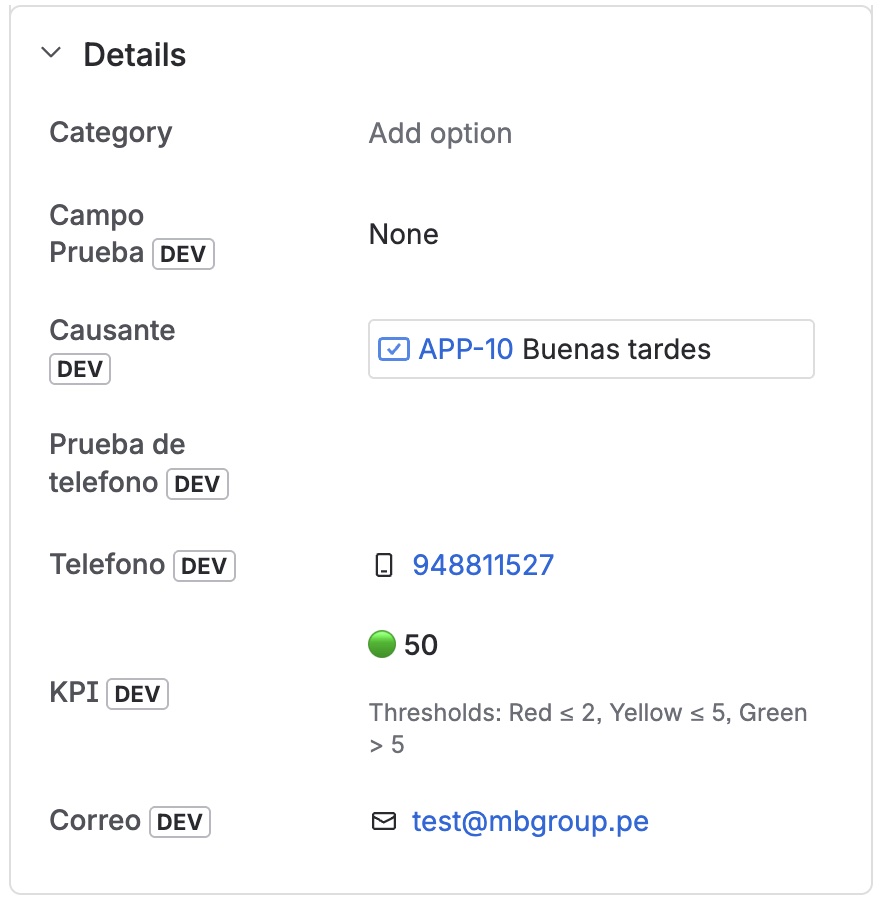
The add-on safely percent-encodes the value (RFC 6068) before building the link, so non-standard characters are serialized correctly.
Inline editing
The field supports inline editing on the issue view: just click the value to reveal an editable text box. The same validation rules apply; errors render in red below the field and block save until the address is valid.