Currency Custom Field
The Currency Field custom field stores a monetary amount per work item and renders it with the currency symbol, symbol position (prefix or suffix) and decimal places the administrator configures per field context.
It fits quotes, budgets, expected revenue, support costs, sales opportunity amounts, and in general any economic KPI that benefits from being displayed with the right symbol while still being filterable by JQL as a plain number.
Create the Currency field
-
In Jira, click the Settings (gear) icon in the top-right corner.
-
Select Issues.
-
In the left sidebar, under Fields, click Custom fields.
-
Click Create custom field in the top-right corner.
-
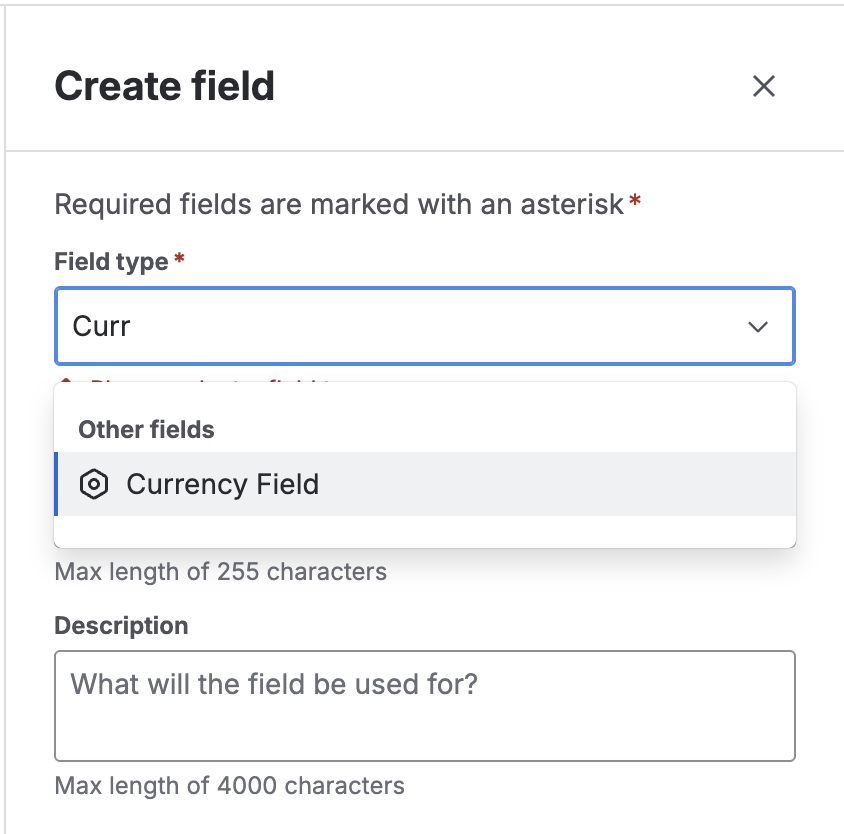
On the "Select a field type" screen, find and pick Currency Field. Click Next.
💡 You'll recognize it by its description: "Stores a monetary amount and renders it with a configurable symbol, position and decimals per context."
-
Name and description:
- Enter a Name (e.g. "Quoted amount", "Estimated cost").
- Add an optional Description.
-
Click Create.
-
Associate to screens: Pick the relevant screens and click Update.
The field is now available. However, values will still show as plain numbers until you configure the symbol, position and decimals on each context (next section).
While a field context has no configuration saved, values render with no symbol, using the user's locale number format (e.g. 1,500.00). This avoids displaying a symbol that doesn't match the business context until the administrator defines it.
Configure the display per context
Currency Field configuration is always tied to the field context, which means you can define different currencies per project or issue type, based on the contexts you create.
Configuration model
Each context requires three values:
- Currency symbol — Free-form text for the symbol. Examples:
S/,$,€,USD,BRL. - Symbol position — Where the symbol prints relative to the number:
- Prefix →
S/ 1,500.00 - Suffix →
1,500.00 S/
- Prefix →
- Decimal places — Number of decimals:
0,2or4.
Steps to configure the currency
-
Go to Settings → Issues → Custom fields.
-
Find the Currency field you created and click the actions menu (
⋯) → Contexts and default value. -
On the field contexts page, open the context you want to configure.
-
Inside the context you'll see a section provided by Admin Essentials called Currency display.
-
Complete the form:
- Currency symbol: e.g.
S/,$,€. - Symbol position: Prefix or Suffix.
- Decimal places:
0,2or4.
- Currency symbol: e.g.
-
Click Save.
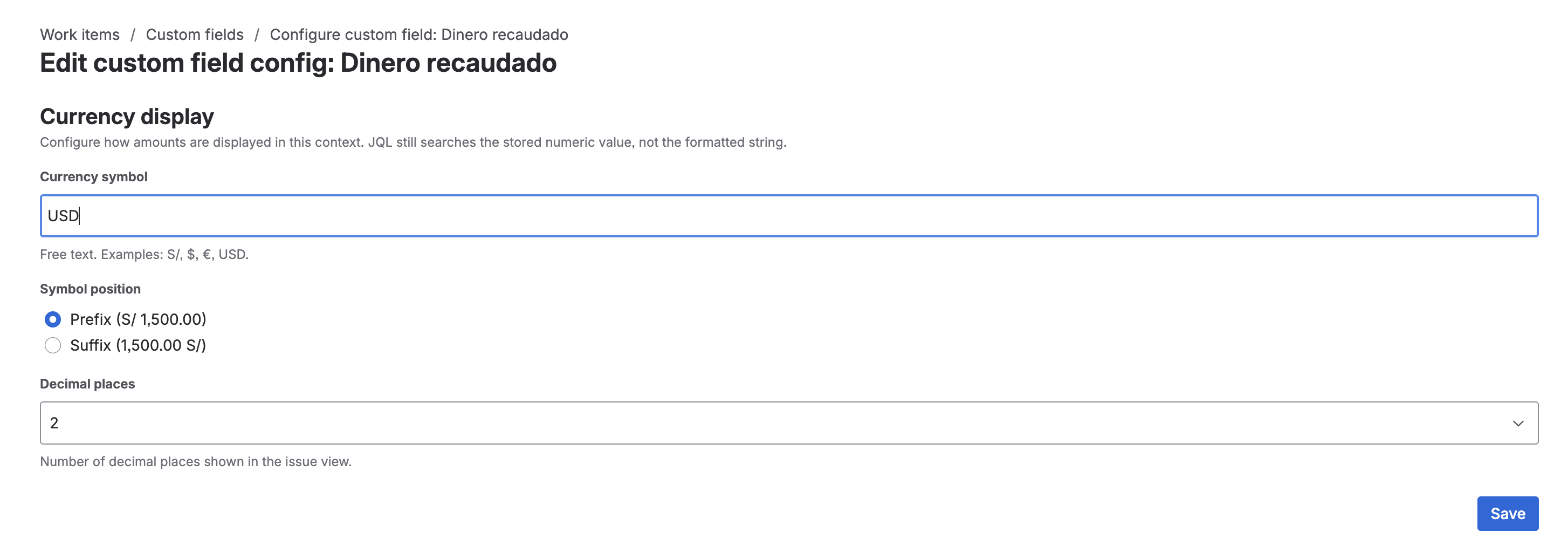
After saving, issues in that context will start displaying the value formatted with the chosen symbol, position and decimals.
Configuration examples
| Context | Symbol | Position | Decimals | Result for 1500 |
|---|---|---|---|---|
| Project PER | S/ | Prefix | 2 | S/ 1,500.00 |
| Project USA | $ | Prefix | 2 | $ 1,500.00 |
| Project EUR | € | Suffix | 2 | 1,500.00 € |
| Project CRYPTO | BTC | Suffix | 4 | 1,500.0000 BTC |
If you reuse the same Currency field across projects with different currencies, just create a context per project and save the matching configuration. JQL still operates on the stored numeric value, not on the formatted string.
Validation on entry
When a user enters a value, Jira validates on the server (via Jira expression) that it is a finite number. Possibilities:
- Empty → valid (the field is optional when not marked required).
- Integer or decimal number → valid.
- Text that is not a number → blocks the save with "Please enter a valid number."
Entry on the create screen
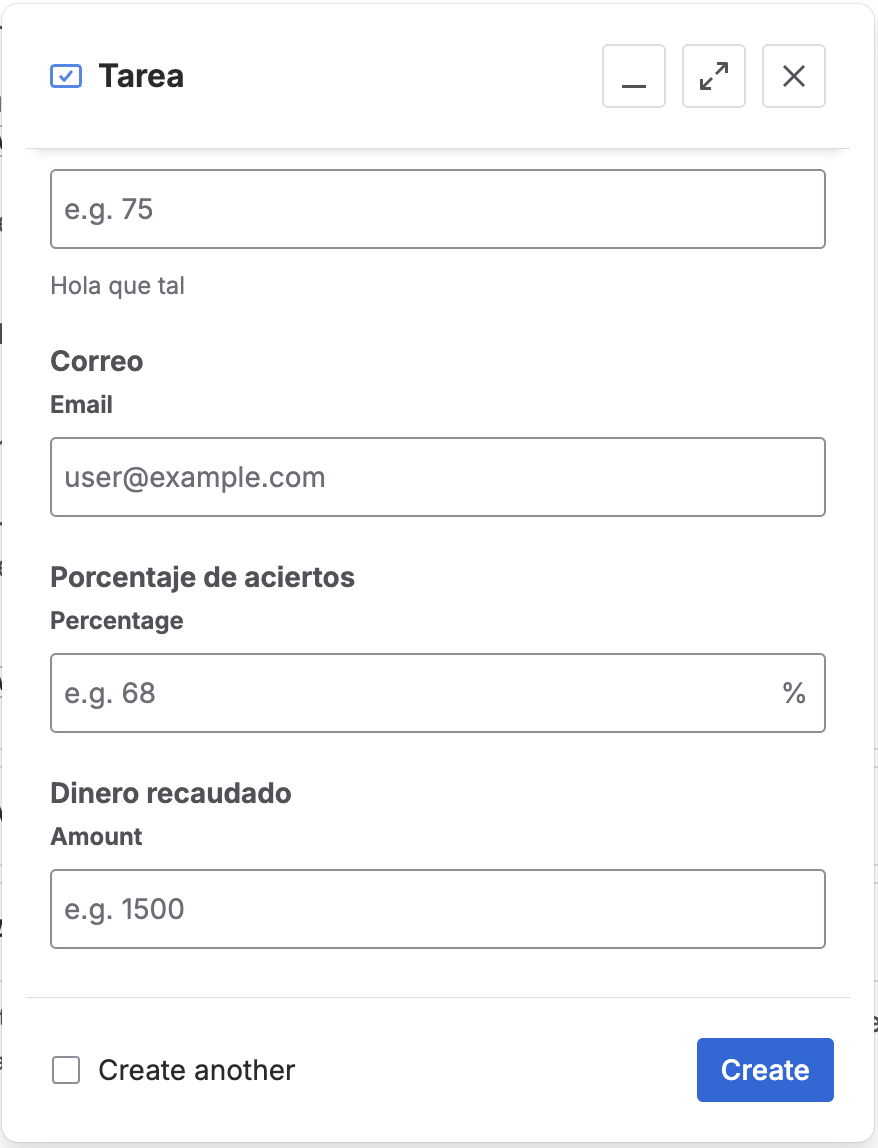
In the Create issue dialog, the field appears as a numeric input. The user types the value without the symbol: formatting is applied when rendering the issue view, not at capture time.
Rendering on the issue view
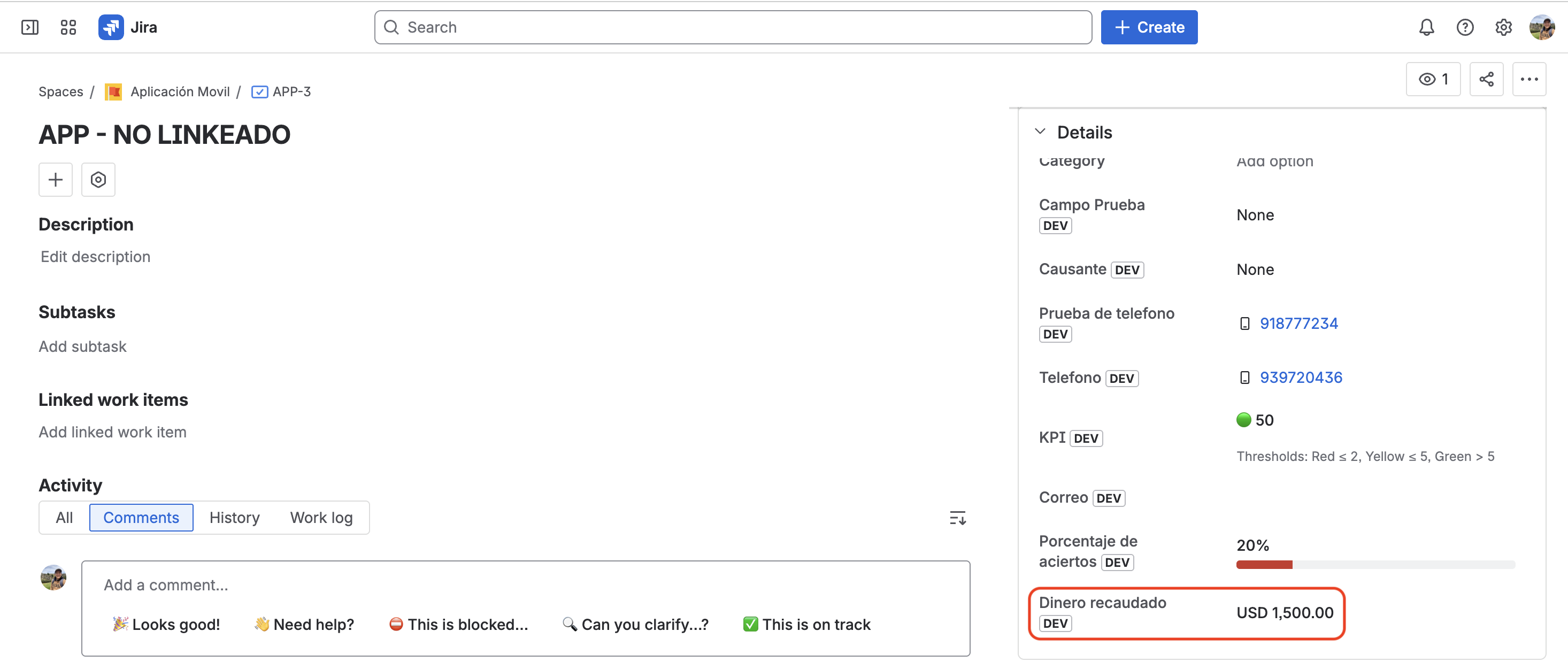
On the issue view, the value is rendered according to the active context configuration (symbol, position, decimals). Internally the value is still a number, so reports and JQL queries keep working like with any of Jira's native numeric fields.
Search and JQL support
The field is registered with type: number, which enables JQL's standard numeric operators:
| Operator | Supported | Example |
|---|---|---|
= / != | ✅ | "Quoted amount" = 1500 |
< / <= / > / >= | ✅ | "Quoted amount" >= 10000 |
is EMPTY / is not EMPTY | ✅ | "Quoted amount" is not EMPTY |
in / not in | ✅ | "Quoted amount" in (1000, 5000, 10000) |
JQL queries operate on the stored numeric value, regardless of how it's displayed. For instance, "Quoted amount" >= 1000 returns the issues whose value is ≥ 1000 even if one shows as S/ 1,000.00 and another as € 1,000.00 because they belong to different contexts.