Draft pull request
When the plan is clear, the agent applies the change in an isolated environment, validates it, and leaves the result in a draft pull request in Bitbucket.
Repository
The agent works with a single Bitbucket repository. It resolves it from a bitbucket.org URL in the work item, from the work item's links, or from a pull request that cites the key. The full order is in How it finds the repository and branch.
- If there is no repository, it asks.
- If there are several, it asks.
- GitHub URLs are ignored.
- It does not support multi-repo.
Branch and pull request
- The branch is named
deepseek/<key>-<slug>. - The pull request is created as a draft and cites the work item key.
- The agent does not push to the default branch or merge.
Implementation
The change runs in an isolated environment. The agent edits files and runs commands only inside the repository and does not ask questions during implementation. Before editing, it explores the code it is going to touch.
If the repository has an AGENTS.md file, the agent uses it as context.
Progress in the panel
While the agent works, the panel shows the task's progress. You can see which step it is on without waiting for the final result.
Checks before publishing
Before pushing, every change goes through these checks:
| Check | What happens |
|---|---|
| Tests | If the repository has tests or lint, the agent runs them. If they do not exist, it says so. |
forge lint | If the repository has a manifest.yml, it runs forge lint. If it fails, there is no push. If there is no manifest, it does not run and the result says so. |
| Forge review | Reviews the change against Forge's official practices. |
| Security review | Added when the change touches permissions, network, authentication, or storage. |
If the review finds blockers, the agent makes one fix and reviews again. If the blockers remain, there is no push and the result explains what is still pending.
In a Forge app repository, forge lint passing is a requirement for the agent to open or update the pull request.
Result
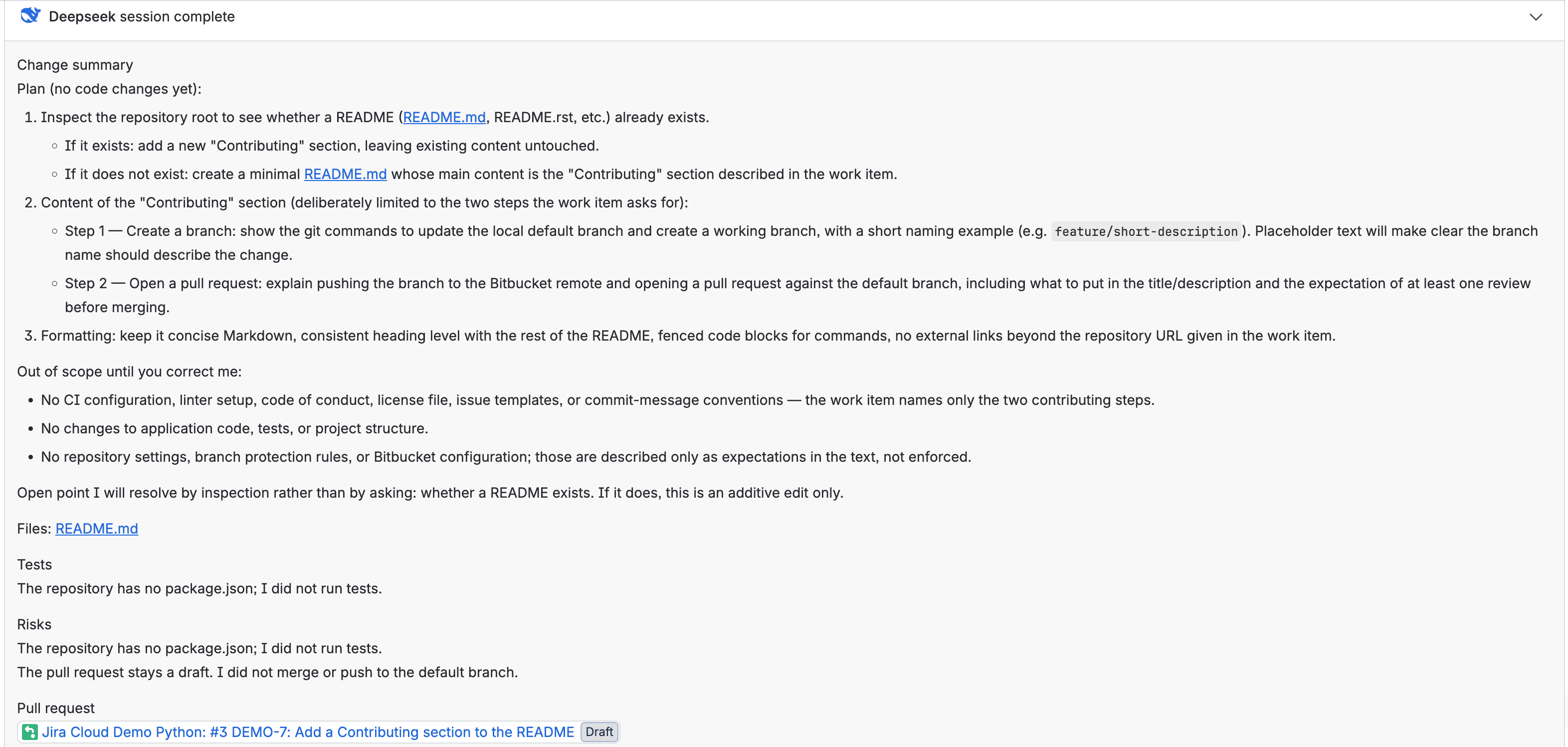
When it finishes, the agent response includes:
- The change summary.
- The tests and checks it ran.
- The detected risks.
- The Bitbucket pull request link.
Where the reply goes depends on how you started the work:
- Mention: the reply is posted as an agent comment on the work item, with its formatting.
- Assignment: the result stays in the agent's panel. Nothing is posted to the work item.
If the environment, tests, checks, or Bitbucket fail, the message explains why in the panel and there is no push to the default branch.
Iterating on the same pull request
A later mention continues on the same branch and the same pull request for that key.
- Each iteration starts from the existing branch, the pull request diff against the base branch, and the new instruction.
- New commits go to that branch and go through the same checks.
- No merge is performed.
Cancelling a task
You can cancel an in-progress task, including during implementation. The work stops and partial work is not published.
Usage limits
The administrator defines token, step, and time limits per task. When a limit is reached:
- The task stops.
- The message states which limit was reached and what was completed.
- Partial work is not published.
- The branch remains as it was before that task.
Frequently asked questions
If the agent cannot continue due to missing information, the task ends with the reason and a suggested question. You can continue with a mention. For other cases, see the Frequently asked questions.
Next step: Review a pull request.