Introduction to Deepseek for Jira
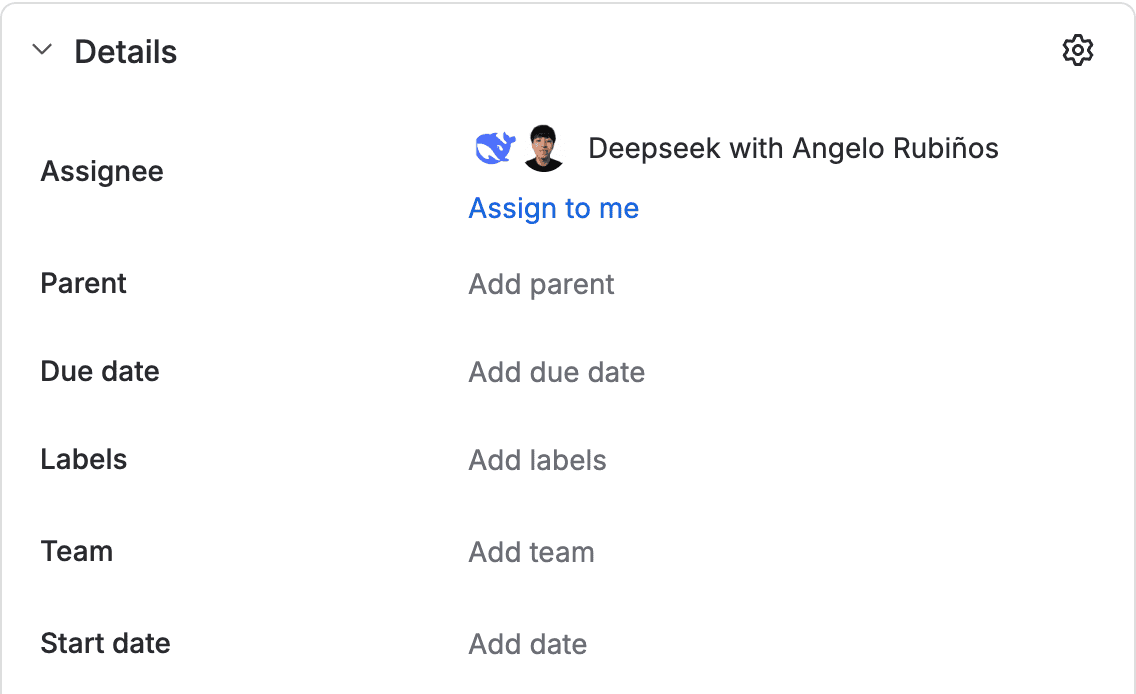
Deepseek for Jira is a Forge app for Jira Cloud that works as an assignable companion. Assign it a work item or mention it, and it leaves the change in a draft pull request in Bitbucket for review before merging. It also answers questions, looks up the code cited in the work item, and reviews pull requests that are already open.

Who is it for?
It is designed for teams that want to delegate small or well-scoped code changes and review them like any other pull request, and for anyone who needs a quick answer about the code or a second opinion on a pull request. When mentioned, the agent replies with a comment on the work item. When assigned, the result stays in its panel.
What's new in version 1.1.0
| Capability | Benefit |
|---|---|
| Reply as a comment | When mentioned, the reply is posted as an agent comment on the work item, with tables, code, and lists. When assigned, the result stays in its panel. |
| Questions without code | If the mention does not ask for a change, it answers directly without touching the repository. |
| Questions about the code | If the work item cites a repository, branch, or pull request, it reads it in read-only mode and answers. It does not commit or push. |
| Review of an open pull request | Evaluates a pull request without modifying it and returns a verdict stating what is wrong and in which file. |
| Plan with the repository in view | Reads the repository structure before proposing the change, without modifying it. |
| More checks before publishing | Explores the code before editing and runs tests, forge lint, and a Forge review, with a security review when the change is sensitive. |
| Official Forge documentation | Looks up the current Forge documentation and follows Atlassian's official practices while it works. |
| Work item links | Reads the linked repository, branch, pull request, and pages to know what to work on. |
| Progress in the panel | Task progress is visible in the panel while the agent works. |
Capabilities available since version 1.0.0
| Capability | Benefit |
|---|---|
| Assignable companion | Appears in the Assignee field, in mentions, and in the Rovo Chat panel. |
| Immediate acknowledgement | Confirms the request right away; the long-running work continues afterwards. |
| Work item reading | Reads the summary, description, comments, and text attachments. It skips binaries and says so. |
| Plan in the work item's language | Explains what it will do in the work item's language. |
| Questions before implementation | If a critical decision is missing, it asks and waits for the answer in the chat. |
| Private Rovo Chat | The panel conversation is private and is not automatically copied to the work item. |
| Draft pull request | Works with a single Bitbucket repository and opens a draft pull request. |
| Reviewable result | Returns the change summary, executed tests, risks, and the pull request link. |
| Iteration | A later mention continues on the same branch and the same pull request. |
| Limits and cancellation | An in-progress task can be cancelled, and work stops when a usage limit is reached. |
| Site isolation | Each installation is registered and separated. Uninstalling deletes the site's credentials and tasks. |
How it works
- Assign the work item to the agent, mention it in a comment, or talk to it in Rovo Chat.
- The agent confirms the request and reads the available context, including the work item's links.
- If the request is a question, it answers. If it is about the code or an open pull request, it reads it without modifying it and answers.
- If the request is a change, it explains a plan with the repository in view. If a decision is missing, it asks and waits.
- It applies the change in an isolated environment and validates it with tests,
forge lint, and a review before publishing it. - It opens a draft pull request in Bitbucket and returns the summary, tests, risks, and link. If you mentioned it, the reply is posted as a comment on the work item.
- You review the pull request. If you want changes, mention the agent again and it continues on the same pull request.
What version 1.1.0 does not include
- GitHub.
- Jira Data Center.
- An Atlassian Marketplace listing.
- Billing.
- Multiple repositories at once.
- Multiple Bitbucket workspaces per site.
- An administration page inside Jira.
The model, Bitbucket OAuth consumer, and usage limits are configured outside Jira during service setup. In 1.1.0 there is no administration page inside Jira.
Version
This documentation describes version 1.1.0 of the product. The installed Forge version is available in Apps → Manage apps.
Next step: Installation Guide.