Introduction to Deepseek for Jira
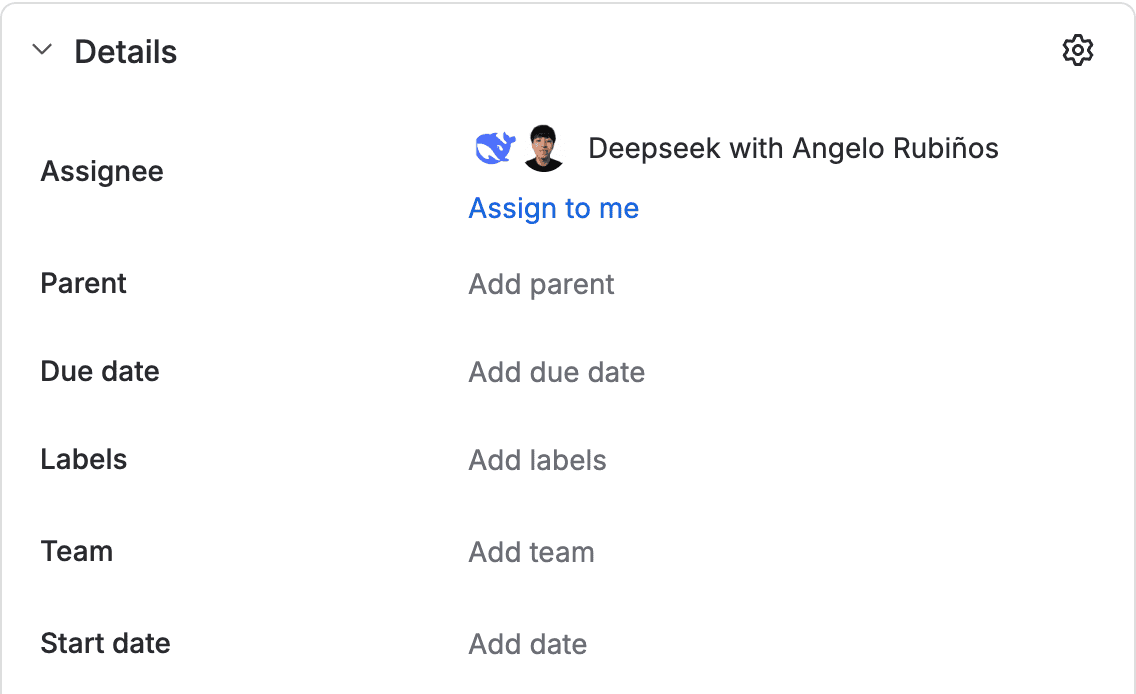
Deepseek for Jira is a Forge app for Jira Cloud that works as an assignable companion. Assign it a work item or mention it, and it leaves the change in a draft pull request in Bitbucket for review before merging.

Who is it for?
It is designed for teams that want to delegate small or well-scoped code changes and review them like any other pull request. The agent does not write to the work item: the summary stays in the conversation and a person publishes the comment.
Capabilities of version 1.0.0
| Capability | Benefit |
|---|---|
| Assignable companion | Appears in the Assignee field, in mentions, and in the Rovo Chat panel. |
| Immediate acknowledgement | Confirms the request right away; the long-running work continues afterwards. |
| Work item reading | Reads the summary, description, comments, and text attachments. It skips binaries and says so. |
| Plan in the work item's language | Explains what it will do in the work item's language. |
| Questions before implementation | If a critical decision is missing, it asks and waits for the answer in the chat. |
| Private Rovo Chat | The panel conversation is private and is not automatically copied to the work item. |
| Draft pull request | Works with a single Bitbucket repository and opens a draft pull request. |
| Reviewable result | Returns the change summary, executed tests, risks, and the pull request link. |
| Iteration | A later mention continues on the same branch and the same pull request. |
| Limits and cancellation | An in-progress task can be cancelled, and work stops when a usage limit is reached. |
| Site isolation | Each installation is registered and separated. Uninstalling deletes the site's credentials and tasks. |
How it works
- Assign the work item to the agent, mention it in a comment, or talk to it in Rovo Chat.
- The agent confirms the request and reads the available context.
- It explains a plan in the work item's language. If a decision is missing, it asks and waits.
- It applies the change in an isolated environment and runs the tests and lint the repository already has.
- It opens a draft pull request in Bitbucket and returns the summary, tests, risks, and link.
- You review the pull request. If you want changes, mention the agent again and it continues on the same pull request.
What version 1.0.0 does not include
- GitHub.
- Jira Data Center.
- An Atlassian Marketplace listing.
- Billing.
- Multiple repositories at once.
- Multiple Bitbucket workspaces per site.
- An administration page inside Jira.
- A plan that clones the repository in read-only mode.
The model, Bitbucket OAuth consumer, and usage limits are configured outside Jira during service setup. In 1.0.0 there is no administration page inside Jira.
Version
This documentation describes version 1.0.0 of the product. The installed Forge version is available in Apps → Manage apps.
Next step: Installation Guide.